
Locker Master is a smart lock screen tool for Android devices. It features a powerful DIY editor that allows users to quickly apply intricate lock screen themes. The app offers a vast array of options and widgets that users can mix and match to their liking. Beyond standard passcode methods, it provides unique unlocking styles. It also includes a community where users can download creative themes designed by others. The app supports high-resolution displays and shows incoming calls and notifications. Additionally, it comes with built-in widgets for features such as weather forecasts, time displays, and temperature readings.
Features
DIY Editor: A simple but powerful DIY editor that allows you to quickly create personalized, beautiful, and even complex lock screen themes;
Tons of Options: An extensive selection of clock designs, decorations, sprites and props that you can easily mix and match to your heart's desire;
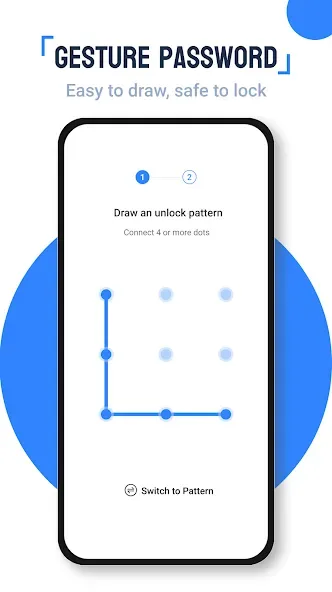
Unique Locks: A large variety of unique and clever unlocking methods to choose from beyond simple swipe gestures and password patterns;
Share and Download: A huge worldwide community of users creating, sharing, and enjoying creative lock screen themes all available for download;
Function
Shows incoming calls and notifications.
An editor for creating themes for your lock screen.
A wide range of preset designs.
Different methods and patterns for unlocking your phone.
Supports high-resolution themes.
FAQS
Q: How to get the correct weather forecast of your city?
A: In the Settings, click “Change city”, GPS will locate your city automatically. If GPS locating does not work, you may have to enter the name of the city manually.
Q: How to set time format?
A: 12 hour and 24 hour clock will follow your system time format.
Q: How to change temperature unit for weather information?
A: Click “Setting” and find “Personal settings”, choose Temperature Unit under Special Functions and set Celsius or Fahrenheit.
Q: How to set Third-party notification?
A: Turn on service of “Notification” in Settings. And then click the app you would like to receive notification on lock screen.
Summarize
Locker Master - a brand New, high quality and comfortable blocker screen for your smartphone. This app will provide you with ample opportunities to lock your screen. It will not only decorate it using different themes and options unlock. But also displays all the information in convenient for you format. You can move shortcuts to the applications you want directly into the lock screen, and if you want to run them from there. Also you can choose lock options, there are a lot of them, so everyone will find something for themselves. Built-in alert system will help you monitor what is happening on your device and always stay in the loop.








