

Cardboard enables users to experience the immersive quality and field of view of VR on their mobile devices. It offers video tutorials that make it easy for users to get started—using just the cardboard viewer and a mobile device—and immerse themselves in the virtual reality experience. The software features an open-source community where users can freely interact, upload videos, and gain inspiration through discussions with others. It boasts excellent compatibility, running smoothly on the vast majority of Android devices; naturally, pairing it with a dedicated VR headset can deliver an even better user experience.
Click to load YouTube / 点击加载视频
YouTube ↗Features of Cardboard:
Launch VR experiences: Cardboard provides a straightforward hub to start supported VR demos and experiences. Open the app, choose what to view, then place the phone in a compatible viewer. This trims time spent digging through menus and gets you into VR faster.
Viewer setup: You can set up a Cardboard viewer inside the app. The process aligns the phone for clearer viewing. A compatible Cardboard viewer is required for full use. Do not use this app while driving or walking.
Discover new VR apps: Cardboard points you to VR apps that work with the viewer, so you can find ideas to try next. This keeps your exploration organized and makes it easier to see what is available for your device.
Open source foundation: Cardboard is built on the Cardboard open source software SDK. The core code is public, which keeps behavior consistent across updates. By using this app, you agree to the Google Terms of Service and the general Privacy Policy.
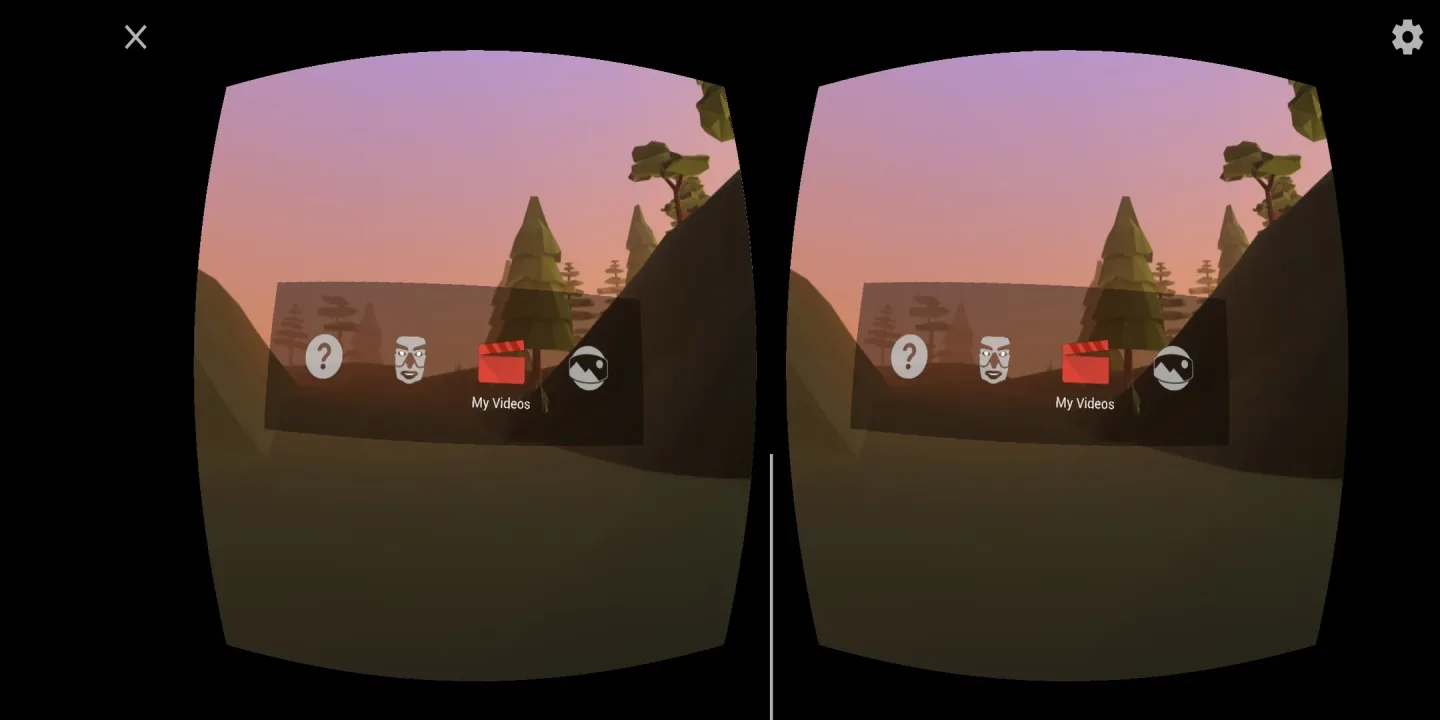
Highlights of Cardboard:
Cardboard is a lightweight introduction to virtual reality from Google. The app lets you experience basic VR demos on your smartphone — everything from immersive panoramas to a simulated big-screen movie experience. It’s intended as an easy, low-cost way to try VR concepts without expensive hardware.
Fly around the planet with Google Earth and view cities, landscapes, and landmarks from above.
Take a virtual drive through Paris using Street View for a street-level tour of the city.
Inspect 360° photo spheres to look around captured scenes as if you were standing there.
Purchase a ready-made viewer online (sites like eBay or other retailers sell assembled Cardboard-compatible headsets).
Make your own viewer from basic parts: corrugated cardboard, a pair of lenses, simple magnets or a button, and fasteners — then slot your phone in and launch the app.
User Reviews of Cardboard:
Free VR, this is a great jumping off experience. I was lucky enough to be given a cardboard viewer (with a QR code) at a convention and with it I could show friend and relatives. Even the more timid can have a go as they can pull the viewer away at any given moment, something a bit harder with headset strapped to you. Worth a go.
Look I've been using this app in like since it came out and it would be nice if there was more features that were introduced to Google cardboard which is the main reason I stopped using it like honestly it's clear when it comes to the screen. Just cuz my phone screens better than whatever other device I could get Please do updates to Google cardboard. Make a home for it and so on. Just revamp the whole app. You guys really need to make it integrated with vision OS.
It is so freaking cool that I built it a box out of out of janga box and I put the phone in and it was the goodest experience ever.And I never had a v r heads that so I got to use this.
Cardboard app is the best virtual reality app out of all the apps that I have used. It has many advantages. It depicts things for you with amazing and beautiful scenes and you feel like you are inside the app. It is easy to use with a simple and uncomplicated interface. I highly recommend it to everyone. I rate it more than 5 stars.
Final Thoughts:
The Cardboard app not only has many different built-in 3D demos, but it can also help you launch your favorite VR experiences, direct you to a multitude of 3D-enabled apps and games in the Android store, and set up a viewer. The app is now built on the Cardboard open-source software SDK. The Google Earth demo is no longer available.








