

Phoenix Browser is a web browser designed specifically for Android devices. Packed with powerful features, it supports fast page loading, enabling users to enjoy high-speed browsing, smooth video playback, and efficient downloads. With Phoenix Browser, users can easily save WhatsApp statuses, manage files, and switch search engines with just a single tap. Its robust file manager allows you to effortlessly manage and access files in over 50 formats, including Word, Excel, PPT, and PDF.
Click to load YouTube / 点击加载视频
YouTube ↗Features:
One Browser, Many Pockets
Phoenix presents itself as a browser that also handles media capture and local file organization, merging a Smart Video Downloader, an integrated File Manager, and a WhatsApp Status Saver plug-in into one package. That combination is uncommon for a standard mobile browser, so the app fits users who prefer one place to browse, save online media, and manage files instead of juggling separate downloader and file-management utilities.
Fast When Data Is Tight
Performance aims for efficiency: the app advertises a lightweight design and includes a Data Saving mode that compresses pages to reduce mobile data consumption. Those choices fit users dealing with limited bandwidth or slower connections. Some user feedback points to occasional stability issues, so performance can vary by device and workload; older devices benefit from testing several open pages before relying on it daily.
Privacy Tools With a Busy Front Door
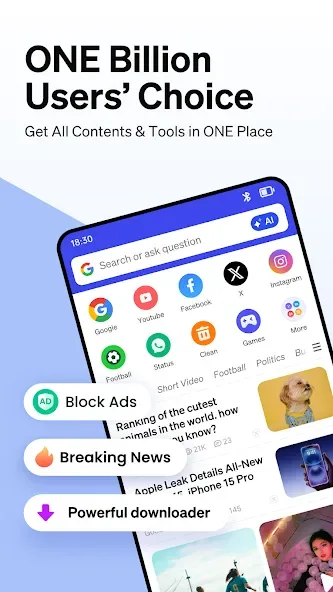
Phoenix offers Incognito Mode, which prevents local saving of history, cookies, and cache, along with a built-in ad blocker for common pop-ups and banner ads. These tools improve everyday browsing comfort, although they do not make it a privacy-first browser. The home feed also displays personalized news and trending videos with internal advertisements, so the browsing surface can still feel busy.
Downloads Meet File Management
The browser embeds a file manager to organize images, videos, and documents directly from the app, reducing app-switching when saving or moving downloads. Automatic video detection places a download prompt on supported pages, while the WhatsApp Status Saver lets users preserve status updates. This setup fits users who keep most browsing, downloading, and file handling inside one mobile workflow.
Tips and Tricks:
Super Downloader: Phoenix Browser can automatically detect downloadable videos while you browse the web, allowing you to download and save online videos from almost every website. You can also use BitTorrent and Magnet for downloads.
Incognito Browsing: Keep your browsing experience private with the incognito tab to avoid leaving any history, cookies, or cache behind.
Ad Block: Block various forms of annoying ads to enhance your browsing comfort and reduce internet data usage.
Bookmarks/History: Save your favorite websites with bookmarks and easily navigate through your history for quick access to frequently visited sites.
Data Saving: Phoenix Browser compresses data, speeds up navigation, and helps save cellular data traffic, making it an efficient choice for browsing.
FAQs:
Is Phoenix Browser free to use?
Yes, Phoenix Browser is a completely free application available for Android devices, offering all its features without any cost.
Does this app help save mobile data?
Absolutely. Phoenix Browser includes advanced data-saving features that compress web pages, significantly reducing your mobile data consumption while browsing.
Can I download videos directly through the browser?
Yes, the application comes with a powerful built-in downloader that allows you to easily download videos and other media content from various websites.
How does Phoenix Browser protect my privacy?
It offers a private browsing mode that ensures your browsing history, cookies, and site data are not saved, providing a secure and confidential online experience.
Final Words:
Download the Phoenix Browser APK for Android and enjoy fast and secure browsing from your smartphone. Browse any website without compromising your privacy and avoid annoying ads thanks to a powerful built-in ad blocker. You can even access a screen that displays content related to your interests, which the AI will select for you.








