

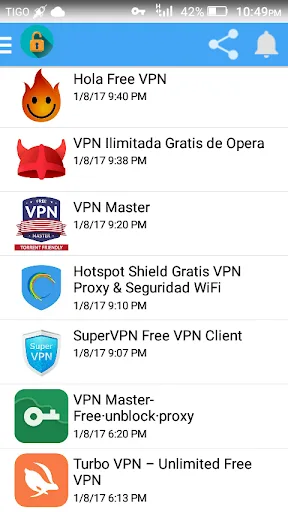
VPN APPS is a VPN tool designed specifically for Android devices. It aggregates a variety of high-quality VPN connections, enabling users to easily bypass restrictions and securely access the websites and applications that interest them. With VPN APPS, users can leave online restrictions behind and enjoy a truly free and unrestricted browsing experience. Whether you are watching your favorite shows or need to ensure network security while using public Wi-Fi, the app provides a safe and private browsing environment. Additionally, it offers a wide range of global server options, allowing you to access geo-restricted content and enjoy faster connection speeds.
Features:
Secure & Private Browsing
Encrypts your internet traffic for better privacy
Hides your IP and safeguards personal data
Protects your connection on public WiFi
Fast VPN & Stable Connection
High-speed servers for smooth browsing and streaming
Smart server selection for optimal performance
Speed Test Instantly
Easily check your connection speed, latency, and stability
Select the fastest server for a smooth and stable experience.
Multiple Server Locations
Choose from various regions for a better experience
Helps improve connection stability
Easy to Use
One-tap connection VPN for quick access
Works with WiFi, LTE, 4G, 3G, and mobile networks
Benefits:
Secure and Private Browsing: This app ensures your internet browsing is secure and private by using a virtual private network (VPN) connection.
Wide Compatibility: Compatible with Android devices, this app allows you to access VPN services on your smartphone or tablet.
Unlimited Data Usage: Enjoy unlimited data usage without any restrictions and access any website or app without worrying about reaching your data limit.
Fast and Stable Connection: Experience a fast and stable internet connection while using this app, ensuring smooth browsing and seamless streaming.
Free and Affordable: This app offers a free option for those on a tight budget, while also providing affordable premium options with additional features.
Tips and Tricks:
Choose the Nearest Server: To maximize internet speed, select a server location that is closest to your physical location for faster connection speeds.
Enable Kill Switch: Activate the kill switch feature in the settings to automatically disconnect your internet if the VPN connection drops, keeping your data secure.
Switch Servers for Geo-Restricted Content: If you want to access content from a specific region, switch to a server located in that country to bypass geo-restrictions.
Final Verdict:
With its easy-to-use interface, wide compatibility, unlimited data usage, fast connection, and free/affordable options, it's a must-have app for all Android users looking to protect their online privacy and access the internet freely. Download VPN APPS now and experience a whole new level of internet freedom!








