

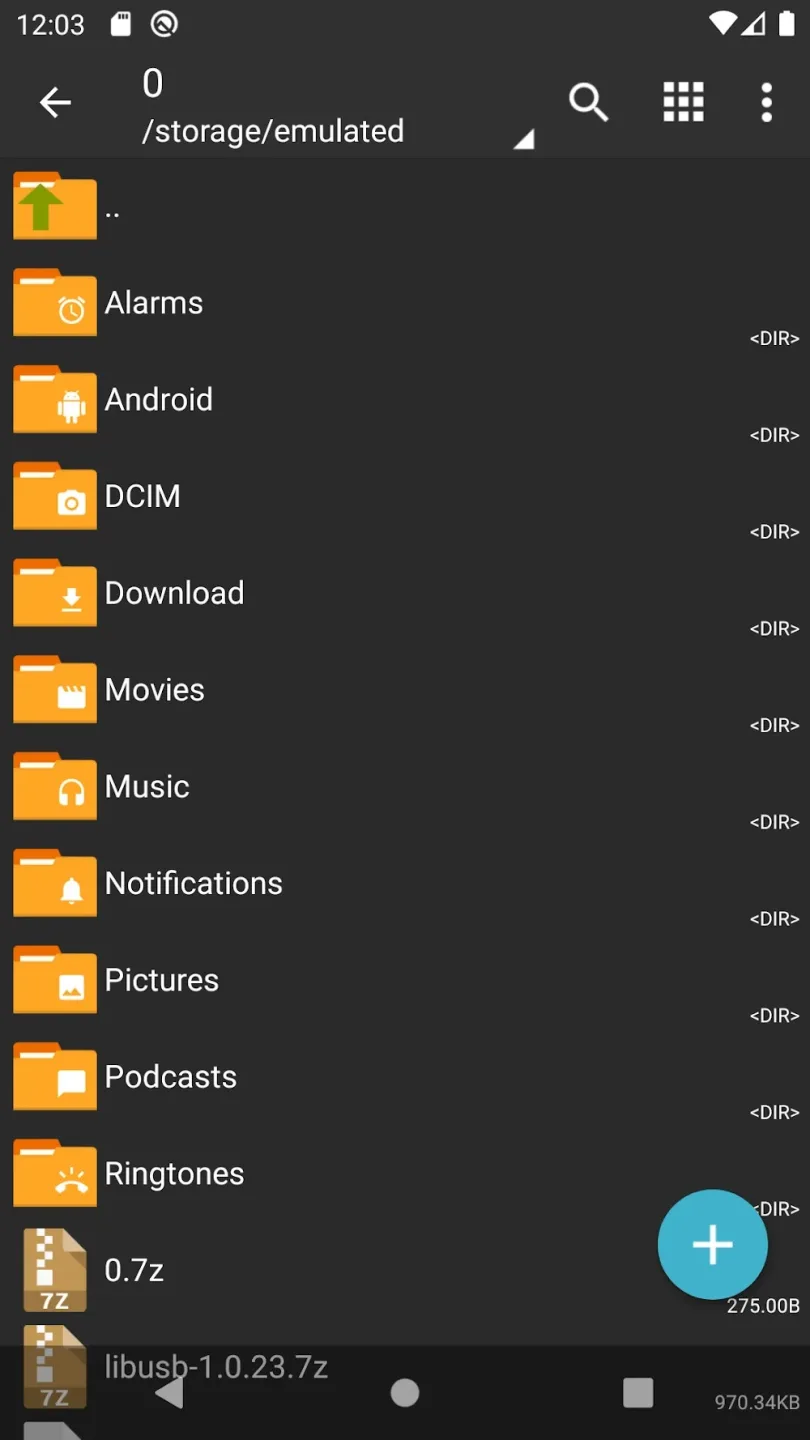
ZArchiver Donate is a file management application that not only opens various compressed file formats—such as 7z, zip, and rar—but also allows users to browse and edit files and images, rename files, and extract specific items from archives, catering to a wide range of user needs. The software offers diverse operating modes tailored to different environments, helping to reduce eye strain. Additionally, it enables users to back up important data and restore it whenever necessary.
Click to load YouTube / 点击加载视频
YouTube ↗Features of ZArchiver Donate:
All-in-One Archive Management: Create, unpack, and peek inside just about any archive format you can think of—7z, zip, rar, tar, iso, and a whole lot more. No need for multiple apps to handle different file types.
Themes & Security: Switch between light and dark modes to match your style or mood. Got sensitive files? The app supports password storage, so locking up your archives is a breeze.
Image Previews in Archives: Scroll through image files inside compressed folders without extracting them first. It’s a real time-saver when you just want a quick look.
Edit Files Without the Hassle: Need to add or remove something from an archive? Edit your zip, 7zip, tar, or apk archives directly—no need to decompress and recompress.
Seamless Backup Management: Easily stash APK and OBB files from your backups inside archives, and even install them when needed. This comes in handy for users juggling multiple apps.
Partial Extraction & Split Archives: Only need one file from that giant archive? Grab just what you want, or work with multi-part archives—7z, zip, rar—you name it.
User Reviews of ZArchiver Donate:
This is by far the best file explorer app. I love using it because of how simple and easy it is to use. However, since the Android 13 update, I can't access the files in the data folder. I can open the data folder just fine but not the contents, such as games data. Recently, I tried downloading mods on GTA San Andreas since I was pretty bored, but it didn't work. Because of restrictions. So I hope the devs can somehow bypass this. I watched countless tutorials on YT and none of them works.
This is your go-to solution if your ROM doesn't have a file manager or it's way too barebones to be actually usable (pre-Pie AOSP), has none to basic archive management options (TouchWiz), or you just want a functional file management application with archiving capabilities, root access and cloud storage support. It even has a basic image viewer and a text editor if you ever need that, and can manage installation of XAPK bundles, too! Get the pro version if you can, it's well worth it.
I've just downloaded the app and want to see if it works for password protected rar files. If it does then I'm sure it's a good app. Everyone else's issues all seem to be trying to edit folders or files that they probably don't have permission to (superuser/root access). I will give the app 5 stars for now and if your reading this then I stand by my statement!!
Very good app: I needed this because I was about to take a guitar exam, for which I needed the backing tracks of the grade music. However my phone, for some absurd reason, wouldn't open the music files I had downloaded. So I downloaded this, and although the user interface quality is a bit intermittent, it works very well at unzipping the files that my phone for some reason could not. Thank you.
FAQs of ZArchiver Donate:
Q: What password?
A: The contents of some archives may be encrypted and the archive can only be opened with the password (don't use the phone password!).
Q: The program is not working correctly?
A: Send me an email with detailed description of the problem.
Q: How to compress files?
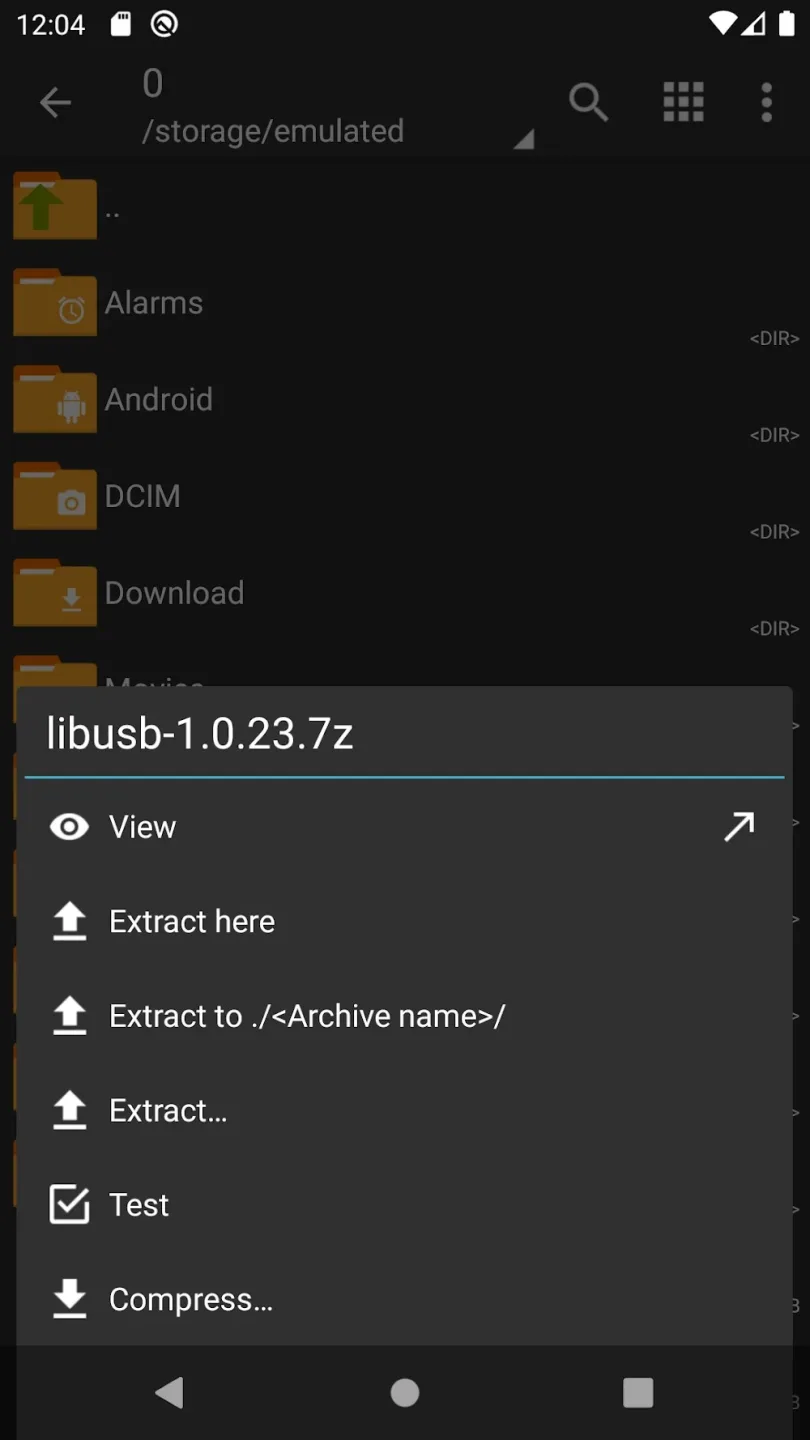
A: Select all the files you want to compress by clicking on icons (from the left of filenames). Click on the first of selected files and choose "Compress" from menu. Set desired options and press the OK button.
Q: How to extract files?
A: Click on the archive name and select suitable options ("Extract Here" or other).
Summary:
All in all, ZArchiver Donate is a great upgrade to have if you enjoyed ZArchiver. Not only does it give a few cool features, but your purchase will also support the app’s active development for more features in the future. While it isn’t fully beginner-friendly, there’s more than enough documentation online to figure out what to do with the app’s interface. This is a highly recommended app to get.








