
AutoCap is a subtitle tool designed specifically for film and television enthusiasts. It accurately identifies dialogue from movies and transcribes it into subtitles in various languages based on the user's preferences. Users can customize font styles, colors, and subtitle animations to better align with the film's aesthetic. The software boasts excellent compatibility, supporting all video formats. Once a video is imported, the program begins the transcription and subtitle generation process without altering the original video resolution. Upon completion, users can easily share the subtitled content across various social media platforms or send it directly to friends.
Click to load YouTube / 点击加载视频
YouTube ↗Features of AutoCap:
Advanced AI Voice Recognition: Instantly convert speech to text with industry-leading accuracy and speed.
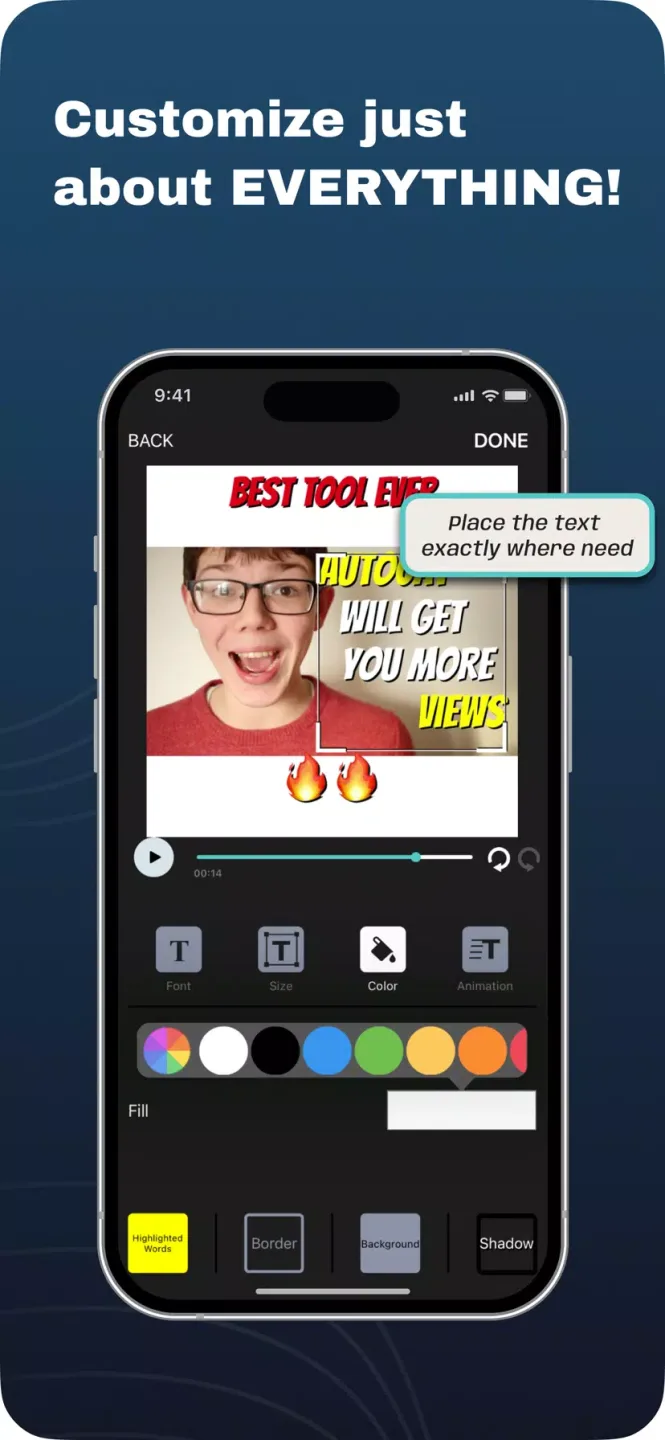
Fully Customizable Subtitles: Choose from a vast palette of colors, premium fonts, and various text sizes to match your brand identity perfectly.
Flexible Video Lengths: Process videos up to 5 minutes effortlessly, or unlock 10-minute long-form content as a registered member.
High-Definition Exports: Save your final creations in crystal-clear MP4 format, ensuring your videos look sharp on any screen.
Multi-Platform Optimization: Seamlessly share your videos to YouTube, Facebook, Instagram, and TikTok with optimized formatting.
Dynamic Real-Time Editing: Manually refine the AI-generated text to ensure perfect grammar, timing, and flow.
Functions of AutoCap:
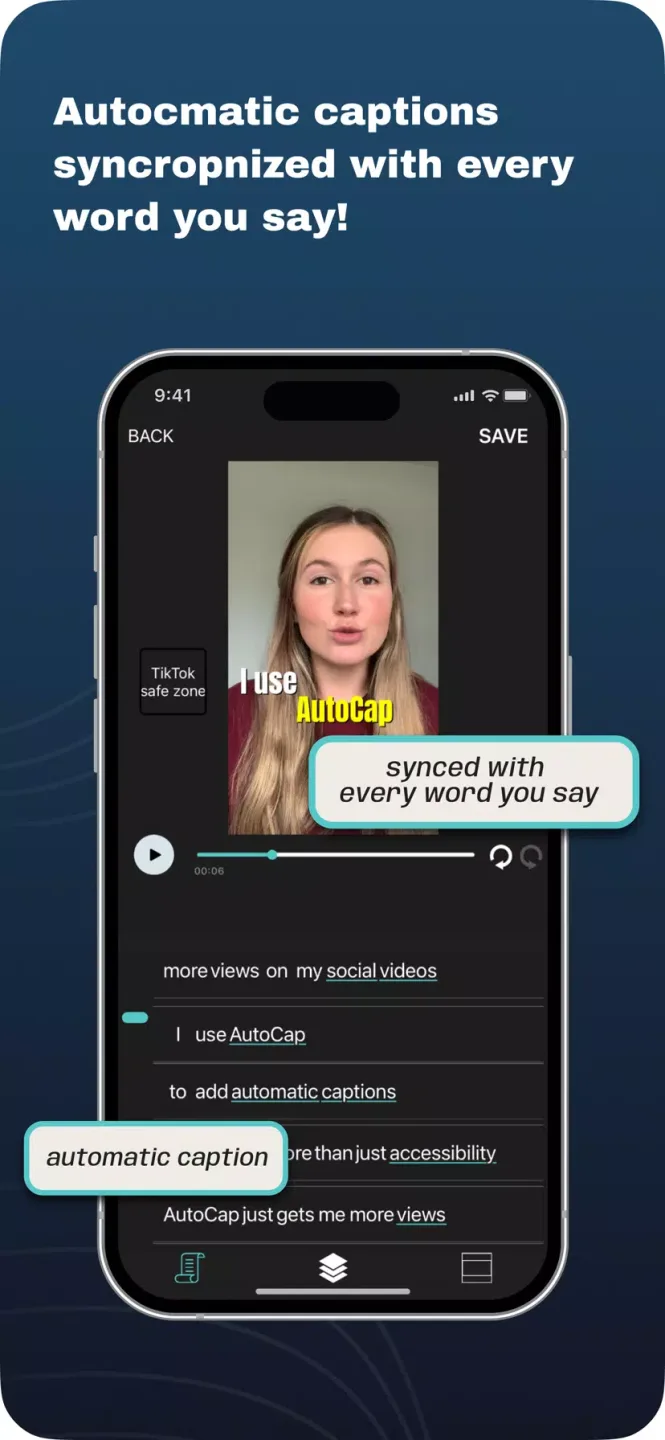
Automatically creates captions for videos, making them more accessible to a wider audience.
Easy-to-use interface that allows users to quickly generate accurate and reliable video captions.
Captions can be edited manually or automatically with the app’s built-in editing tools.
Can export caption files into multiple formats including SRT, VTT and TXT so they are compatible with different platforms such as YouTube, Facebook and Twitter etc.
Supports several languages including English, Spanish, French, German, Italian, Portuguese, Russian, Chinese, Japanese, Korean, Arabic And Hindi.
User Reviews of AutoCap:
This is my first time using this app and I really like it. I was looking for an application that can automatically write text (subtitles) from my videos, and finally I found the solution here. My suggestion is to allow more free features for new users and show short ads before uploading videos instead of asking for payment immediately. This could help more people use the app and increase the number of users. Great app!
My video was 7 minutes 18 seconds in english.to be translated to Spanish for a presentation, this app gave me the chance to write the subtitles in Spanish, my phone is Samsung note 8,I could delete many times to correct it,and the accuracy with the sound was excellent. I would like to know how long is the maximum length of the video that I can do it,I will try with a movie later,thanks.
Its my first time using it and I dont see any ads in my way so my experience was straight forward and smooth! I have been also looking for apps like this but they werent free and this one was lowkey!
This is a really great app, it works just as it says. It's super easy to use, and allows me to adjust the font and size of the captions. The voice recognition works perfectly for me, it didn't make a single mistake. Having captions will improve engagement on my social media videos for sure. Recommended!
FAQs of AutoCap:
How accurate is it on Hinglish?
Good, not perfect — no transcription is. Mistakes gather in names, brands, numbers and English words spoken inside Hindi sentences, which is why every word is editable before you export.
Do my videos get uploaded anywhere?
The audio is sent to our transcription providers to generate captions. Rendering happens on your own device, so your video is never uploaded just to be exported. We don't use your audio or transcripts to train anything.
Which languages are supported?
All 12: Hindi, Bengali, Gujarati, Kannada, Malayalam, Marathi, Odia, Punjabi, Tamil, Telugu, Urdu and Indian English — plus auto-detect. Each can be written in its own script; all but Urdu and English can also come out romanised or translated to English.
Can it turn my video into English subtitles?
Yes, from Hindi, Bengali, Gujarati, Kannada, Malayalam, Marathi, Odia, Punjabi, Tamil and Telugu. Choose English translation before you transcribe, and the English opens in the editor like any other transcript, editable word by word. Urdu and English clips are transcribed as they are spoken.
What do I actually get on the free plan?
Two minutes of transcription a month, clips up to 60 seconds, every caption style, and unlimited video exports up to 2K with the AutoCap badge. SRT and VTT downloads come with a paid plan. No card needed.
Final Thoughts:
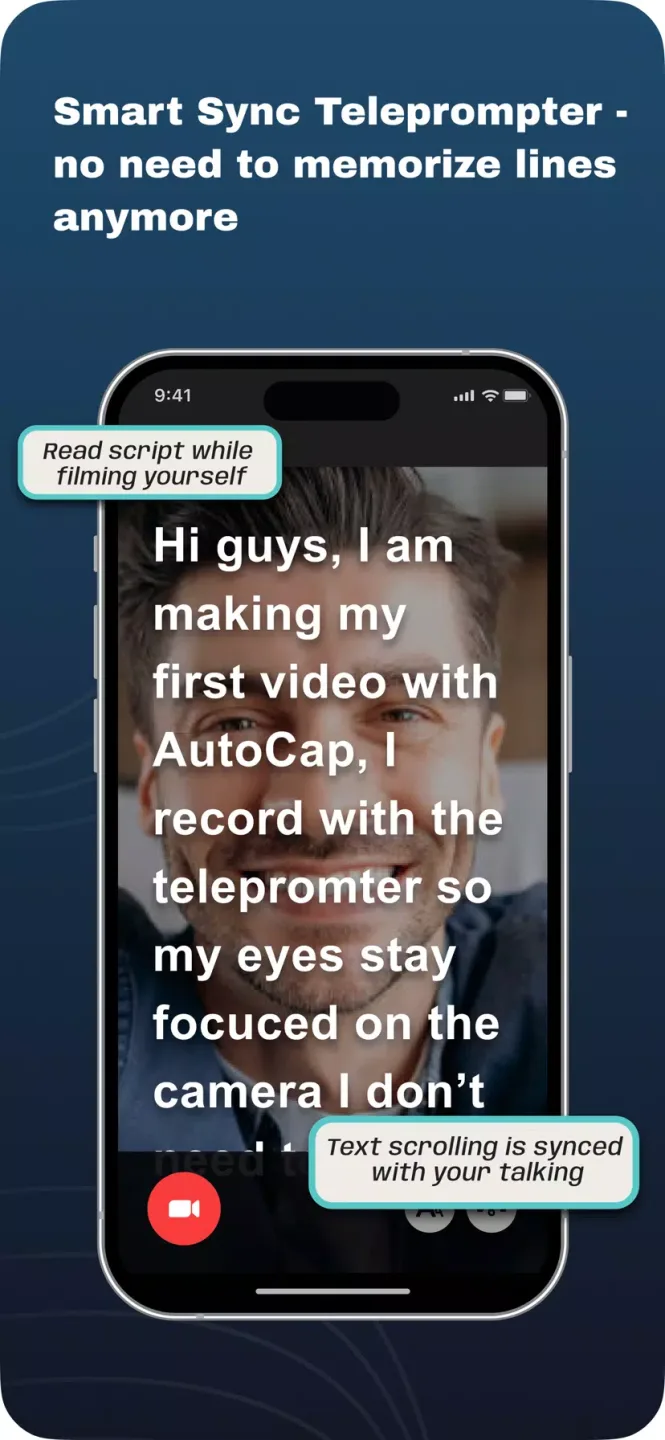
AutoCap helps when you need clear, readable captions for tutorials, vlogs, or presentations on a tight schedule. AutoCap APK suits creators who want speech turned into on screen text with minimal setup. Record or import a video, then let the app create timed lines that match the audio. Plus, the teleprompter helps you stay on script while you speak. The workflow is straightforward, so you can focus on content while keeping your message accessible.








