
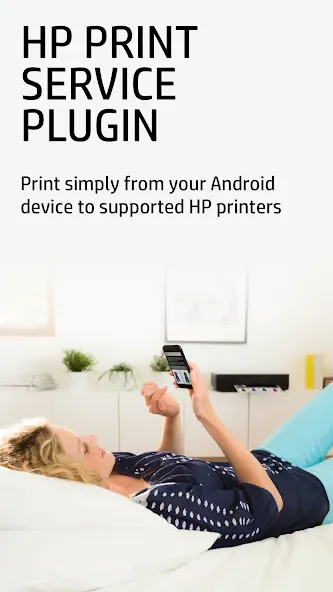
The HP Print Service Plugin is a service plugin designed specifically for HP users. It simplifies the printing process: once you upload a file to the app, it displays nearby printers and various print options, allowing you to easily adjust settings to suit your needs. Please note that both your printer and your mobile device must be connected to the same network. The plugin offers excellent compatibility, running on the vast majority of mobile devices, and streamlines printing tasks on newer devices—ultimately saving you time.
Click to load YouTube / 点击加载视频
YouTube ↗Features of HP Print Service Plugin:
Easy Printing from Android Devices: The HP Print Service Plugin app provides a seamless printing experience from Android devices. It allows users to effortlessly print photos, documents, emails, and more. With just a few taps, users can print directly from their Android device to compatible HP printers. Say goodbye to the hassle of transferring files to a computer or laptop for printing!
Wide Range of Print Options: With the HP Print Service Plugin, users can customize their printing options to suit their needs. They can choose the number of copies, paper size, color or black and white printing, and even select specific pages to print. This flexibility ensures that users can print exactly what they need, saving time and resources.
Print Anytime, Anywhere: The HP Print Service Plugin app enables users to print from their Android devices on the go. No matter where they are, as long as they are connected to a compatible HP printer, they can print their documents, photos, and more. Whether it's a last-minute boarding pass or an important business document, this app ensures that users can print anytime, anywhere, without the need for a computer or even an internet connection!
User Reviews of HP Print Service Plugin:
Love it! I've used this for over 5 years. Works even better with more options. This app has saved me from having to go get a printing business to print 5 sets for me. I could create the sets digitally and send them out. I'm 74 now and still learning!
It's a good printer application hp print serviceplugg in, i cannot find the application for ios. I am using it for my children . Very useful in the lockdown period online printing of notes. If possible Give more editting feature to filter image when printing photos. It will be great application.. now i review it again in 2026 after 5yrs. it is very good to use, i hope hp will modify the application someday.
Can't do without this app and its amazing functionality. I print loads of photos for various projects and this app lets me easily make adjustments so every photo is perfect, along with my Google Photo Editor. It goes without sayin, my letter-sized prints for documents from my personal files or prints from the web are also no hassel. I am all smiles.
I've been using this app to print from my android phone for years. I have an old HP Envy printer that does not have Bluetooth, but can connect via WiFi and direct connect, and this app allows me to easily print documents, web pages, photos, etc from my phone. The only minor issue I have is sometimes when I go to print, my printer will show as "not available" until I close and reopen the print request. Not a big deal but takes a couple extra seconds.
FAQs of HP Print Service Plugin:
How can we start printing using the HP Print Service app?
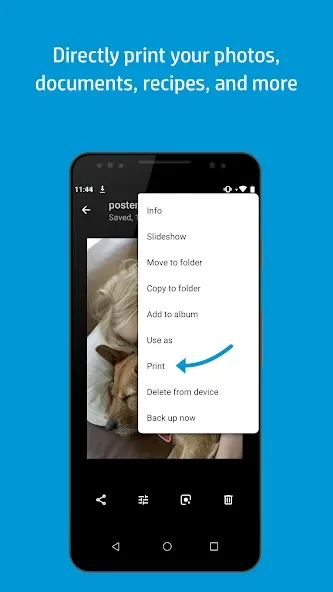
Connected to the same network as your mobile device. Just select print or share to PSP when you need to print. Tap the menu button to reveal the print option. Allows you to send almost anything to your HP printer from your Android very easily.
Can we print documents from cloud services using the HP Print Service app?
Easily print from phone apps such as Gmail, gallery, Google Drive, or many more. Broadcasting a Wi-Fi Direct network. The printing will take place if both devices are connected to the same network, from a WiFi-Direct connection, or using a USB cable.
Is it easy to print any kind of document from your phone?
HP Print Service Plugin includes all the drivers necessary to work with its different printer models which is usually installed by default on Android devices. Try another app as well as the Samsung Print Service Plugin.
Final Thoughts:
HP Print Service Plugin includes all the drivers necessary to work with its different printer models and which is usually installed by default on Android devices. However, if your smartphone doesn't include this app or you need to update its APK, here you have it.








