

VideoCompress is an excellent and convenient application. It boasts a wealth of powerful features, allowing users to easily compress videos and images, thereby reducing the space they occupy in memory. With VideoCompress, you can compress video files directly on your phone, freeing up storage space, sending smaller attachments, or publishing to platforms with upload restrictions. All videos do not need to be uploaded to external servers and offer quick presets and manual control options. You can balance image quality, resolution, and frame rate with just a few taps.
Highlights:
VideoCompress performs on-device compression to keep footage private and avoid cloud uploads.
Quick presets such as High quality, Balanced, and Smallest file offer one-tap results, while manual controls let you set output resolution, frame rate, and whether to keep or remove audio.
The interface displays before-and-after statistics including file size, resolution, and bitrate, and a built-in preview helps confirm results.
Processing runs in the background when supported, and exports are organized in a single list for opening, sharing, saving to the gallery, or deleting.
Features:
The application assists users in making video compression steps easier. We assist you in becoming more professional while resolving video issues. To save edited files to memory, multiple formats are supported. Users can select from formats such as MP4, MKV, AVI, and others. We maintain the original’s quality after compression. Users must upload videos that must be compressed for the system to function properly. Users can select the configuration and quality of compression for these contents. The frame size will be automatically or manually adjusted. As soon as the compression is complete, the product will be displayed. Monitoring the progress of the tools allows you to control the quality.
You can upload multiple videos if users don’t have much time to wait. Video Compressor creates a queue in which you can load multiple videos for the system to process in stages. It would be helpful to keep the device’s network connection stable; the work will be completed even if you are not present. We provide two types of compression for you to try: X264 and X265 (HEVC). Users can experiment with both styles to obtain the most objective evaluation. If you believe this operation is too long, we will expedite it to your satisfaction. New files will be generated quickly, and larger files will be processed more quickly. You should choose the best resolution for editing and download without sacrificing quality.
Each Video Compressor product has a unique approach to handling visual, audio, and overall content. In reduced resolution compression mode, they can be freely adjusted. The bitrate is also reduced when the requested content is converted and compressed. The product quality will not be preserved using this compression method. You will be sent a video with numerous configuration changes. We will display the original video and the product on the screen at the same time so that users can compare the quality. Decreasing storage space will be completed without affecting the file contents. When users want to view videos from the library or archive, they are partially scaled to make them more compact and easier to activate.
Resources:
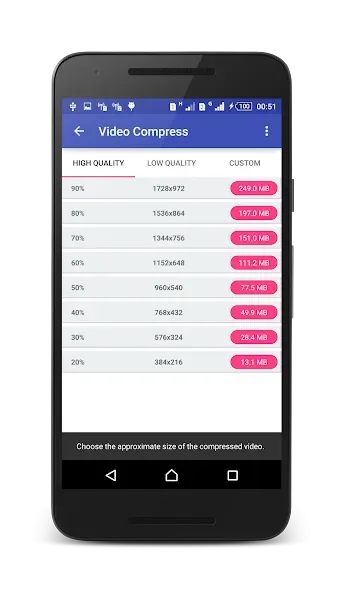
- Creates compressed videos with high, normal, low video quality
- Friendly interface, easy to use, and very fast
- Supports almost all video formats
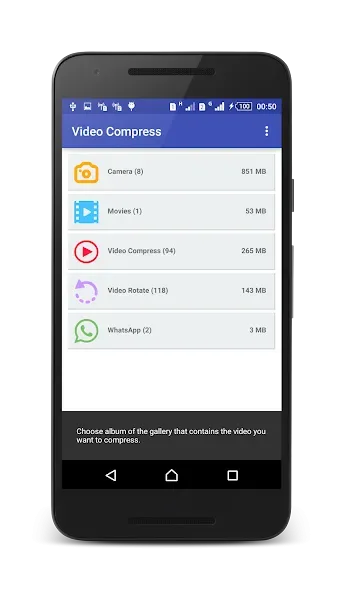
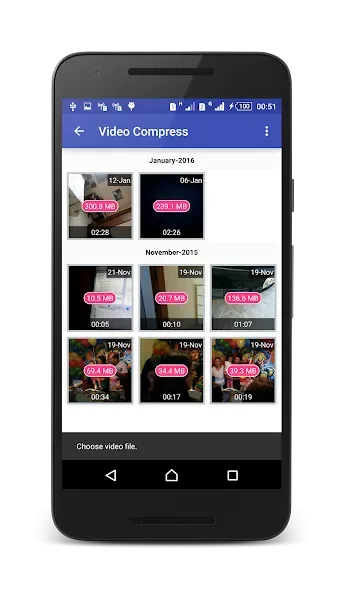
- Well organized ; displays the albums in your gallery that contain videos
- Generates a copy of the video while maintaining the original
- All the videos generated are available in an album in the video gallery
- Allows audio removal to further increase the compression of the video
- The longer the video, the greater the compression ratio
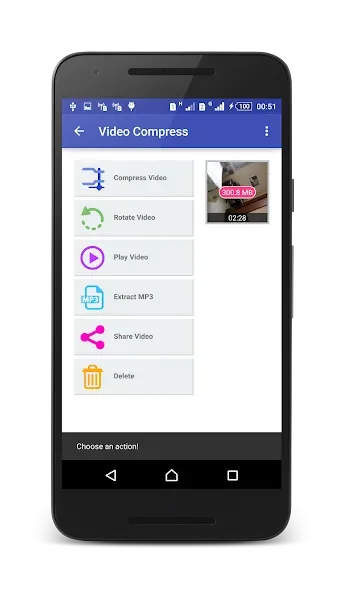
- Converts video files to MP3 audio files
- Rotates video
- Shares videos
- Extracts subtitles from videos
- Shares video clips. (Sends e-mail, uploads to YouTube, etc.)
- Supports both ARM and X86 CPUs (Such as intel zenfone)
- ARMv7 NEON CPU optimizations
- Video compressor without loss of quality, TRY IT!
Conclusion:
VideoCompress allows users to perform compression and format conversion operations on any video in a highly customizable manner. Users will upload the content they want to compress and then save it in any format they want. You can create default selections in the system so that you don’t have to do it again the next time you visit. You can use a fully functional space to convert old files to the format of your choice. Additionally, files in unusual formats are converted to create uniformity for the content collection. Users can freely store, copy, or share to any address they want, thanks to a new, more compact size.








