
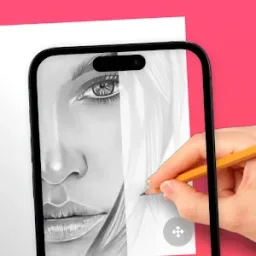
AR Drawing: Sketch & Paint - The Perfect Tool for Unleashing Your Creativity!AR Drawing: Sketch & Paint is a free mobile app available for Android devices that allows users to learn to draw and create stunning drawings and paintings using augmented reality technology. The app offers a wide variety of tracing templates including animals, cars, nature, food, anime, and more. With the use of your phone camera, you can draw anything you want on any surface.
Click to load YouTube / 点击加载视频
YouTube ↗Features:
IMMERSIVE AR SKETCHING TOOLS
This application provides AR sketching tools for a more accurate and also intuitive drawing experience. Be it simple strokes or complex details, with the help of AR overlays, bringing your ideas to life is quite easy.
Outline Tracing: The application enables the user to draw simple shapes and some details over templates that are displayed on the screen. It is enough for the users to follow the directions given by the application with their pen, and accurate lines will be drawn without any concern about mistakes.
Layered Drawing: This technique can simulate multiple layers by using different drawing techniques and thickness of lines. Artists who strive for high level of detail would be able to build up their drawings in such a way and create a focal point from dark light to fine details.
Real-time Projection: Once the app is done with the drawing, you will be able to project it on paper or any surface so you can follow up on the work done. This feature will allow you to view the end image in a rough draft and make necessary corrections without delay, saving time and improving accuracy practice.
Highlights:
CUSTOMIZABLE BRUSHES AND PALETTE OPTIONS
Besides the AR tool, the application allows the incorporation of several brushes and customizable palettes to make drawing enjoyable and artistic. Among smooth, thick, and spray brushes, each user can have a unique experience. The perfect tool for every need is provided so that one can have a soft or sharp effect as desired, using different painting styles.
Color Blending: Flexible blending of colors is possible with the aid of the app so that you may invent color palettes on your own var. Users are encouraged to play around with shades and color mixes to make their paintings more dramatic and profound.
Preset Palettes: Available color palettes allow for a quick selection of color tones, and minimal customization is needed. Sample color palettes provide a great resource for beginners or those currently exploring their personal style.
FAQs:
Why can't I install AR Drawing: Sketch & Paint?
The installation of AR Drawing: Sketch & Paint may fail because of the lack of device storage, poor network connection, or the compatibility of your Android device. Therefore, please check the minimum requirements first to make sure AR Drawing: Sketch & Paint is compatible with your phone.
How to check if AR Drawing: Sketch & Paint is safe to download?
AR Drawing: Sketch & Paint is safe to download on APKPure, as it has a trusted and verified digital signature from its developer.
How to download AR Drawing: Sketch & Paint old versions?
APKPure provides the latest version and all the older versions of AR Drawing: Sketch & Paint. You can download any version you want from here: All Versions of AR Drawing: Sketch & Paint
What's the file size of AR Drawing: Sketch & Paint?
AR Drawing: Sketch & Paint takes up around 159.3 MB of storage. It's recommended to download APKPure App to install AR Drawing: Sketch & Paint successfully on your mobile device with faster speed.








