WeTransfer is a user-friendly and practical business office tool. Click to download the latest Android version and enjoy an incredibly simple and worry-free file transfer service. WeTransfer is one of the world's most popular free online cloud transfer platforms, dedicated to providing users with a seamless experience for transferring large files. WeTransfer supports features such as sharing original-quality videos, full-resolution photos, and complete metadata transfer. Use WeTransfer now to send files conveniently and efficiently, and improve your work productivity!
Click to load YouTube / 点击加载视频
YouTube ↗Awesome Highlights
Efficient and Convenient: WeTransfer makes file sharing easy and stress-free. Send documents, videos, photos, and more with just a few clicks.
Quality Guaranteed: Maintain the quality of your videos and photos, ensuring they look amazing to the recipient.
Convenient: Easily share large files, whether sending work-related documents or precious memories.
Simple and Easy to Use: Our user-friendly interface ensures a smooth and convenient experience for recipients, regardless of the device they use to download.
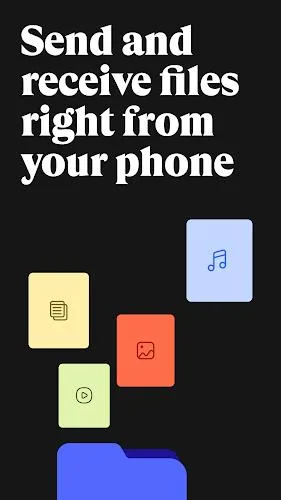
Amazing Function
Send Large Files Easily:
Say goodbye to file size limitations. WeTransfer lets you easily send files of any size. Whether it's a presentation, spreadsheet, document, PDF, or multimedia file, you can share files with WeTransfer.
Share Original Quality Videos:
Use WeTransfer to keep your videos at their best. Our application ensures videos maintain their original quality during transmission, allowing recipients to edit or enjoy them as they please. Many photographers trust WeTransfer to ensure their work is shared in the highest quality format.
Share Photos at Full Resolution:
Photos capture precious moments. WeTransfer ensures photos are shared in their original file size and resolution. Share your professional photography with clients and colleagues, or cherished memories with family and friends, without sacrificing photo quality. Your photos deserve the best.
Keep File Metadata Integrity:
We understand the importance of detail. WeTransfer ensures your file metadata remains intact throughout the entire transmission process. No information related to file quality will be lost, such as the camera model used to take the photo, the location, etc.
Simplified User Experience:
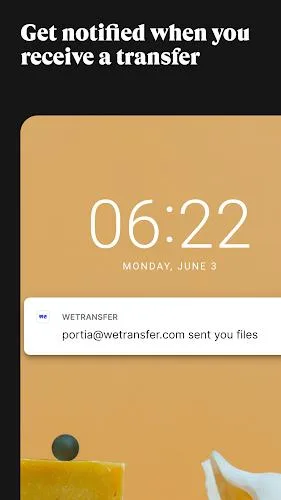
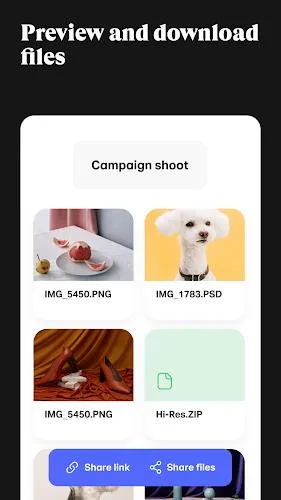
This app is incredibly easy to use. You can share file links via your favorite instant messaging apps or send download links via email. Our intuitive interface guides you through the entire process, making it easy to share large files, videos, and photos. You can also view download status, forward and delete transferred files, and receive notifications as soon as files are received, allowing you to download or preview files anytime, anywhere.
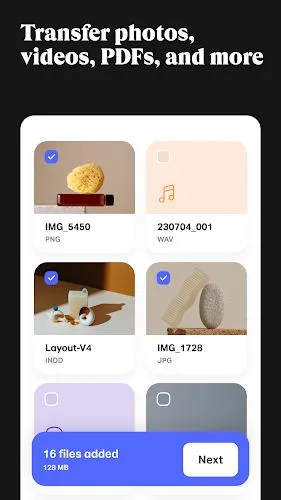
Wonderful Performance
The WeTransfer APK application aims to make file transfer on mobile devices more convenient. To this end, its interface divides resources into three sections:
Files Sent. You can send new files here by clicking the blue button, either via a link or directly from an email. File packages will be kept in the list for seven days, after which the link will automatically expire.
Received Files. This section stores the transferred files we have received.
Packages. While WeTransfer can be downloaded for free, the service offers Pro and Premium packages, which include additional features such as unlimited transfers, setting passwords for transfers, or extended validity periods.
User's Comments
I've used WeTransfer on my laptop to send large files to printers. I like being notified that the recipient has downloaded them. I also appreciate that the files are only available for a short period of time. The 3G limit for the free account is sufficient for my purposes.
Great handy app. Add to that, the ability to use it on Android, and as much as I understand iPhone devices too, and you really have a great helper here. Thank you WeTransfer.
used this to transfer a video to the vets of my dog that was too big for email. I downloaded the App instead of using via Web, so much easier, definitely recommend this app. perfect.
WeTransfer is so easy and dependable. I trust it to get my videos to their destinations on time.
Good so far!! Creates a link out of your big files. Shoot the link over to whomever or wherever you like, then retrieve it on the receiving device.
I tried to send a file several different ways and then We Transfer was presented to me. The file was transferred in minutes. I highly recommend this.
We Transfer is an exceptionally good app that is available to use for sending photos etc via the internet to other people. HIGHLY RECOMMENDED!
Final Words
We're dedicated to making everything simple, allowing you to easily and worry-free transfer files for free. We've held this belief since 2009 and love our work. To date, our users have securely transferred billions of files around the world. Simple to use, with a beautiful interface, suitable for everyone.