
9xBuddy is an exceptional video downloading utility designed to help users complete video download tasks with ease and efficiency, allowing you to acquire high-quality media files through a few simple steps. 9xBuddy presents users with a streaming media downloader featuring a sleek interface and a rich array of powerful functions; users can take advantage of excellent file management capabilities and experience outstanding batch downloading services. 9xBuddy supports robust custom download settings, catering to your flexible video downloading needs. The application is simple to use and supports multiple languages, making your video downloading workflow smoother and more effortless than ever.
Attractive Features of 9xBuddy
Automatic Detection and Flexible Download Options
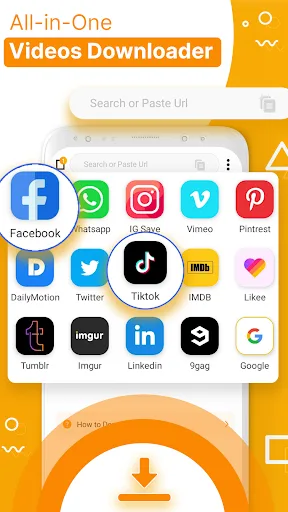
9xBuddy is an application designed to capture online videos directly through its in-app workflow, prioritizing speed and convenience. The app supports intelligent batch downloading, allowing users to easily save multiple files simultaneously, and offers basic options for organizing content for offline viewing. A built-in clipping tool adds practical value for quick edits, though it is not a substitute for a full-featured video editor. A drawback is that the app's description does not explicitly list which websites work best, meaning performance may vary depending on the video source.
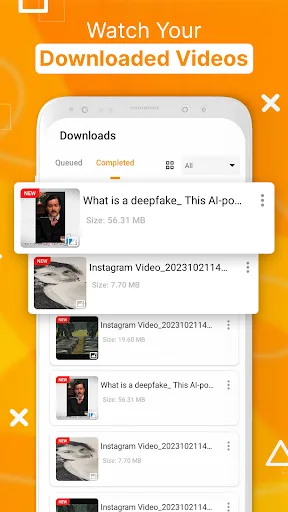
Manage and Organize Downloads in One Place
A major advantage of this app is its all-in-one design: an integrated browser makes finding content easy, the download functionality is built directly into the same application, and file management is streamlined for convenient offline access. This approach is far more convenient and efficient than using separate browsers, downloaders, and file management tools. The batch processing feature also boosts user efficiency when saving multiple video clips. A potential downside is that such applications often rely on website behaviors that change over time; consequently, reliability may diminish if websites update their video streaming methods.

Fantastic Performance of 9xBuddy
Batch Queuing and Background Control
You can paste multiple links and let 9xBuddy arrange them into a download queue. Downloads continue to run in the background, allowing you to pause, resume, or retry them as needed. This ensures that even extensive download lists continue to progress, even if you leave the app or switch to another application.
Fast, Multi-Threaded Engine with Intelligent Retry Mechanism
9xBuddy splits large files into multiple segments, enabling the application to load data in parallel and thereby significantly reduce waiting times. Should a brief network interruption occur, the intelligent retry mechanism ensures that the download session continues without the need to start over from scratch. Consequently, even under unstable network conditions, large video files and HD streams can be played back more reliably.
Integrated Browser with Auto-Detection
You can open websites directly within 9xbuddy and browse just as you normally would. When the app detects a playable video stream, a simple prompt appears; a quick tap adds the media to your playback queue. This eliminates the need to manually copy links, making video downloading a seamless part of your everyday browsing experience.

Pros and Cons of 9xBuddy
Pros
Batch downloading and a faster, download-centric workflow
Built-in trimming functionality and an integrated browser for an all-in-one setup
Cons
Supported websites are not explicitly listed in the product description
Download reliability may vary over time as websites undergo changes
Helpful Tips of 9xBuddy
Launch 9xbuddy and either select the in-app browser or paste a video link into the address bar.
Navigate to the webpage and briefly play the video, then wait for the auto-detection prompt to appear.
Tap the prompt, select your desired video quality, and add the item to your queue to begin downloading.
While downloads are in progress, switch to the Manager tab to pause, resume, or reorder items as needed.
Once a file is finished, use the trimmer tool to cut off the beginning or end, then save the final clip to your library.
Final Verdict
At its core, 9xBuddy is designed for fast, simple video downloading, offering practical features—such as batch downloading, an integrated browser, and a built-in trimmer—to facilitate basic cleanup tasks. This app offers the greatest value to users seeking an all-in-one workflow for offline viewing and light video organization. Its primary drawbacks include a lack of detailed information regarding supported video sources and the inherent instability often associated with downloading apps; however, its core toolset remains clear, intuitive, and easy to use.