
Xodo PDF is a PDF file processor. Unlike the rigid and inflexible format itself, its rich features help you easily read PDF files. Of course, simply reading isn't enough; Xodo PDF also allows you to add annotations and colors anywhere on the PDF file, making it convenient for signing or providing editing instructions. In addition, Xodo PDF can easily convert PDFs to Word, Excel, PowerPoint, and other formats, and can also convert them to PDF files, easily meeting work needs.
Features
Edit, Annotate, and Sign Forms
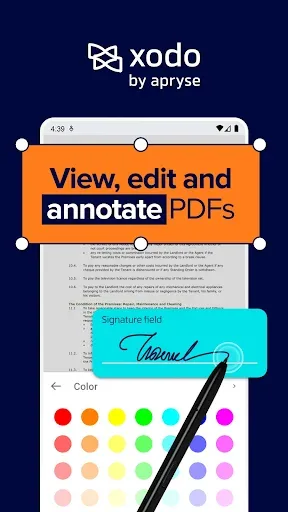
You can highlight, underline, draw, and add text to any PDF file. The application automatically detects form fields, so you can easily fill out forms and add electronic signatures without extra steps. Once completed, you can share the updated document with your team.
Scan, Convert, and Search Text
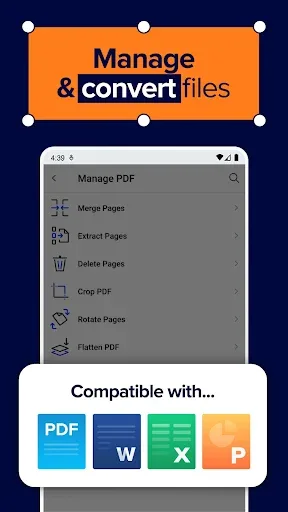
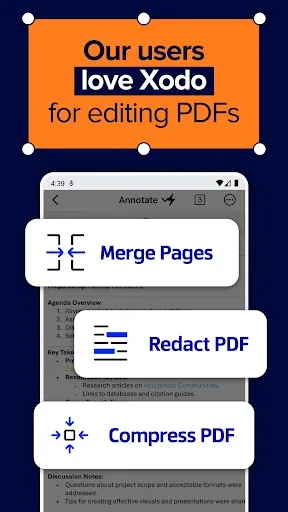
For paper or image content, the Xodo PDF editor and reader have a built-in fast scanning function. Using OCR technology, scanned pages and photos can be converted into full-text searchable PDF files. You can convert between formats such as Word, Excel, PowerPoint, JPG, PNG, HTML, and PDF/A, depending on your workflow. To control file size, compress documents or merge elements before sending.
Organize pages and access cloud storage
To keep your files neat, you can merge or split PDF files, then rotate or extract pages as needed. On Android, the PDF editor and reader | Xodo APK supports syncing with Google Drive, Dropbox, and OneDrive, allowing you to easily access files across different devices. If you value privacy, you can set password protection or edit sensitive content.
Personalize your workspace with a customizable toolbar and collaborate in your preferred language. Supports Spanish, German, Korean, Portuguese, Italian, French, Chinese, Dutch, Indonesian, and Hindi.
Highlights
Bookmark PDF pages for easy future reference.
Night mode allows for comfortable PDF reading in dark environments.
Tag functionality lets you quickly switch between multiple PDF documents.
Page cropping allows for precise content display on small screens.
Reflow reading mode allows you to adjust PDF text size to your preference.
Audience
AEC: Accelerate design and construction. From blueprints to construction, leverage advanced editing and collaboration features to automatically find and assemble documents, protect sensitive data, and support secure sharing anytime, anywhere, on-site or in-person, on any device, to deliver projects on time.
Business Services: Speed up approvals, reduce errors, and keep operations efficient with seamless PDF editing, secure e-signatures, and automated document workflows. Whether in business services such as finance, legal, real estate, or procurement, Xodo helps teams focus on creating value.
Education: Expedite administrative processes, streamline course material development, multi-person review and approval of scholarship applications, ensure distribution of admissions documents, and submit applications on time.
Advantages and Disadvantages
Advantages
Comprehensive suite of professional-grade PDF editing and annotation tools
Excellent cloud integration for cross-device access
Fast, high-quality OCR and file conversion capabilities
Well-designed interface offering various reading and organization options
Disadvantages
Some key features have recently been moved to a subscription model, limiting free use.
There is no one-time purchase option, only a recurring subscription option.
Some users have encountered issues with file navigation and opening.
Summary
With the right methods, processing PDF files isn't as complicated as you might think, and Xodo PDF is your best choice. For students and working professionals who frequently need to process documents, this is definitely a "must-try" application. Download Xodo PDF to your device now and experience its powerful features!








