

We all know that handheld games from Nintendo, PS5, and other consoles cannot be played on mobile phones and computers. DraStic Emulator is an app that allows you to play Nintendo games on your phone. Here you can easily find a vast collection of handheld games and relive your childhood classics. The app is very easy to use: move on the left, control on the right. You can customize the controls in the menu, and even connect a Bluetooth controller for the best gaming experience. The app can also upscale the game's 3D graphics to twice the original resolution, making the game clearer and smoother!
Controls
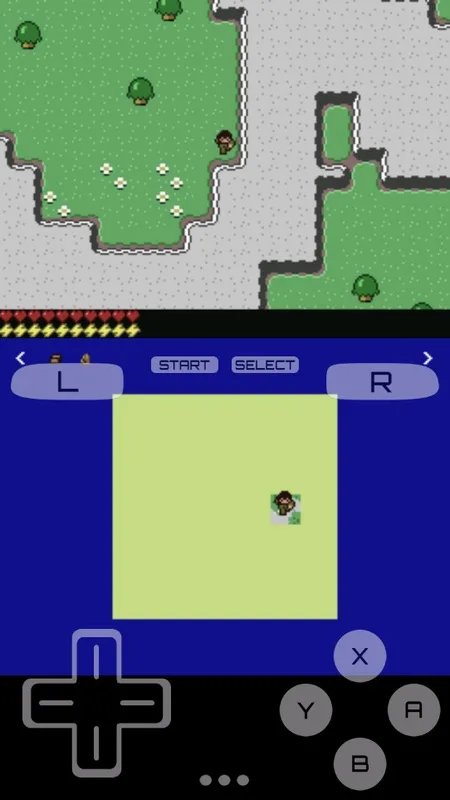
The default controls are very simple: use the virtual directional pad on the left side of the screen to move, and the four buttons on the right to perform various actions. The trigger button, start button, and select button are located above the directional pad and below the game screen. In short, this is just the default layout. You can customize the controls in the options menu, or, if you prefer, connect a game controller via Bluetooth for a more comfortable gaming experience. This app is compatible with all types of game controllers.
Features
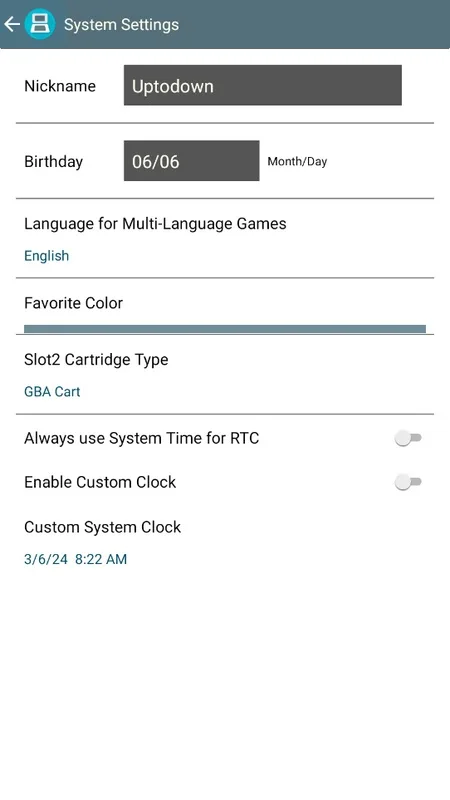
- Upscales game 3D graphics resolution to twice the original resolution (this optional feature works best on high-end quad-core devices)
- Customizes screen position and size, supporting portrait and landscape modes
- Full support for external controllers and physical controllers
- Save and resume game progress anytime, anywhere using the save function
- Optimizes your gaming experience with a database containing thousands of game enhancement codes
- Boosts emulation speed with the fast-forward function
Highlights
The biggest difference between this app and other DS emulators is its many practical features. For example, it offers six different window modes for emulating the Nintendo DS dual-screen setup. Besides the default dual-screen setting, there are large and small screen modes, stacked mode, and even a single-screen full-screen mode. Even better, you can switch modes at any time using custom buttons.
Pros and Cons
Pros: Six window modes
Customizable controllers
Multiple audio and video settings
Cons: Lacks multiplayer support
Excellent performance depends on device specifications.
Conclusion
Download the DraStic Emulator APK to play all the games in the Nintendo game library on your Android device. This emulator is perfectly optimized and runs almost all games smoothly, even on low-end and mid-range Android devices. It's powerful, fast, highly compatible, and completely free.








