Document Scanner & PDF Scanner This is a powerful, free, simple, and easy-to-use document scanning software that you can use on your device. It allows users to scan and share documents anytime, anywhere, and can scan almost any type of file. Convert your documents to high definition before scanning; once scanned, you can share them via email. This software allows unlimited scans and can be used offline, making it a compact, convenient, and powerful tool for users who frequently scan documents. The application has a clean interface, making it easy for both beginners and experienced users to use.
Click to load YouTube / 点击加载视频
YouTube ↗features:
SCAN THE DOCUMENT EASY WITH PDF CONVERTER
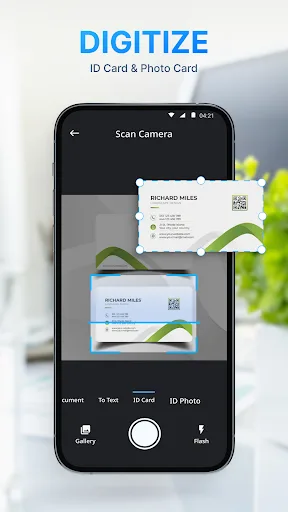
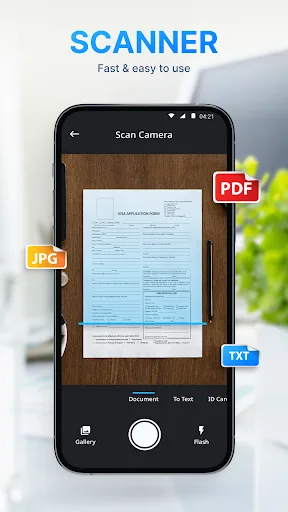
Scan to PDF directly with the camera or scan photos from the gallery and get the best image quality.
Constant Document Scanner feature and unlimited number of scans with Document Scanner.
Scan to PDF any file format very quickly and conveniently with PDF Converter.
Flashlight for scanning in low light.
BASIC DOCUMENT SCANNER ADJUSTMENT WITH PDF Scanner
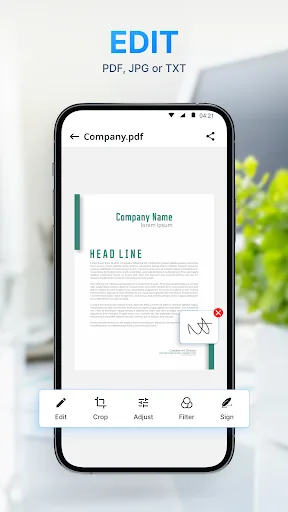
Scan to PDF app allows you to adjust the documents after scanning by the crop feature, image rotation, and color filters.
Besides, the smart crop feature of PDF Converter automatically recognizes your document to crop the image at the perfect ratio.
PROFESSIONALLY CREATE AND MANAGE PDF SCANNER FILE
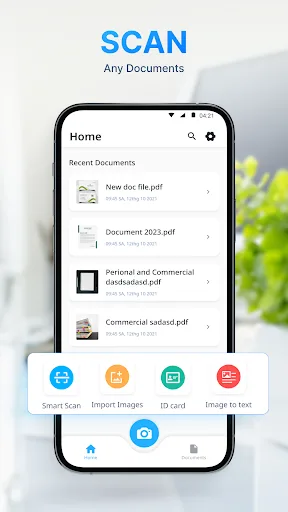
Create photo to PDF files quickly while exporting or sharing scanned images.
Sort files by name, file size, or file creation date according to the user's needs.
3 convenient file views such as list view, grid two, grid three with PDF Scanner.
MULTIPLE FILE EXPORT OPTIONS
All Document Scanner and PDF Converter files exported by scan documents app free has extremely high quality.
Users can choose to export a photo to PDF file or a JPG image file.
Highlights
New premium document filters
Smarter Split with advanced options
Pin documents for quick access
Search Settings faster
Improved date & time settings
New image watermark tool
Set a default folder for new scans
Apply crop to all pages added.
Improved crop performance and fixed related issues.
Bug fixes and performance improvements
User comments
More ads displaying in ur app..when I take the picture that image is vertical but when it is converted in pdf that is showing in horizontal..pls work on this tool. Thanks
Easy to use , able to download and view psf documents also take photos and convert to pdf . All good
The quality is top tier, I've never been this happy with using the app , it make scanning documents easy and quick
Advantages and disadvantages
Pros
Free with unlimited scans
Offline functionality
Versatile format conversion options
Simple and intuitive interface
Cons
Occasional bugs
No auto-crop feature
Inconsistent file format conversion
Conclusion
You are at the right place if you are looking for a PDF scanner app that can help you to scan PDFs for free. This app is a great tool that can be used to scan PDFs and make them editable. The process is pretty simple, and all you have to do is to select a PDF file from the device and click "Scan PDF" button. You will be able to get a list of PDFs that you can choose to scan. Once you select a file, you will be able to see its page number and can start scanning the document. The app will also show you the progress of the scan. You can get a notification when the scan is complete.