

Musi is an excellent music streaming software. With its intuitive interface, the app focuses on simplifying how users discover and enjoy their favorite songs, aiming to enhance the music streaming experience and deliver an immersive listening journey. With Musi, you can explore millions of popular songs and hit tracks and enjoy an unparalleled audio experience. Whether you're exploring new music genres or revisiting your favorite classic hits, this app is the top choice for enjoying an unlimited world of free music. The app also features global charts and playlists and can provide personalized recommendations based on your listening habits.
Highlights:
Flexible playlists and library tools
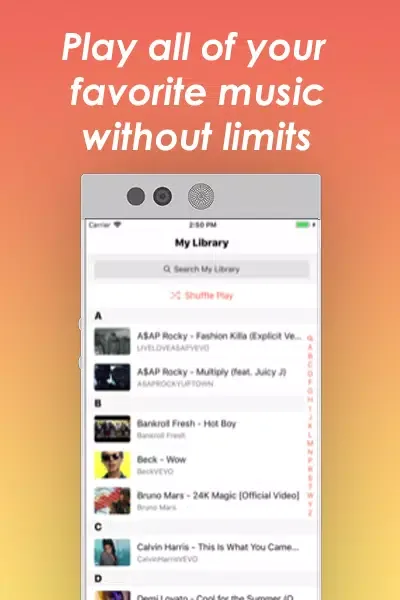
Musi lets you create as many playlists as you need and organize items in a way that suits you. The library view helps you keep track of what you have saved as your collection grows.
Playlist sharing
Once your playlists are ready, you can share them with friends. This makes it simple for others to check what you are listening to during meetups or online chats.
Built in equalizer
When sound matters, use the built in equalizer to fine tune playback for your current device. Switching environments is easier when you can adjust audio to match your headphones or speakers.
Streaming and external control
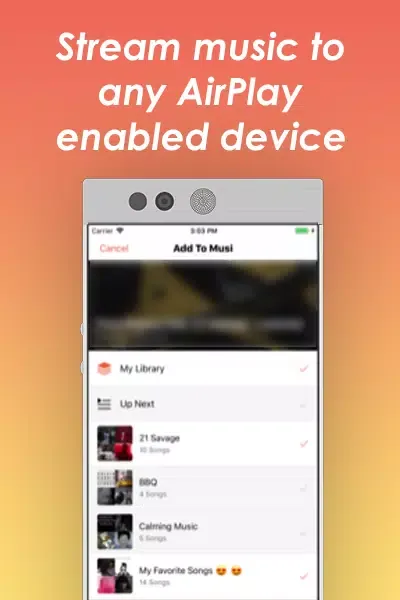
You can stream to AirPlay enabled devices to move audio to compatible TVs or speakers at home. Musi also supports control through your car or home stereo when available, so basic actions stay within reach.
Features:
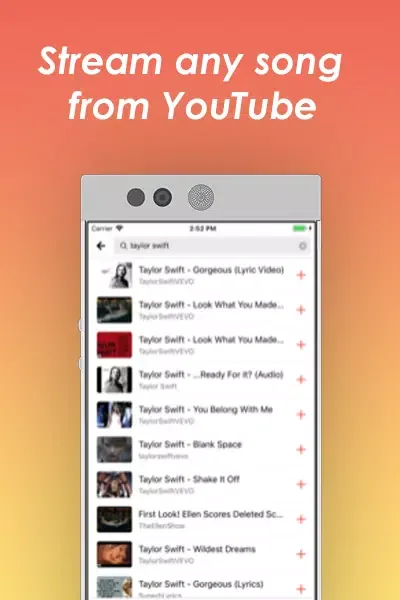
Unlimited Free Music: Stream over 300+ million songs from YouTube, completely free with no limits or purchases required.
YouTube Playlist Import: Effortlessly bring all your playlists together and enjoy unlimited streaming.
Smart AI Recommendations: Personalized playlists and intelligent suggestions that match your taste.
Picture-in-Picture: Multitask seamlessly with a floating popup player that you can resize and adjust.
Powerful Equalizer: Advanced 10-band equalizer featuring presets like Bass Boost, Classical, Club, Dance, Pop, Rock, and more.
Advanced Search: Instantly find songs, albums, artists, singles, remixes, covers, and podcasts.
Variable Playback Speeds: Adjust the playback speed to fit your preferences.
Casting & Streaming: Cast or stream music and videos effortlessly to your TV or any AirPlay-enabled device.
Battery Saver Mode: Reduced brightness and tap protection to save battery while enjoying music.
Music Recognition: Discover new songs playing around you; identify nearby music and create instant playlists with similar tracks.
Daily Top Charts: Explore daily updated top hits, trending songs, and featured playlists across multiple genres.
Unlimited Playlist Management: Easily create, manage, and share playlists with unlimited songs.
Infinite Mixed Playlists: Combine any content including online music, podcasts, and radio into infinite personalized playlists.
Pros & Cons:
Pros
Easy to use
Large music library
Create and organize playlists
Shuffle, repeat, and skip tracks
Cons
No offline playback
FAQs:
What is Musi?
Musi is an organizational tool for videos on YouTube, with an emphasis on features tailored toward music. Musi allows you to easily create and share playlists, control your audio with an equalizer, crossfade between videos, sing along with lyrics, easily control and re-arrange your up next queue, and more.
Can I import my playlists from other apps?
Musi currently supports importing playlists that you have saved on YouTube. This can be achieved by tapping the Playlists tab and then tapping the “+” button on the top right.
Does Musi play offline?
Musi requires an internet connection to play videos at all time, and can work on both data and WiFi. Data rates will apply, although Musi strives to be as lightweight as possible.
How can I create a playlist?
Visit the Playlists tab and tap the "+" button.
Conclusion:
The app allows users to explore different genres and playlists while offering personalized recommendations based on listening habits. With its straightforward design, Musi aims to cater to both casual listeners and music enthusiasts, making it a valuable addition to anyone's mobile lifestyle toolkit.








