

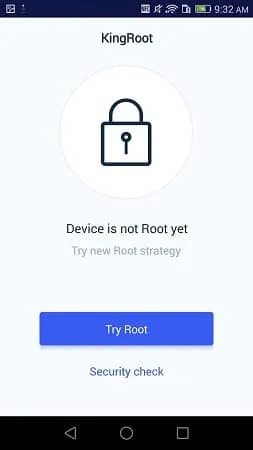
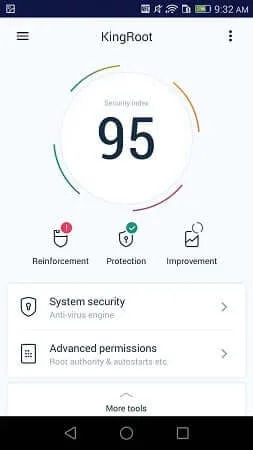
KingRoot is a convenient system tool. This powerful application is known for its simplified system modification methods, allowing users to easily gain root access to their mobile devices without complex scripts or computer connections. With KingRoot, you gain complete control over your device. After obtaining administrator privileges, you can manage background processes more effectively, significantly improving device speed and responsiveness. In addition, the application provides advanced battery management tools, allowing you to monitor and limit power-consuming applications.
Highlights:
Possibility to speed up the functioning of the operating system.
Save battery.
Uninstall the bloatware that's installed by default.
Remove adverts.
Improve the backup system.
More customization.
Features:
One tap root on device or via PC
KingRoot supports rooting directly on the phone with a simple tap. It also offers a PC method over USB for users who prefer a desktop workflow. The process is automated, so you only follow on screen prompts while KingRoot handles the technical steps.
Broad device coverage with defined Android support
KingRoot works across major brands and models. Official compatibility covers Android versions from 4.2.2 through 8.1, and results on newer versions may vary by device and firmware. This helps you decide whether to use the on device method or the Kingroot PC route based on your setup.
Performance tuning and cleanup tools
After gaining root, you can remove preinstalled apps that you do not use. KingRoot also enables controls that can optimize CPU, RAM, and system processes to reduce background load. This can free resources for the apps you use most.
Customization options for power users
KingRoot opens access to themes, fonts, and boot animations that are not available on stock systems. You can apply kernel level tweaks and set up automation with tools like Tasker when root is present. These options help shape the phone to match your routine.
Backup, restore, and clean unroot
KingRoot provides built in backup and restore so changes can be saved before you experiment. If you need to go back to stock, the clean unroot option removes superuser access and restores the device to receive OTA updates again. This gives you a clear path to revert if troubleshooting is required.
Pros & Cons:
Pros
Enhance the functionality of your device
Removes bloatware
Avoid advertisements within advanced ad blockers
Saves your battery life
Cons
The rooting process can take enough time
OS support is limited
System files can crash
Final Words:
It's important to know that KingRoot doesn't work with all devices. With Moto G, for instance, you can run into some trouble. With Nexus, though, it usually works perfectly. KingRoot is an excellent way to root your Android. That said, rooting a device is always a delicate process, so tread lightly and be aware of the risks involved.








