

DU Recorder is a screen recording tool that easily helps users record high-definition videos. It supports freely switching resolutions, allows for natural editing and merging within the application, and the addition of music. It can also quickly publish edited videos to some mainstream media platforms. It helps users quickly take screenshots. Furthermore, it can simultaneously mix built-in audio and microphone audio to achieve a mixed audio effect. Videos recorded by the application do not contain watermarks. If you are looking for such software, then this is it.
Function
ffortless High-Quality Recording
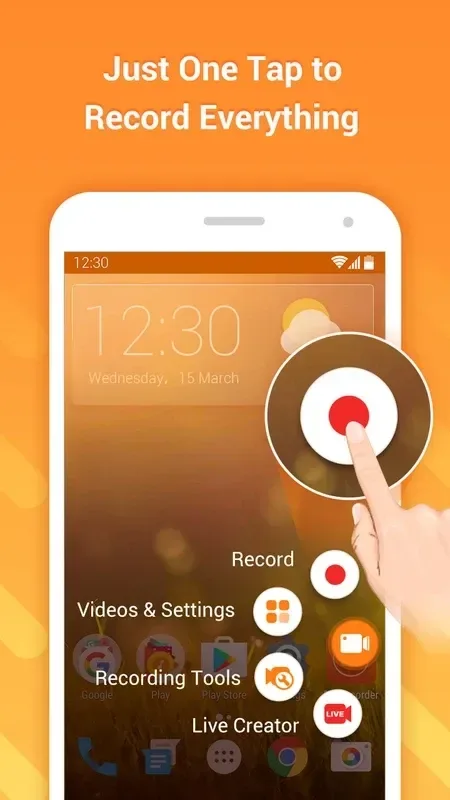
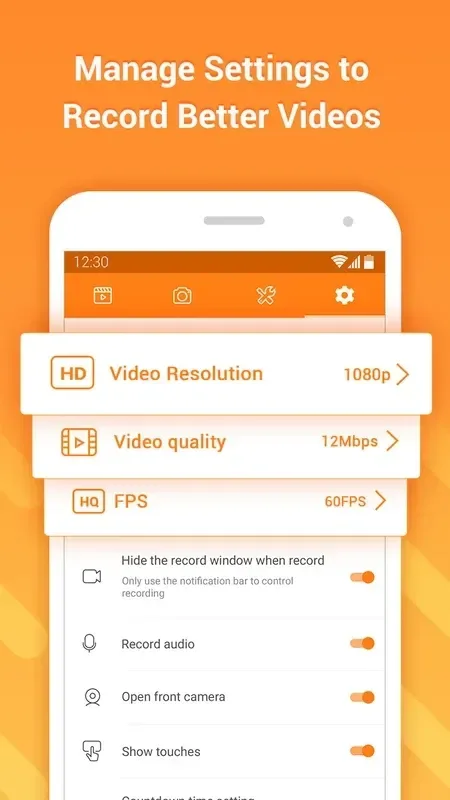
The app allows you to record your screen in crisp high definition, with options for 1080p and 60fps for exceptionally smooth footage. You can simultaneously record audio from your microphone, the system, or both, ensuring clear commentary and in-game sound. Recording can be easily started or stopped with a floating widget, providing uninterrupted access to your device’s functions.
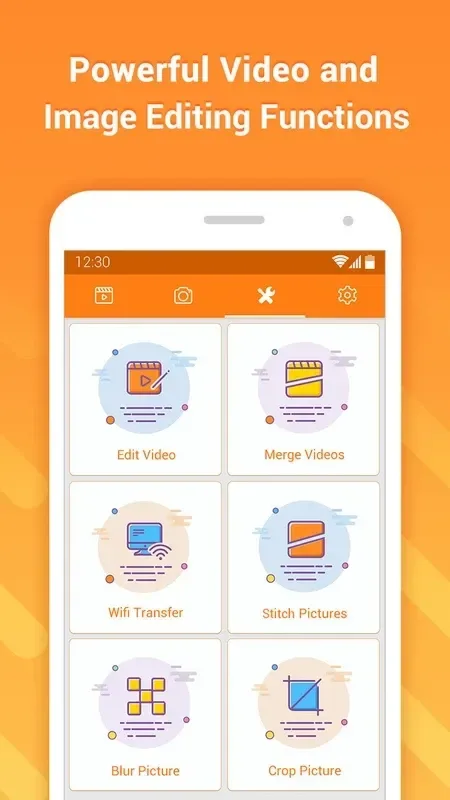
Integrated Video Editing Suite
After recording, you can trim, merge, and add background music or custom text directly within the app. This eliminates the need to export your video to a separate editor for basic post-production work. The editing tools are intuitive, allowing you to quickly polish your content and prepare it for sharing on social media platforms or video channels.
Live Streaming to Major Platforms
DU Recorder enables you to broadcast your screen live to popular platforms like YouTube and Facebook. This feature is perfect for hosting live tutorials, streaming mobile gameplay, or conducting virtual meetings. The streaming process is straightforward, requiring just a few taps to connect your account and go live.
Customizable Recording Overlays
You can personalize your recordings by adding a front-facing camera overlay, showing your reactions while you demonstrate an app or play a game. The size and position of this picture-in-picture window are fully adjustable. Annotations like drawings and text can also be added in real-time during a recording to highlight important information.
Features
Screenshot & Image Editing
Quick and easy to take a screenshot. Use the image editing tools to stitch, blur and crop your images!
Livestream
Livestream your screen to YouTube, Facebook and Twitch. Share games, movies, TV shows and sport events with more people!
Video Editing
Trim, merge and add music to your recorded videos
Screen Recording
Just one tap to record gameplay videos, video calls and online videos…Smooth and clear!
FAQS
What audio sources can I record?
You can choose to record sound from your device’s internal system, your microphone for voice commentary, or both audio sources simultaneously for a complete audio mix.
Can I edit videos after recording?
Yes, the app includes a built-in editor that allows you to perform basic edits like trimming clips, adding music, and inserting text without needing another application.
Is it possible to stream my gameplay live?
Absolutely, DU Recorder supports live streaming directly to platforms such as YouTube and Facebook, allowing you to broadcast your mobile gameplay or other screen activities in real time.
Does the app show watermarks on videos?
Recordings made with the free version do not include a watermark, allowing for clean, professional-looking video output suitable for public sharing.
Summarize
DU Recorder is an app that lets you record a video of whatever is happening in your Android’s screen. The best part is that once you’ve recorded the video you can also edit it using the an editing tool that’s been included in the app.








