

T-Mobile Visual Voicemail is a voicemail management tool that displays messages visually. It supports speech-to-text functionality, converting voicemails into your preferred language, and requires only a one-time account verification. The app helps block scam calls, thereby enhancing call security for users. It features a user-friendly interface for easy operation and utilizes foreground service logging to ensure compatibility with other applications. Users can view messages in a list format and intelligently manage voicemails, calls, and emails.
Features
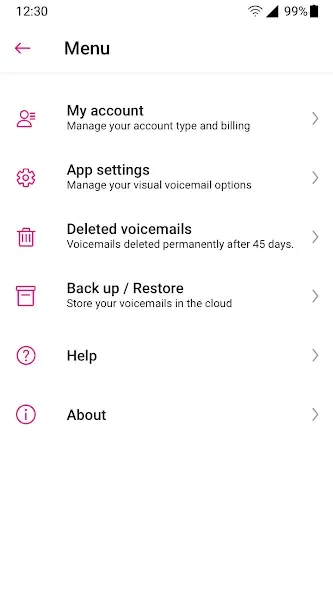
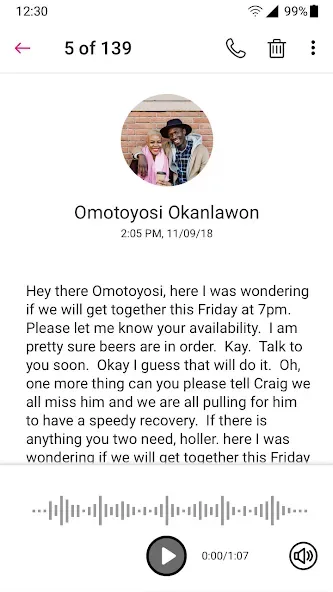
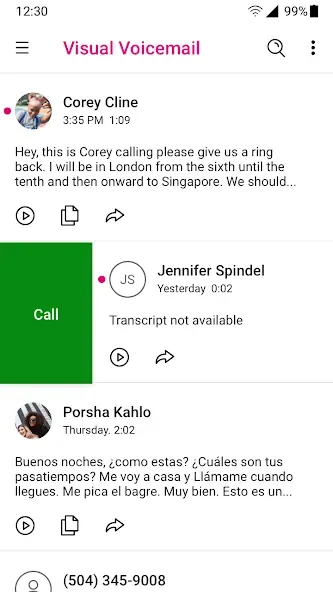
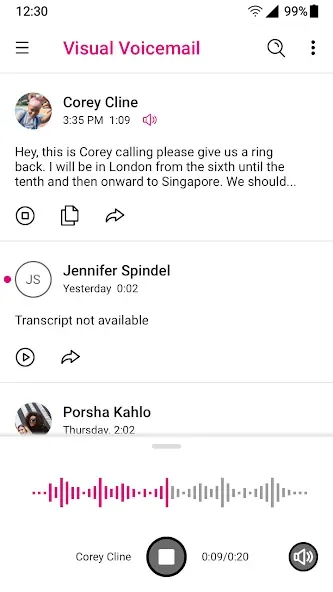
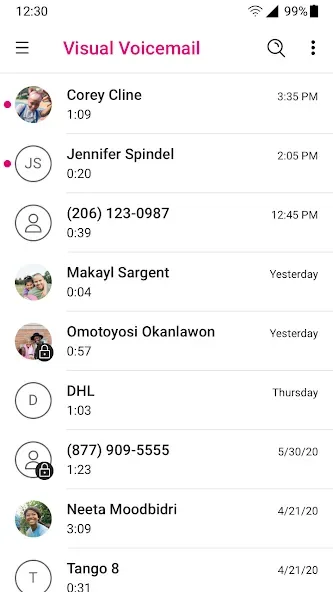
The Visual Inbox lists every voicemail so you can play messages in any order instead of the sequence they arrived in
Voicemail-To-Text transcribes and translates messages into your preferred language, available through a Premium upgrade
Transcribed messages can land in the app inbox, arrive as an SMS, or get forwarded to an email address
Scam Shield™ lets you identify, block, and report calls flagged as likely scams
First launch triggers automated setup with no changes needed to your existing voicemail number or forwarding
One-time authentication confirms your account the first time you run the app on T-Mobile’s network
Highlights
Premium Features and Benefits
Enhancing its functionality, T-Mobile Visual Voicemail offers a Premium upgrade that provides Voicemail-To-Text services for a nominal monthly fee. This feature transcribes voicemails into text in your chosen language, which can be sent directly to your inbox, as an SMS message, or to an email address. This service is particularly beneficial for easy access and management of your voicemail messages.
Enhanced Protection and Latest Updates
The latest updates to T-Mobile Visual Voicemail improve its Voice-To-Text capabilities and integrate the new Scam Shield bundle. The Scam Shield feature empowers users to identify, block, and report potential scam calls, enhancing your call security. With these updates, T-Mobile Visual Voicemail continues to improve in functionality and user protection.
Seamless Setup and Use
When first using T-Mobile Visual Voicemail, it's recommended to connect through your T-Mobile cellular network to authenticate your account, a step only needed once. This app also employs Foreground Services, ensuring seamless operation and access. Overall, T-Mobile Visual Voicemail provides a streamlined approach to managing your voicemail, boosting productivity and ensuring user safety.
Advantages and disadvantages
Pros
User-friendly interface for easy navigation
Allows users to see messages in a list format
Can prioritize and delete messages without listening to them
Supports transcription of voice messages into text
Notification of new voicemails directly on the app
Allows sharing voicemails via email or other platforms
Available on both iOS and Android devices
Cons
Requires a T-Mobile plan to use the service
May not work effectively in areas with poor network reception
Limited features compared to traditional voicemail systems
User comments
In regard to the issues that everyone has been experiencing (including myself until 10 minutes ago), I decided to call T-Mbile to report this since there were no responses to everyone's issues. Long story short, the tech support rep was able to get the app to work for me. He submitted a ticket to the team that monitors this app so they can look into this because I made sure to mention in my call that many people were experiencing the same issues as me. Hoping they fix it soon for y'all too.
It finally lets me sign in after months of deadness! You have to go on data and just keep trying dozens of times. Ignore the errors. it also wants you to reset your pin and keeps rejecting the new one for unspecified reasons, but just keep jamming on the Submit button and it will eventually take. took me.maybe a half hour. Somehow it's worse than Cricket visual voicemail but damn if T Mobile One ain't worth it.
SOLUTION (Possibly) TO NEW UPDATE!! I, like many others, have not had this app work properly after the recent update. I have even called tech support only for them to have me do the same as I thing that I did before I even called them (I just let them feel like they've accomplished something). However, out of curiosity I decided to download MetroPCS Visual Voicemail because it's by T-Mobile to see if it worked, and it does! Try it out and see what happens in your experience.
Summarize
The T-Mobile Visual Voicemail for Android is a convenient tool to manage your voicemail by enabling you to listen to or view messages in any order. With initial free activation upon first launch, there is no need to alter your voicemail number or settings. It simplifies voicemail management by allowing you to set up greetings and efficiently import, save, or delete voicemails with ease.








