

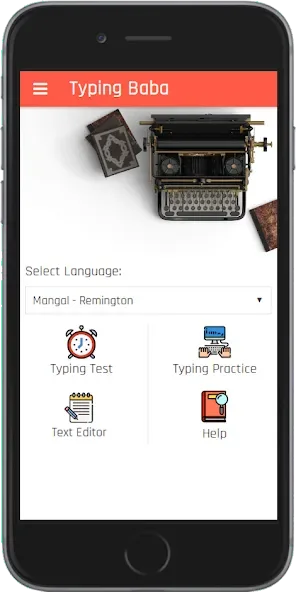
Baba: English & Hindi Typing is an English and Hindi input keyboard application designed specifically for Android devices. It offers a convenient way for users to type in English using a standard English keyboard layout, allowing for seamless communication on social media without the need to adjust any settings. With Baba: English & Hindi Typing, users can choose from a variety of Hindi typing options—enabling them to stick with familiar input methods or explore new layouts to find the approach that works best for them.
Highlights:
The app offers various tests that will be used to assess your typing speed and accuracy.
The tests are based on the standard speed calculation and have been designed to be used in a similar manner to the government job exam.
The tests are divided into different sections that include the home row, upper row, and other rows.
By practicing in this manner, you will be able to increase your typing speed and accuracy in both English and Hindi.
The app will also provide you with the wrong answers, the words you typed, and the accuracy of your test.
The app will give you the correct answers and the words you typed, and it will also provide you with the wrong answers.
Features:
Focused English Typing Practice
Work on your typing speed with dedicated exercises for different rows on the keyboard—the home row, upper row, and more. It’s a straightforward way to boost your accuracy and get comfortable moving around those keys.
Multiple Hindi Typing Options
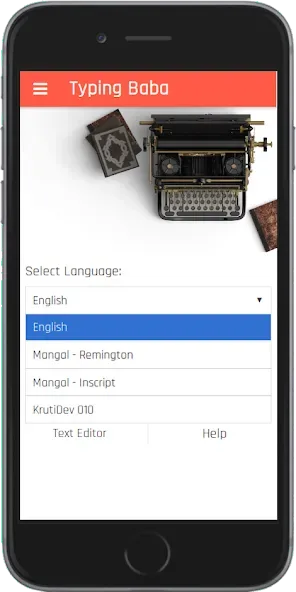
You can practice Hindi typing in two popular fonts: KrutiDev and Mangal. The app supports Remington and Inscript layouts, so you can use methods you’re already familiar with, or try a new one to see what you like best.
Test Formats Just Like Real Exams
The way Baba: Hindi & English Typing measures your speed and accuracy is similar to major Indian government typing tests. You’ll see your speed (in words per minute), accuracy, and where you made mistakes—so you know what to work on for next time.
Custom Practice Drills
Tackle word and sentence drills specifically in Hindi or English. The app picks out high-frequency words, which not only makes practice more effective, but also helps you type out sentences you might actually use.
Clear Feedback on Progress
After each session, get a breakdown of your numbers: gross speed, net speed, how many words you got right, and where you slipped up.
Tips for Users:
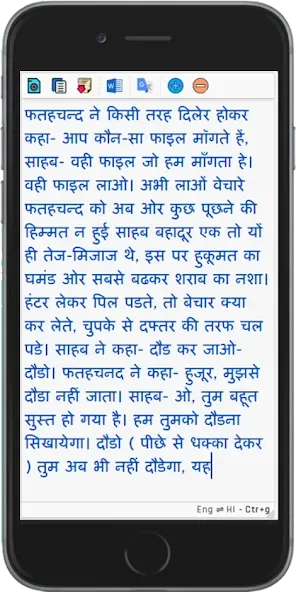
The app offers distinct typing tests for English and Hindi, including options for Hindi typing in KrutiDev and Mangal fonts. The Mangal font is based on Unicode, which ensures compatibility across different devices and platforms. Users can engage in different practices, such as word drills and sentence exercises, which focus on frequently used words to maximize improvement in a shorter time frame.
In the English typing section, users can practice typing across different rows on the keyboard, including the home row and upper row. This structured approach allows individuals to gradually build their skills and comfort with the keyboard layout.
The platform provides feedback on performance, highlighting wrong entries and calculating speed metrics. The speed measurement is based on a standard calculation where five characters equate to one word. This method ensures that the speed assessment aligns closely with the standards used in Indian government job typing exams.
For those practicing Hindi, the app supports both the KrutiDev and Mangal fonts, catering to a wide range of users. The KrutiDev font is particularly popular among Hindi typists, while Mangal font offers a Unicode-friendly option. By providing two font options, the app accommodates different user preferences and requirements in typing practice.
Pros & Cons:
Pros
English, KrutiDev, and Mangal practice
Gross and Net WPM with accuracy details
Row, character, word, and sentence drills
Cons
Free-hand mode reportedly lacks performance statistics
Final Words:
These practices are strategically formulated to help users swiftly improve their typing skills. Those seeking to improve their typing abilities will find Baba: English & Hindi Typing to be a valuable tool. It serves as a comprehensive solution for anyone pursuing professional advancement or personal development by helping to sharpen typing skills in a structured manner.








