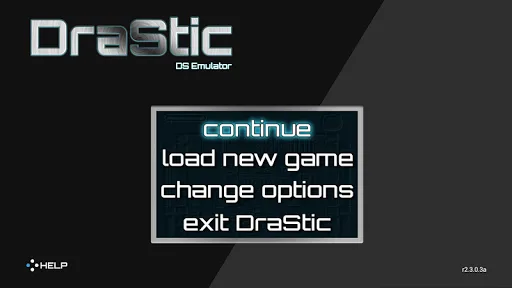
DraStic DS Emulator is a Nintendo emulator. It allows for unlimited play by selecting RM folders without needing a BIOS. It features advanced graphics options, supports 3D rendering modes and image filters, and can boost graphics resolution by two times or more. The window size can be customized. It also supports landscape and portrait modes. It has easy and simple controls. Storage permissions are required. Bluetooth controllers can also be connected. It's one of the most popular handheld consoles, and it brings many improvements and new features.
Features
Emulates the full Nintendo DS game library on Android devices
No BIOS required; simple ROM folder selection for instant play
Highly optimized for smooth performance on mid-range and low-end phones
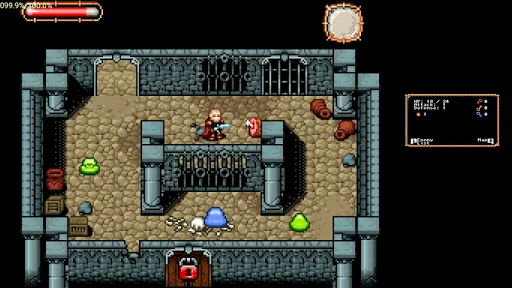
Advanced graphics options including 3D rendering modes and image filters
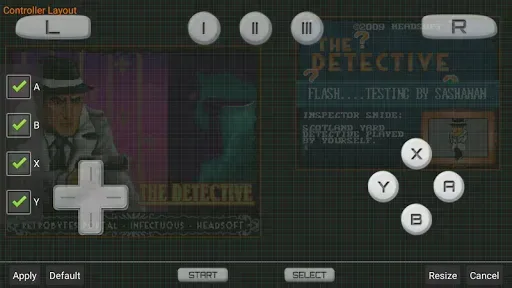
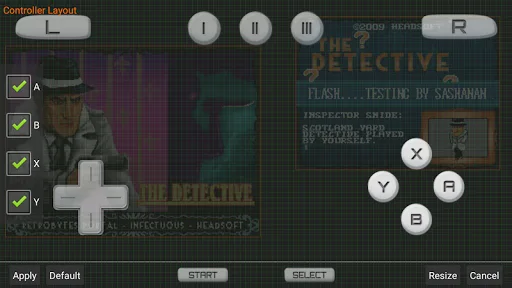
Customizable virtual controls and support for Bluetooth gamepads
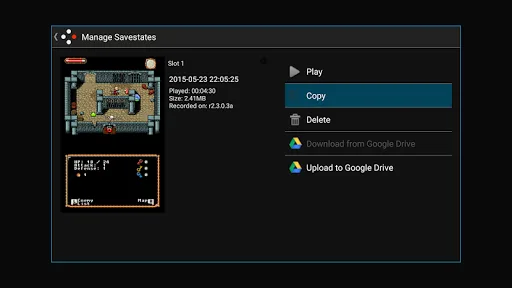
Save states enable saving progress anytime during gameplay
Additional features like stylus mode and screen open/close emulation
Wide compatibility, though some issues on certain newer phones
Highlights
Enhance the game's 3D graphics to 2 by 2 times their original resolution (this optional feature works best on high end quad core devices)
Customize the placement and size of the screens, for portrait and landscape modes
Fully supports add-on controllers and physical controls
Save and resume your progress anywhere with save states
Tweak your gaming experience with a database of thousands of game enhancement codes
Increase emulation speed with fast-forward
Advantages and disadvantages
Pros:
Easy to use and navigate.
Compatible with a wide range of devices, including Android smartphones, tablets, and TV boxes.
High-quality graphics for games that look great on your device’s screen
Ability to save game progress at any time to pick up where you left off later.
Support for physical controllers like the Nintendo Switch Pro or DualShock 4 makes gaming more enjoyable.
Cons:
Not compatible with all Android devices, some users may be unable to use it.
The user interface is complicated and can take a beginner to get used to it.
How to Use
Install the app, open it, and allow storage permissions if prompted so the emulator can read your game files.
Prepare private backups of your legally owned Nintendo DS games and place them in a folder on your device.
In the app, browse to that folder and select a game to load, then wait for the title to start.
Open settings to adjust screen layout and button mapping, and connect a Bluetooth controller if you prefer physical controls.
Use save states to keep your progress and enable fast forward or cheats only when needed, then exit to save your configuration.
Summarize
DraStic DS Emulator is a powerful emulator for Android operating systems, which allows you to emulate one of the most popular handheld consoles of all time— the Nintendo DS. Best of all, it gives you the chance to play the entire catalog of this legendary portable console and allows you to do so with tons of improvements and additional features.