
VN Video Editor is an outstanding video editing utility that helps users easily create creative video works, enjoy easy-to-use and flexible operation, and experience a wealth of professional editing tools. The application presents a powerful and user-friendly video editing program for a wide range of users. Users can experience rich customization options, try out a wide variety of media libraries and filter templates, and experience flexible and diverse processing functions. The application supports dynamic audio adjustments and multiple audio tracks, keyframes, speed curves, and more, allowing you to fully explore the potential of video editing.
Click to load YouTube / 点击加载视频
YouTube ↗Amazing Features of VN Video Editor
Multi-track Timeline for Precise Control
VN Video Editor uses a timeline that allows you to place video, images, text, and audio on different tracks. You can drag clips to reorder them and make time adjustments accurate to 0.05 seconds. Editing is non-destructive, so the undo and redo functions allow you to go back to a previous version without losing any work. This setup is beginner-friendly while also meeting the needs of experienced editors (also known as VlogNow users).
Keyframes, Speed Curves, and Advanced Motion Tools
You can use keyframes to animate attributes, controlling their position, scale, opacity, and more over time. Speed curves support time remapping for smooth slow motion or gradual speed changes. Reverse, zoom, freeze-frame, transitions, and picture-in-picture features help you build sequences that match your storyboard. These tools work together, so you can combine animation with time editing without switching applications.
Color Grading with Filters and LUT Imports
VN Video Editor includes a variety of built-in filters for quick color previews and supports importing .cube format LUTs. This allows you to apply a consistent film-style color grading to multiple video clips. You can adjust hues and colors to balance different shots for a crisp final result. LUTs and filters make it easier to match footage from different cameras.
Helpful Tips of VN Video Editor
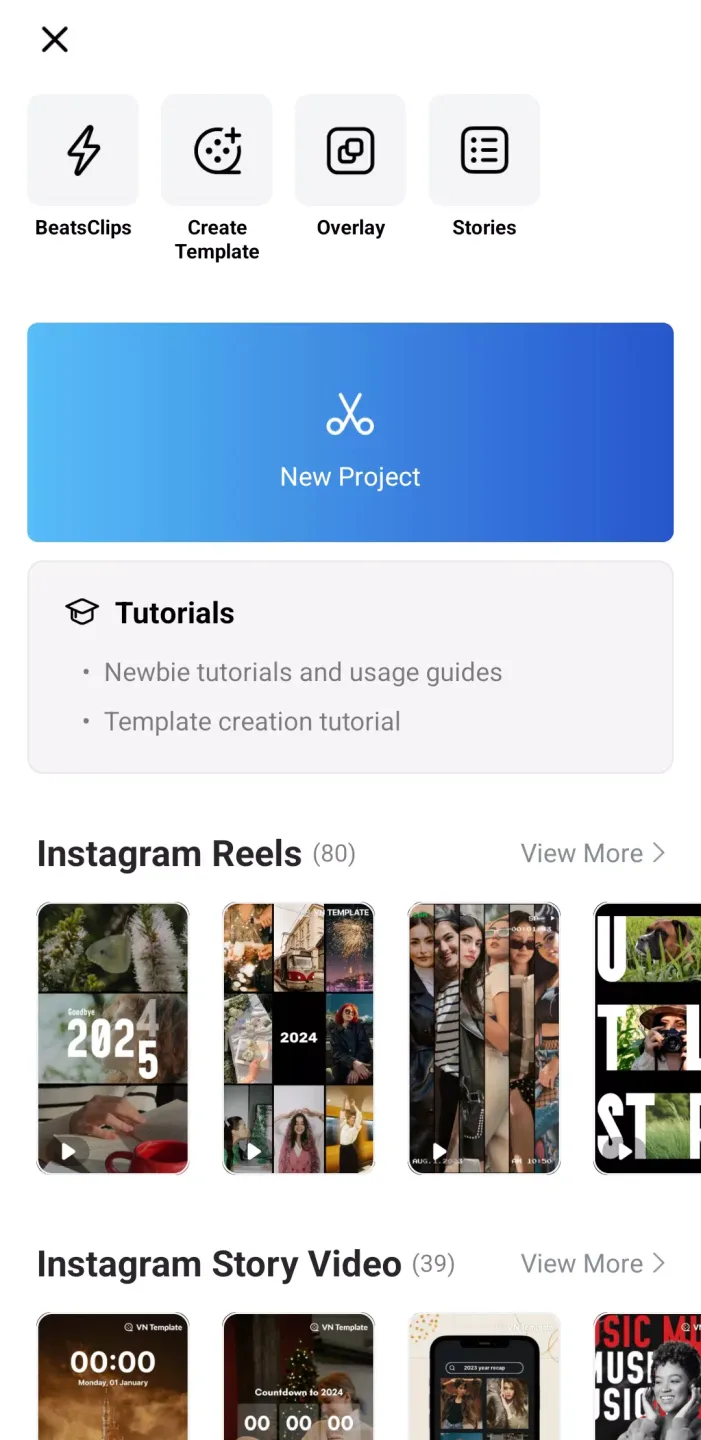
Open VN Video Editor, click New Project, and then select video and image files from your local storage.
Arrange clips on the timeline, trim ends, and use the split function to remove unwanted sections. Add additional tracks as needed for overlaying layers or adding titles.
Select a clip, click on a keyframe to animate motion or opacity, then use speed to apply a velocity curve for time-lapse effects.
Click "Audio" to add music or record narration. Use "Auto Captions" to convert speech to text, then adjust the font and position.
Go to "Color" to apply filters or import a LUT, view the entire sequence, then click "Export" and set the resolution and frame rate.
Frequently Asked Questions of VN Video Editor
Is it safe to use VN Video Editor?
In the digital environment, security is paramount, and VN Video Editor takes user safety very seriously. Downloading the app from a reputable app store is generally considered safe. However, as with any online platform, users should exercise caution when sharing personal information or content. Always follow best online security practices, such as using secure passwords and being mindful of privacy settings.
Is VN Video Editor free?
VN - a video editor and maker - offers a combination of free and paid features. Basic editing functions are free, and users can experience all the app's features for free. For users requiring advanced features and an ad-free experience, VN Video Editor offers a paid subscription service. Pricing options are flexible, allowing users to choose based on their editing needs and budget.
Pros and Cons of VN Video Editor
Pros
Powerful editing tools
High-quality output
Stylish effects and filters
Music and audio tools
Cons
Limited free features
Performance issues
Learning curve for advanced features
Limited customization
Final Verdict
VN - Video Editor is an excellent video editing application that not only merges two video clips into one movie, but also allows you to take it a step further with professional-level editing, creating movies from videos. It's easy to use, eliminating the need for typically complex operations.








