

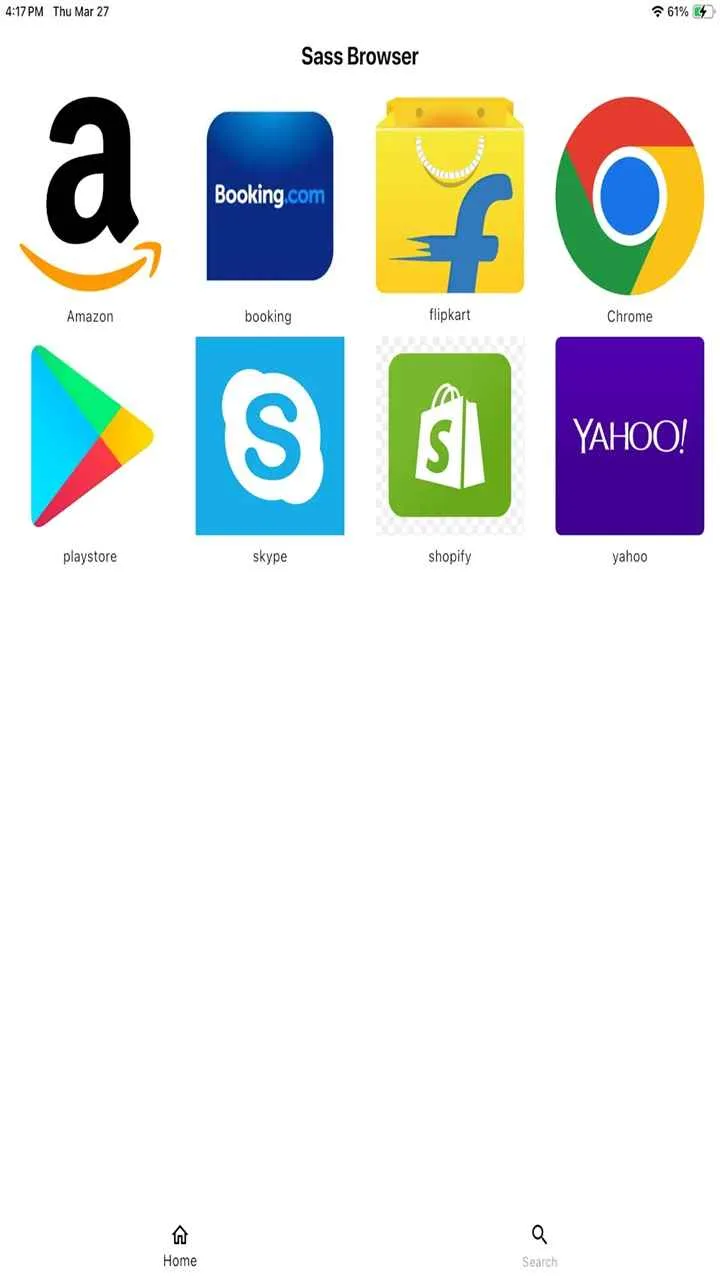
Sass Browser is a browser for Android and iOS. It boasts powerful features that allow users to conveniently search for any content they desire, including news, encyclopedias, and movies and TV series. Its clean interface and clear layout allow users to quickly navigate and master its functionality. The software has been security-monitored, so users can download and use it with confidence, ensuring that no personal information is leaked.
Features:
1. Lightning-Fast Performance
Performance is the soul of Sass Browser. It loads web pages noticeably faster than many resource-heavy browsers. This is largely due to its streamlined engine that avoids unnecessary background processes and prioritizes essential web functions. Pages render quickly, and scrolling remains smooth even on pages with multimedia content.
The speed also benefits users with limited data plans or slower mobile networks, making Sass Browser ideal for use in regions where bandwidth is a concern.
2. Built-in Ad Blocker
Online ads are not only annoying but also compromise privacy and slow down browsing. Sass Browser includes a native ad-blocking engine that filters intrusive ads, pop-ups, and trackers without requiring third-party plugins. This feature drastically reduces page load times and conserves mobile data.
Unlike browsers that only block specific ad types, Sass Browser gives users the ability to customize what they want to block—from social media widgets to analytics scripts.
3. Private Browsing Mode
Privacy is a cornerstone of the Sass Browser experience. The app offers a robust private mode that doesn’t just delete your history—it prevents data collection in the first place. In this mode, cookies, cache, forms, and browsing activity are not stored at all.
This mode is ideal for sensitive browsing sessions and adds another layer of protection against tracking.
4. Data Saver Functionality
To cater to users with limited mobile data, Sass Browser comes with an intelligent data saver mode. This feature compresses images, disables autoplay features, and optimizes scripts to reduce data consumption without compromising the quality of your browsing experience.
It's especially useful for users in developing regions or during travel when roaming data charges can add up quickly.
5. Custom Script Control
One of the standout features of Sass Browser APK is its advanced script control panel. Users can disable JavaScript on select websites or allow it only on trusted domains. This gives full control over how websites behave and can be used to prevent malicious scripts from executing.
This level of granularity in user control is usually reserved for desktop browsers or developer tools, but Sass brings it to mobile in a very approachable way.
6. Bookmark and Reading List Features
Sass Browser understands the modern reader. It allows users to bookmark pages, organize them in folders, and even save articles for offline reading. Its built-in reading mode strips away ads, menus, and non-essential elements, giving a clutter-free reading experience.
You can also sync bookmarks locally or export them manually—another nod to users who want functionality without forced account creation.
7. No Background Activity
Many mobile browsers remain active in the background, draining battery and consuming data. Sass Browser APK is optimized to stop all background processes when not in use. This means no data sync, no push notifications, and no automatic content preloading—leading to better battery life and reduced mobile data usage.
8. Gesture-Based Navigation
To enhance usability, Sass Browser includes customizable gesture navigation. Users can swipe to switch tabs, go back, or refresh the page. This makes it easier to browse on larger-screen devices without constantly reaching for buttons.

Highlights:
Track Your Favorites: Monitor the movies, anime, and series you’ve watched or plan to watch.
Explore: Browse an extensive library of content with in-depth details.
Trailers: Watch previews to help decide what to watch next.
Cast & Crew: Get to know the actors and creators behind your favorite titles.
Personalized Suggestions: Receive viewing recommendations tailored to your taste and watch history.
Benefits:
Using Sass Browser comes with numerous benefits for daily internet users:
Faster Load Times: Optimized for performance, Sass Browser reduces lag and opens pages in a snap.
Enhanced Security: With strong privacy controls and frequent updates, it guards your information against common threats.
Low System Resource Usage: Unlike bulky browsers, Sass runs smoothly on devices with modest specifications.
User-Centric Design: Every feature is developed with feedback in mind, prioritizing real-world usability.
No Ads, No Distractions: The browser avoids unsolicited ads and pop-ups, letting users focus on their tasks.
Conclusion:
All of this makes Sass Browser not only practical but actually a solid day-to-day tool for students, travelers, privacy-focused users, and anyone who’s just over the chaos of traditional web browsing. It’s simple, flexible, and made with purpose—and in a world full of apps trying to do everything at once, that kind of clarity is refreshing.








