
Video Converter, Compressor is a top-notch video tool. This app converts and compresses videos at lightning speed, supporting nearly every video format, including MP4, MKV, MOV, M4V, FLV, and more. With just a few simple steps, you can convert videos to a variety of common formats, saving space on your device, freeing up memory, and eliminating device lag. Furthermore, this app can add subtitles to your videos, offering even more functionality. Download Video Converter, Compressor now to free up storage space on your device!
Click to load YouTube / 点击加载视频
YouTube ↗Benefits:
Unique video and audio conversion application with many different formats such as mp4 or mkv…
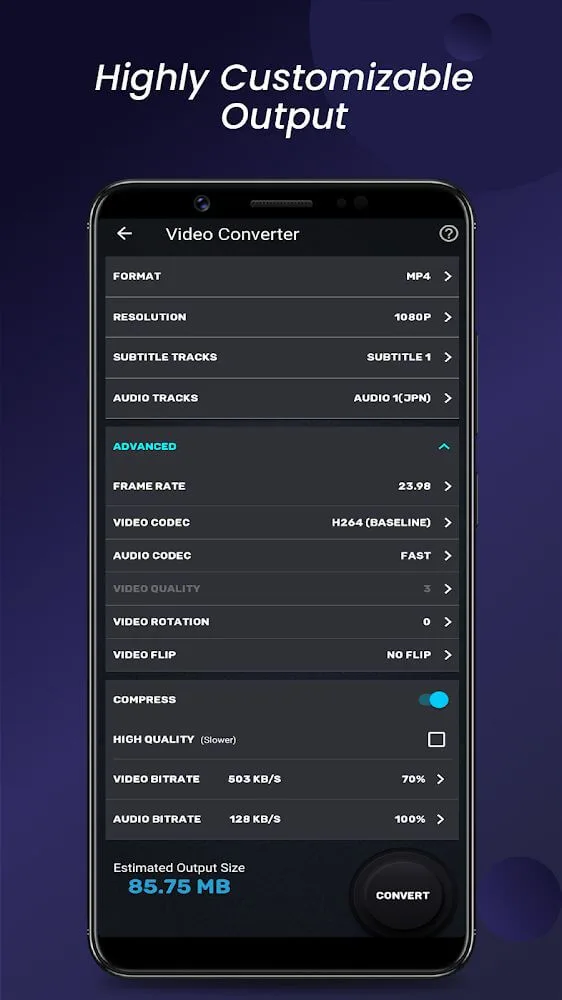
Ensure HD resolution, easily customize frame rate with the specific segments in videos.
Add subtitles to the video after customizing the font or color and add audio tracks with other formats.
Compress and decompress videos, ensure original quality and avoid damaging the device with little data.
Cut videos into different versions or easily merge them in the correct sequence.
Usage:
Experiment with different resolutions and frame rates to find the best quality for your videos
Utilize the cutting and merging functions to create seamless video transitions
Add subtitles to make your videos accessible to a wider audience
Convert videos to audio files to save space on your device
Features:
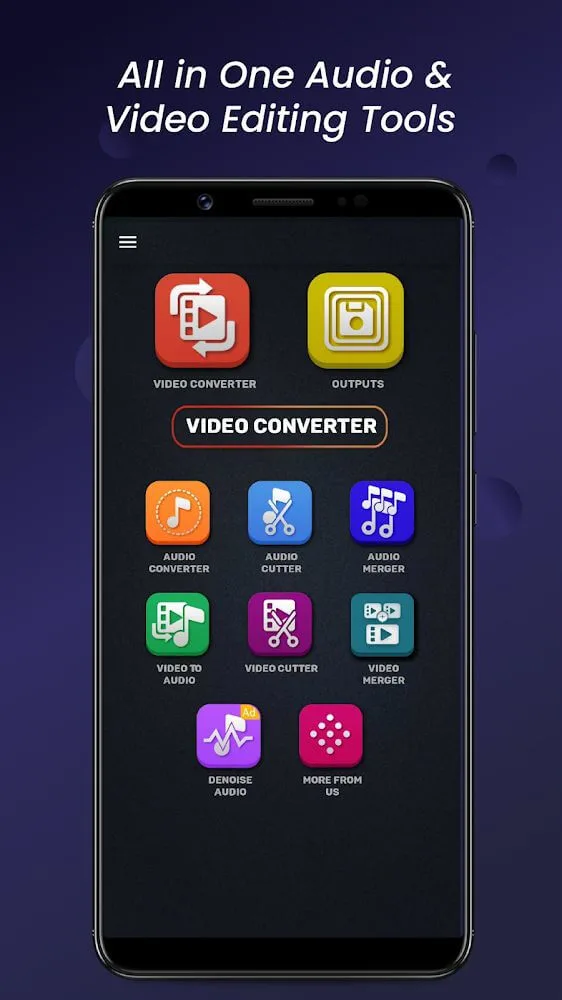
Convert videos into different popular formats: It allows users to convert videos into various formats, making it easier to play them on different platforms.
Save device and platform space: By converting videos into compressed formats, Video Converter helps users save space on their devices and platforms.
Support for most video formats: It supports a wide range of video formats, including MP4, MKV, AVI, 3GP, and more, ensuring compatibility with all devices.
Easy to use: Video Converter is designed for all types of users, with simple operations that allow for quick and easy video conversion in just a few steps.
Moderate video editing capabilities: In addition to converting video formats, Video Converter also offers basic video editing features, such as cutting and merging videos.
Subtitle support: Video Converter allows users to add subtitles to their videos, making it easier to share videos with international friends.
FAQs:
Which video formats does Video Converter support?
Video Converter supports popular video formats such as MP MKV, AVI, 3GP, and many more.
Can Video Converter help save memory on my device?
Yes, Video Converter includes features to help save memory by reducing frame rates, changing resolutions, and converting videos to audio files.
Is Video Converter suitable for all users?
Yes, Video Converter is designed for all users looking to convert video formats with simple and user-friendly operations.
Conclusion:
Suppose you are looking for an application that can change the configuration of document files such as videos in your device into a new format. In that case, Video Converter & Compressor will be the application you need. The application also supports you to convert audio files into the format you want, like mp3. In addition to those essential utilities, you can also cut or merge audio or video files together. Make sure your device still has plenty of free data. Avoid virus intrusion or lag because the video carries a lot of data, causing heavy machines. But since using Video Converter & Compressor, that problem will never happen. Rely on the feature of converting video to audio with many predefined and easy-to-store formats. You can even compress those converted products.








