Download VideoMaster for Android for free and take your music and videos to the next level with its stunning post-production tool. VideoMaster offers professional-grade equalization tools, a variety of presets like volume boost, and more, allowing you to fully adjust the audio quality of your videos without affecting the original quality. This exceptional tool transforms your content into exceptional productions. Use VideoMaster now to instantly enhance the audio quality of your videos and leave a lasting impression on your audience!
Click to load YouTube / 点击加载视频
YouTube ↗Attractive Characteristics
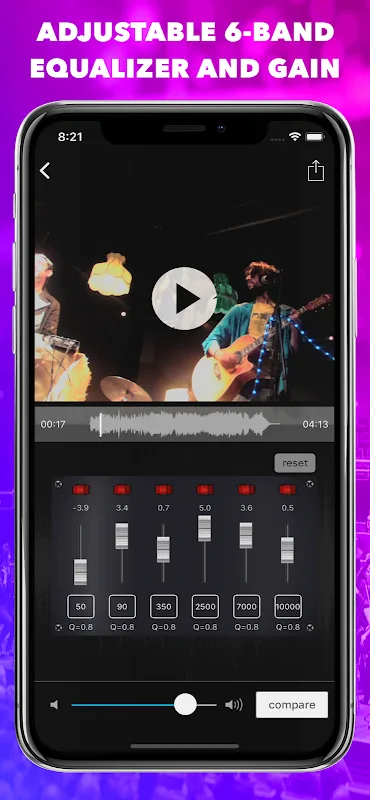
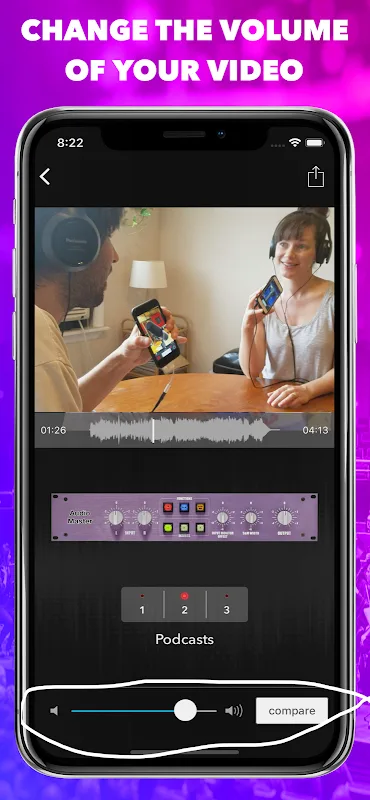
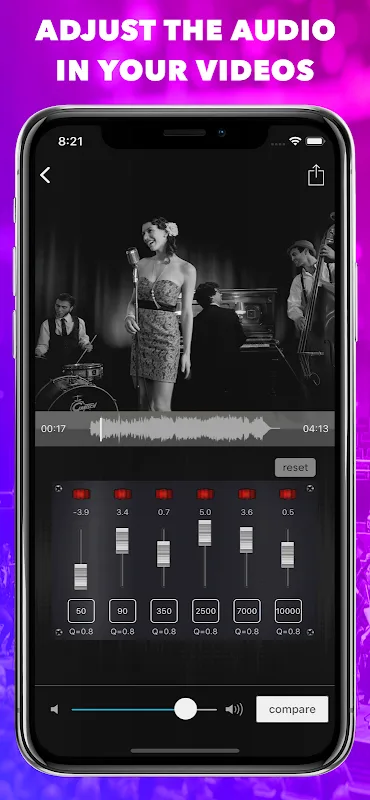
Enhance the audio quality of your videos with a volume booster and 6-band equalizer.
Offers a 3-day trial included with an annual subscription, as well as a monthly option for specific projects.
Allows you to seamlessly modify the audio of your video content.
Comprehensive support is available via the side menu.
Offers a customizable 6-band equalizer, volume normalization, and adjustable volume control.
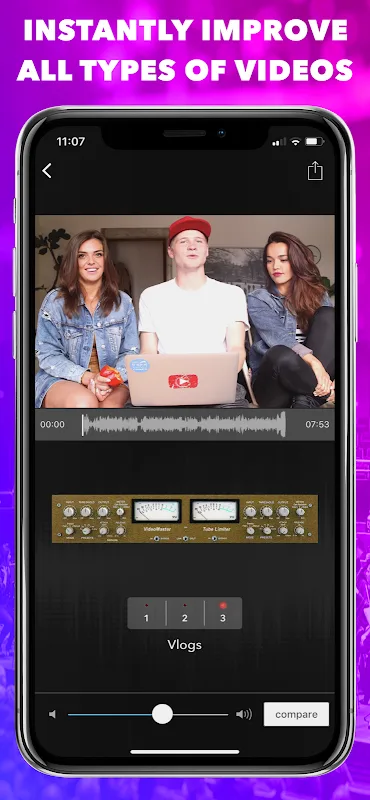
Includes audio presets for various types of content, such as vlogs, podcasts, and music videos.
Surprising Performance
With VideoMaster, you can import video files, automatically normalize volume, adjust specific frequencies, or completely extract the audio for standalone use. Whether you're creating content for vlogging, podcasting, social media, or commercial purposes, this app makes it easy to deliver videos with exceptional sound quality. Its features cater to a variety of needs, from enhancing the audio for ASMR content to optimizing narration for educational or marketing videos. Additionally, you can export your project at its original size, compress it for sharing, or mute the audio as needed.
The intuitive interface ensures smooth video editing without fuss. Easily compare adjusted audio with the original sound to get the best results. And you can rest assured knowing your project will retain its original quality. VideoMaster offers a practical solution for beginners and professionals who demand the best audio performance in their videos.
Utilize the versatile features and advanced tools provided by VideoMaster to transform your content into a standout piece, ensuring your video project leaves a lasting impression.
Best Function
Features
Adjustable 6-band equalizer
Automatically adjust video volume
Adjust video volume
Adjustable volume
Adjust audio frequency, gain, and Q.
Click the numeric box to enter the exact frequency, gain, or Q.
Extract audio from videos
Mute audio from videos
Save at original size or compress for sharing
Easily compare sound to the original video
Press and hold an EQ module to bypass
VideoMaster will never overwrite your original files
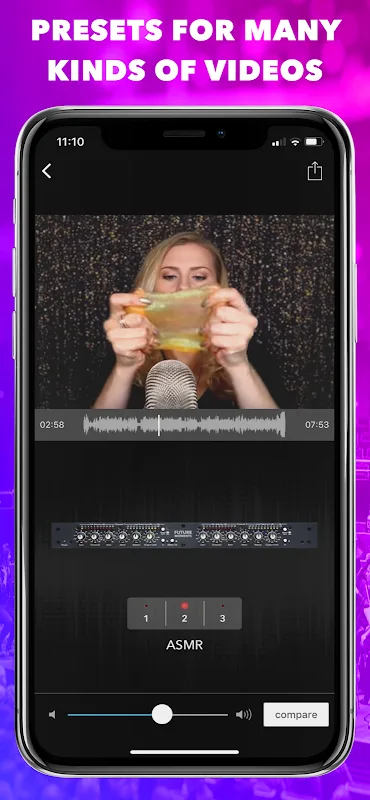
Audio Presets
Video Blogs
ASMR
Narratives
Podcasts
Rock
Folk
Blues
Classical
Country
Hip-Hop
Electronic
Jazz
Latin
New Age
Pop
R&B/Soul
Common Uses
ASMR Videos
Vlog Videos
Vcast Videos
Podcast Videos
Social Media Marketing Videos
Product Review Videos
Haul Videos
Tag or Challenge Videos
Unboxing Videos
Educational Videos
Favorites/Best Videos
How-to Videos
Gaming Videos
Wedding Videos
Birthday Videos
Baby Videos
Pet Videos
Selfie Videos
Business Videos
Real Estate Videos
Automotive Videos
Sports & Fitness Videos
Training & How-to Videos
Travel Videos
Music Videos
Event Videos
Video Commercials
Other Works by Future Moments:
Audio Verbs
Audio Repair
AudioFix Pro
Audio Master
Audio Master Pro
Video Verbs
VideoVerb Pro
Video Master Pro
Audio Enhancement
Excellent Highlights
Faster import/export
Add fade-in/fade-out effects (video/audio)
Save/load EQ settings
Advanced export options
User's Comments
OMG this is just what I needed for my mobile TikTok workflow. So simple. Love the presets, but I'm really grokking to the parametric equalizer. Wish there was a way to save multiple equalizer curves - I'd have for each recording device/mic combo, i.e. phone mic, phone + lav, DJI Pockey 2 wireless lav, etc. Thanks again for this simply elegant app. Now I gotta buy the Pro version...
I sign up to try it but got charged for 1 month on the first day I installed the app. I thought there is a 3 day free trial? I cancelled after trying it for an hour because this is not a good fit for what I need to fix, only to find out that I was already charged when I am supposed to have a free trial only. Update to 5 stars because I got my refund. Thanks
This app is very good, works very well and works very fast. In one of my videos, there was very little sound. I used this app and turned up the volume.
Absolutely awesome app. I've only just started using it but I can tell you that so far I love it. The best thing about it is that it is "user friendly". I am not a very computer or app saavy person so it's really nice that you don't have to be a rocket scientist to use this app. Good job! Colleen.
Final Thoughts
VideoMaster is a powerful tool designed to enhance the audio quality of your videos, making them sound more professional and polished. It's ideal for those who want to improve the audio quality of their videos without sacrificing visual quality. This Android app features a 6-band audio equalizer, a volume booster, and a variety of presets tailored for different audio styles, allowing you to easily and precisely adjust the audio in your videos.