

mySolarEdge is a smart home application. Feature-rich and easy to use, it allows you to remotely monitor and adjust your home's smart devices, as well as manage electric vehicle charging, ensuring the convenience and optimization of your solar solutions. You can easily troubleshoot your solar inverter with clear, easy-to-understand menus and step-by-step instructions. Please note that monitoring access may require contacting an installer, and a power meter must be installed for comprehensive energy usage analysis. Download now and take control of your smart energy devices anytime, anywhere.
Click to load YouTube / 点击加载视频
YouTube ↗Highlights:
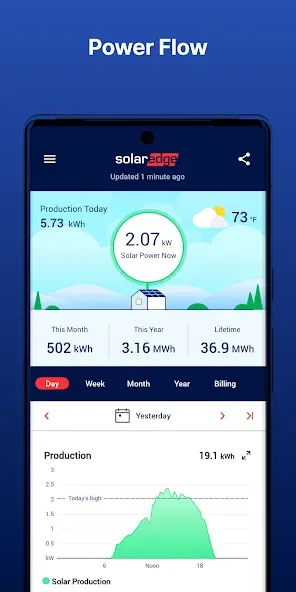
· Track your energy use and production in real-time, with mobile-optimized features
· Identify ways to become more energy efficient
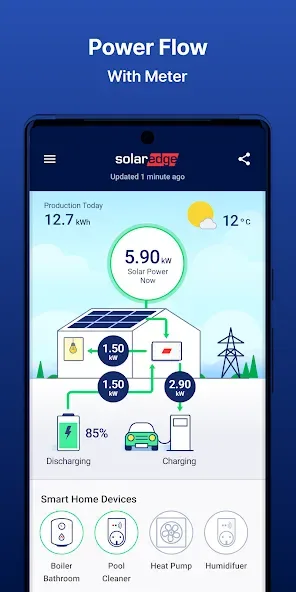
· Control your smart home devices and manage SolarEdge EV charging remotely
· View solar inverter status for quick troubleshooting using step-by-step instructions and easy to read menus in SetApp-enabled inverters only
· Set-up inverter communication and network settings in SetApp-enabled inverters only
· Monitoring and controlling of your site is also available via Google Wear OS devices such as Pixel Watch
Features:
Real-time Energy Tracking: Monitor your energy use and production in real-time, allowing you to see how much energy you are consuming and producing at any given moment. This feature helps you stay informed and make adjustments to maximize efficiency.
Energy Efficiency Insights: The app helps you identify ways to become more energy efficient by providing personalized recommendations based on your usage patterns. It offers tips and suggestions to help you optimize your energy consumption and reduce waste.
Smart Home Device Control: With mySolarEdge, you can control your smart home devices remotely. Whether it's adjusting the temperature, turning lights on/off, or managing your SolarEdge EV charging, you can conveniently control and monitor your devices from anywhere.
Inverter Status Troubleshooting: Check the status of your solar inverter and troubleshoot any issues quickly and easily. Step-by-step instructions and easy-to-read menus provide seamless troubleshooting for any technical problems you may encounter.
Inverter Communication and Network Settings: Set up inverter communication and network settings effortlessly. For SetApp-enabled inverters, the app offers a user-friendly interface to configure and manage communication settings, ensuring seamless connectivity.
Accessibility via Google Wear OS: Access and monitor your site directly from compatible Google Wear OS devices such as Pixel Watch. This feature provides convenience and flexibility, allowing you to stay connected even when you're on the go.
FAQs:
Can I control the app devices remotely?
You can control your system from anywhere using the app.
How do I track my energy savings?
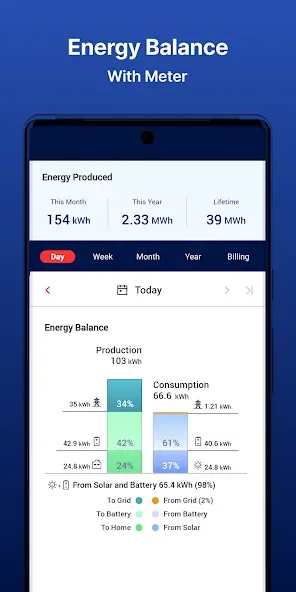
The app provides detailed reports on your energy generation and savings, allowing you to track your progress.
Does the app support multiple users?
Yes, you can share access to your app system with family members or energy managers.
Can I receive notifications about the app system?
The app sends alerts and notifications about essential system updates or performance issues.
Is the app version ad-free?
The app version provides an ad-free experience for uninterrupted use.
Conclusion:
mySolarEdge is a powerful and intuitive app that revolutionizes the way we manage and monitor our solar panel systems. By providing real-time monitoring, detailed insights, remote control, and compatibility with various systems, it helps us optimize our energy production and consumption, ultimately leading to greater savings and environmental sustainability.








