
File Commander is a file management tool designed specifically for Android devices. This application boasts a user-friendly interface, designed to help users quickly categorize files and keep their device storage cleaner. With File Commander, you can freely manipulate any file on your Android device; all operations can be completed within the simple interface. Furthermore, this application includes a built-in audio and video player, allowing you to directly play and manage your favorite media files within the app. Click to download File Commander now and enjoy a convenient management experience.
Features:
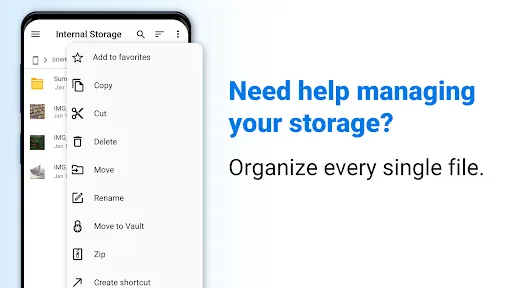
Clearly categorized file collections for easier management
For those of you who are interested, you can now make uses of the categorized file collection in File Commander to easily manage the app. Here, you can now look for your files from the Music, Picture, Video, Apps, Archives, Documents, and many other file collections. Hence, you can always find your important files and make full uses of them.
Useful built-in media players
With the integrated Audio and Video players available, Android users will now have the option to watch their video content or play certain music tracks right inside the mobile app. As a result, File Commander will enable smooth and lag-free experiences for all Android users.
Save space and data with archived files
Here in File Commander, Android users can optimize their storage space by using the archive options. Now, you can choose whichever files that you wish to archive and put them to the respected folders. This will allow you to save space on your storage and create rooms for new data.
Enable different login profiles for personalized settings
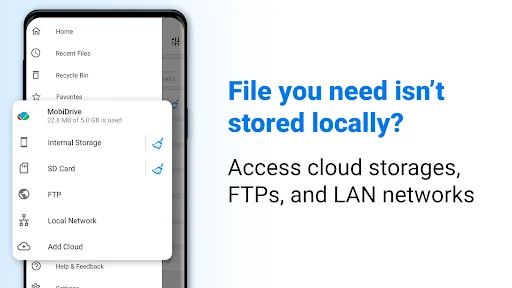
With the available login profiles, File Commander will allow users to choose different personalized settings for their mobile app. Now, you can save different settings and app data via certain profiles. All your saved profiles can be loaded via the cloud storage and will immediately sync upon entering.
Benefits:
Ultimate Privacy Protection: Lock down personal photos, videos, and documents with PIN, fingerprint, or password protection.
Total Peace of Mind: Keep your most private data safe and secure.
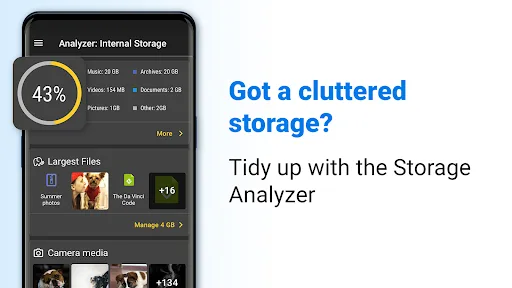
Optimize capacity usage: Information about internal memory is always accurately reflected at each time.
Unnecessary things can be deleted: When you know the usage time of some files, you will be able to make appropriate decisions.
Supports many different formats: The application is committed to being compatible with more than 1200 file types without any problems.
Freedom to switch on the fly: Instead of using a third feature, every change is available in a single place.
Tips for Users:
Use categories to organize files for easy access
Take advantage of cutting, pasting, and editing tools
Set a secure password to ensure data protection
Utilize account logins to save files quickly
Changelog:
Kazakh Language Support: Our app is now fully translated and localized into Kazakh.
Bug fixes for improved stability.
If you love the smooth, versatile file management, vote for the app on Google Play!
Final Verdicts:
File Commander is a comprehensive file management application that offers a wide range of features to assist users in efficiently handling their files. With tools for editing, storage, conversion, and organization, File Commander is a versatile app that ensures data security and ease of access. Whether you need to manage files on your device or store important data securely, File Commander is the go-to app for all your file management needs. Download File Commander now and experience the convenience of a top-notch file manager.








