

AIDA64 is an amazing hardware and software information utility that helps users easily obtain detailed diagnostic information about various electronic devices such as mobile phones, tablets, smartwatches, and TVs. AIDA64 presents a lightweight yet powerful diagnostic application for smart electronic devices, allowing users to locate the relevant information through a comprehensive navigation list. AIDA64 provides a wealth of data, including hardware specifications, pre-installed applications, screen resolution, and battery capacity, enabling users to gain a clearer understanding of the device's internal workings.
Click to load YouTube / 点击加载视频
YouTube ↗Exclusive Features of AIDA64
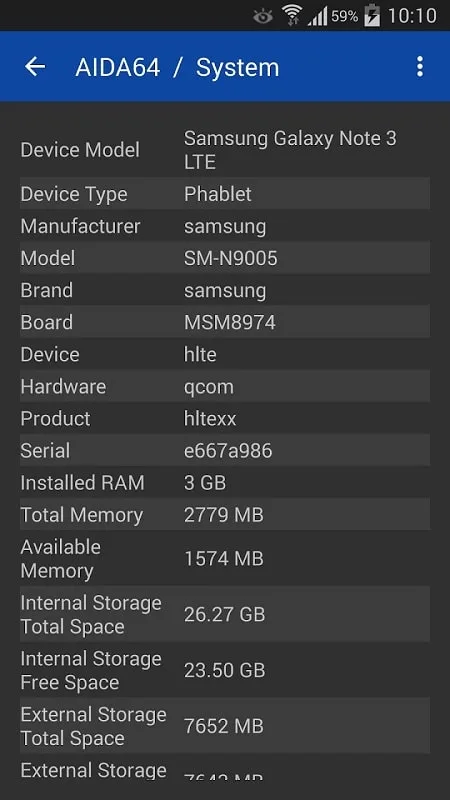
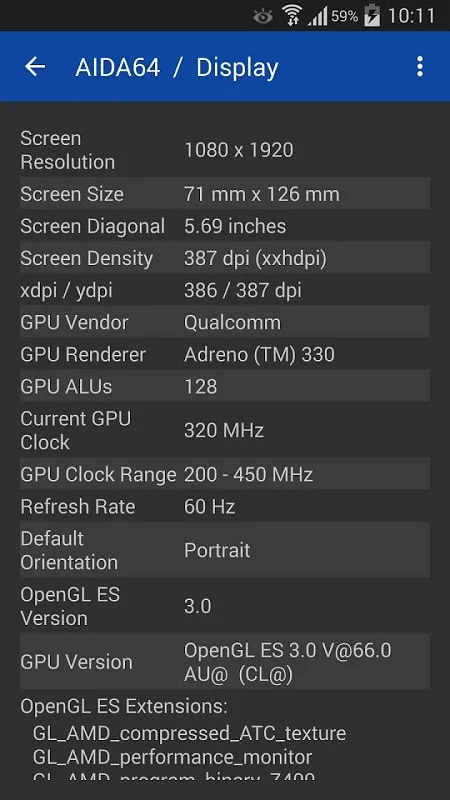
CPU detection, real-time core clock measurement
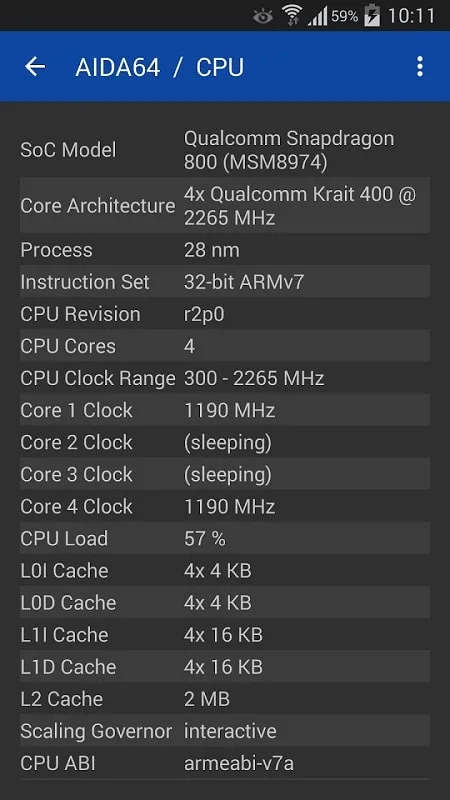
Screen size, pixel density, and camera information
Battery power and temperature monitoring
WiFi and cellular network information
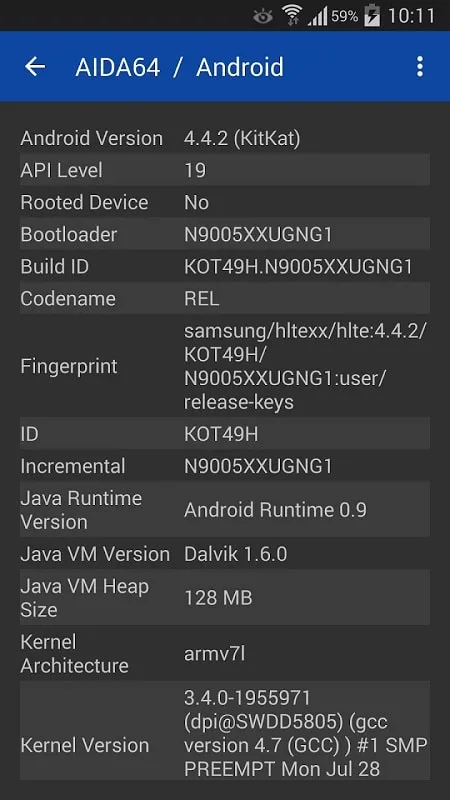
Android OS and Dalvik attributes
SoC and device model identification
Memory and storage utilization
OpenGL ES GPU details, real-time GPU clock measurement
Vulkan, OpenCL, CUDA, PCI, and USB device list
Sensor polling
List of installed applications, codecs, and system directories
Android Wear Module: Native app for your watch
Outstanding Function of AIDA64
A free Android utility app that provides detailed information on your device's hardware and software. As a mobile version of a well-known desktop diagnostic tool, it allows users to access key specifications such as CPU, memory, and storage configurations, as well as other data such as battery health and device temperature. The app's user interface is clean and intuitive, making it easy for users of all technical levels to browse and understand the displayed information.
This app is compatible with a variety of smartphones and tablets and draws information from multiple manufacturers. AIDA64 not only covers hardware specifications but also provides in-depth analysis of the operating system and pre-installed applications. However, users may encounter inconsistencies in readings for screen resolution, camera module, and battery capacity; developers are working to resolve these issues. Overall, AIDA64 is a reliable tool for anyone wanting to understand the inner workings of their device.
Wonderful Performance of AIDA64
Monitoring the CPU and Measuring Device Clock
AIDA64 provides users with a convenient and comprehensive technology for detecting and monitoring the CPU of mobile devices. You can gain insights into your device's CPU usage and independently monitor and measure the clock frequency of each CPU core. By monitoring the clock frequency of each CPU core, users can better understand their device's performance in various real-world scenarios. For example, when running high-load programs or playing games, users can monitor whether the CPU automatically adjusts its frequency based on resource usage to save power. Furthermore, AIDA64 can help users check whether the CPU cores are working properly and which cores are under high load, thus helping users better manage resources and optimize applications.
Displays Information about the Android Operating System
Beyond hardware specifications, AIDA64 provides in-depth analysis of the Android operating system and Dalvik kernel features, offering a comprehensive overview of mobile device capabilities. Users must understand the Android operating system to grasp operating system versions and new features. AIDA64 provides very clear and concise information: detailed information such as the Android version installed on the user's device, API code version, kernel configuration, number of Dalvik kernels, RAM information, uploaded services, and many other key elements are all displayed. AIDA64 MOD APK users can use this information to understand how specific services and applications work with their devices.
Excellent Highlights of AIDA64
CPU, Memory, and System Information.
Comprehensive Device Model Identification.
Detailed Battery Status Information.
Screen Size and Pixel Density.
Comprehensive Camera Information.
Check Sensor Functionality.
Wi-Fi and Mobile Network Information.
Temperature Monitoring.
Monitor Memory Status and Storage Percentage.
List of Installed Applications and System Directory.
Battery Level and Device Temperature Monitoring.
Final Thoughts
The AIDA64 mobile apps feature a clean and intuitive user interface and are optimized for supported device types, making them easy to use even for users unfamiliar with the PC version of the AIDA64 system information tool. To date, these six AIDA64 mobile apps have been downloaded a total of 6 million times.








