

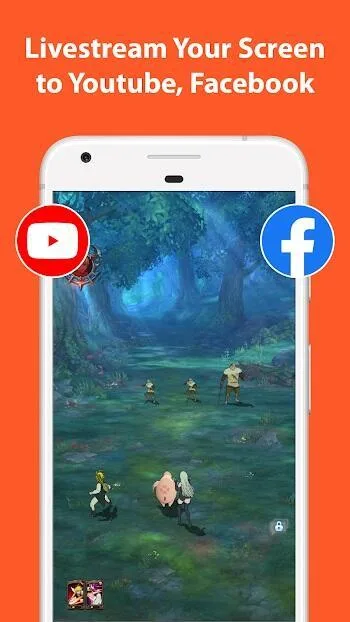
If you're looking for a powerful and flexible screen recording application that allows you to quickly and directly share your content with your audience, then you should definitely try this screen recording app. Furthermore, it offers excellent and convenient editing features, helping you quickly customize video parameters and frame rates while maintaining superior image and sound quality. If you need this practical software, give it a try.
Click to load YouTube / 点击加载视频
YouTube ↗Why AZ Screen Recorder Pro Stands Out
AZ Screen Recorder Pro isn't just another recording tool—it's a comprehensive screen capture and editing suite. Here are some of the reasons it has become a favorite among Android users:
User-Friendly Interface
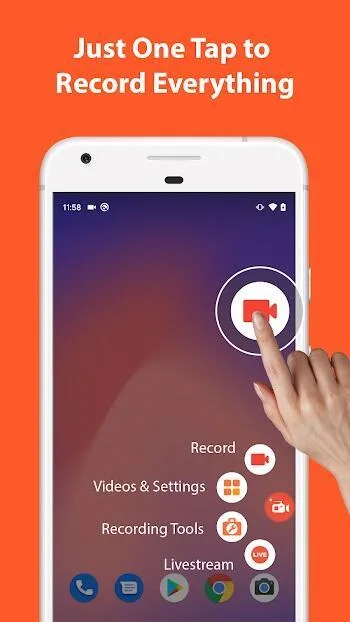
AZ Screen Recorder Pro has a minimalistic and intuitive interface, which makes it extremely easy to navigate for users of all technical skill levels. Upon launching, the app overlays a small floating control button on the screen that remains accessible but unobtrusive. This allows users to start, pause, or stop recordings without exiting their current application or game.
No Root Required
One of the major concerns for Android users is rooting their devices to unlock system-level functionality. AZ Screen Recorder Pro requires no root access, making it safe and accessible for everyone while still offering powerful features.
High-Quality Video Recording
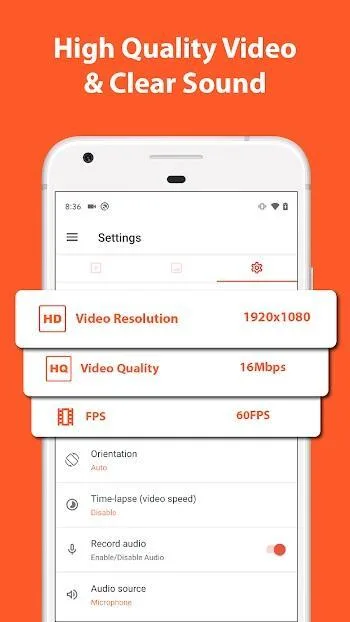
The app supports high-resolution recording, including Full HD (1080p) and even 2K or 4K resolution depending on the device’s capability. It allows users to adjust bitrates, frame rates (up to 60fps), and screen orientation to achieve the desired quality. This makes it perfect for YouTubers, streamers, or professionals who need sharp and fluid video output.
Unlimited Recording Time
Many free screen recorders limit the length of recordings, which can be frustrating for users creating long-form content. AZ Screen Recorder Pro has no time limits, allowing uninterrupted recording for as long as the device’s storage can support it.
Internal and External Audio Recording
Audio is a vital part of video content. The Pro version supports both internal and external audio recording. This is particularly useful for gamers who want to record game sound alongside their commentary or for users making tutorials that require microphone input.
On-Screen Drawing Tools
AZ Screen Recorder Pro includes a set of drawing tools that can be used during recording. Users can annotate the screen, highlight elements, or draw attention to specific areas in real-time. This is especially beneficial for tutorial creators and educators.
Facecam Integration
For a more personal touch, the app allows users to add a facecam overlay during screen recording. This feature is widely used by gamers, reviewers, and educators who wish to include their reactions or explanations directly in the video.
Video Editing Capabilities
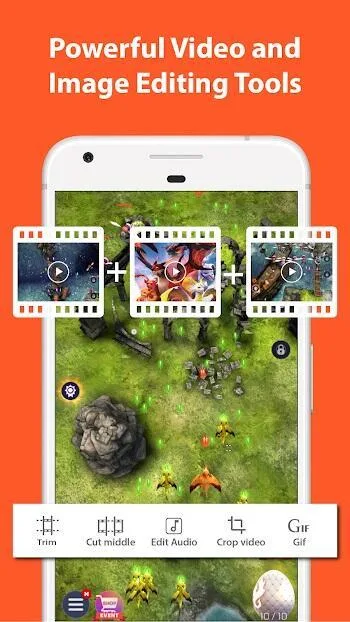
Beyond just recording, AZ Screen Recorder Pro also functions as a lightweight video editor. Users can trim, cut, merge videos, insert background music, add subtitles, and even convert segments into GIFs. This eliminates the need for additional third-party editing apps for simple post-production work.
Time-Lapse and Slow Motion
AZ Screen Recorder Pro gives users the option to record videos in time-lapse or slow-motion modes by adjusting the speed of playback. This creative feature can be utilized for visual storytelling, app demonstrations, or artistic content creation.
Floating Tool Panel and Magic Button
The floating control panel offers on-the-go access to major functions such as pause, resume, or annotate. The "Magic Button" allows users to control recordings without displaying anything on the screen, resulting in cleaner videos—ideal for professional content.

Features Breakdown
To provide a more granular look at what AZ Screen Recorder Pro offers, here’s a breakdown of its standout features and tools:
Resolution Support: Ranges from 240p to 1440p (based on device)
Frame Rate: Customizable from 24fps to 60fps
Bit Rate: Adjustable from 1 Mbps to 12 Mbps
Orientation: Portrait, Landscape, or Auto
Audio Source: Mic, internal audio, or both
Countdown Timer: Set a delay before recording starts
Video Stabilization: Helps reduce shakiness
Watermark Control: Option to add or remove watermark
Touch Gestures: Show touches during the recording
GIF Converter: Turn recordings into GIFs for sharing
Tips to Maximize AZ Screen Recorder Pro Usage
Use Do Not Disturb Mode: To prevent interruptions from notifications during recording.
Check Storage Before Starting: Ensure ample space for long sessions.
Customize Overlay Settings: Adjust transparency and placement of facecam or drawing tools to avoid obscuring key visuals.
Experiment with Bitrate and Frame Rate: To find the ideal balance of quality and file size.
Use Countdown Timer: This gives a buffer period before recording starts, helpful for getting ready.
Pros and Cons
Pros
Smooth, good quality playback
No device root required
Easy recording process
Ability to see video time limit
Cons
No countdown timer.
Final verdicts
Get ready to immerse yourself in this awesome application from AZ Screen Recorder, as you conveniently record or livestream your on-screen footages. Capture videos with internal sounds and make many useful edits. Or quickly livestream your screen on many famous social networks. AZ Screen Recorder will allow Android users to freely capture and edit any available footages, both videos and images.








