

Flud is an application for downloading torrents and magnet links, allowing you to freely download documents, files, and compressed archives. Flud supports simultaneous downloads of multiple files, freeing up your time so you can do other things while downloading. Worried about security? Flud offers optional encryption and tracker control to ensure the security of the download process. In addition, Flud has a simple and user-friendly interface, making it easy for beginners to learn. If you frequently need to download files, then Flud is your best choice!
Use
Open Flud, then click the Add button to select a .torrent file or paste a magnet link.
View the file list and select the target folder in internal storage or on an SD card (if applicable).
To play media files as quickly as possible, set file priority and enable sequential download.
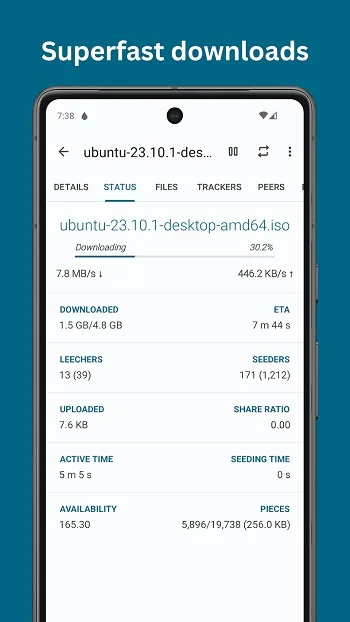
Click the Start button to begin. View progress, speed, and companions in the main queue, and pause or continue as needed.
You can enable "Wi-Fi Only Mode" to save data. Finally, open or move completed files and delete the torrent file when finished.
Features
If a link contains multiple files, you can choose which files to download.
No speed limits; there are no restrictions on upload or download speeds.
Allows you to set priority ranges for the current download task.
Compatible with magnet links, uTorrent transfer protocols, and peer-to-peer exchange protocols.
Directly recognizes links in your browser.
You can choose to download using only a Wi-Fi connection.
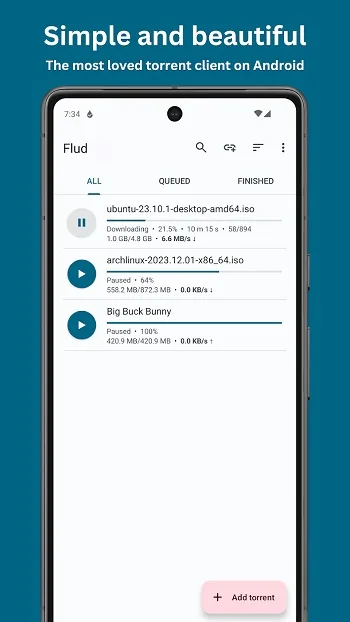
A clean and modern interface design optimized for smartphones and tablets.
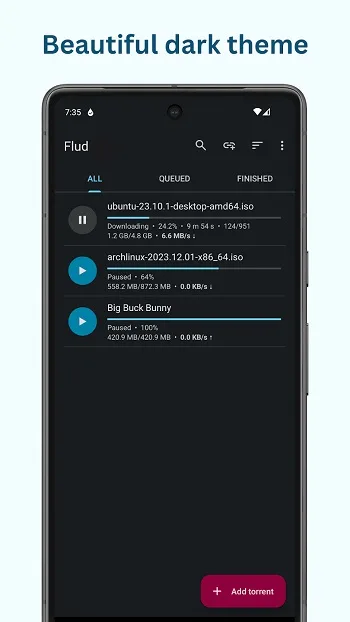
Includes both dark and light themes.
Highlights
Minimalist Design: The app avoids unnecessary visual clutter. The download list, file details, speed indicator, and preferences are clearly laid out, allowing users to easily view key information.
Smooth Navigation Experience: From adding magnet links to viewing users and trackers, the entire process is smooth and natural, with a logical menu structure. This is especially beneficial for users handling multiple active torrent files simultaneously.
Customizable Themes: Flud offers multiple interface style options, including light mode, light mode with a dark toolbar, and dark mode. Each mode ensures comfortable extended use in any ambient lighting conditions.
Optimized Tablet Experience: Unlike many Android torrent download apps that feel stretched on large screens, Flud offers a tablet-optimized interface, giving users more space to manage larger file libraries.
FAQs
What is Flud? What does it do?
Flud is an Android app that allows users to manage torrent and magnet link downloads directly on their phones.
Is Flud safe to use on mobile devices?
It offers optional encryption, tracker control, and a Wi-Fi-only mode to help users download more securely.
Does Flud support very large files?
Yes, but file size limits depend on the device's storage format, especially when using older SD cards.
Can I choose which files to download from the torrent folder?
The app allows users to select specific files, making it easier to save space and prioritize the files they actually need.
Who should use Flud?
It's suitable for anyone who needs a simple, easy-to-use, and customizable torrent manager for managing downloads on Android.
Summary
Flud is suitable for users who frequently download media files, documents, or large compressed packages. It's simple and easy to use. Whether you're a beginner looking for something simple and easy to use, or a user who likes to customize technical settings to their own preferences, Flud can meet your needs well.








