

Poweramp Equalizer is a sound effects adjustment software designed for music lovers. It's tailored for headphones, Bluetooth speakers, and car audio systems, optimizing and equalizing sound effects, frequency bands, and parameters based on the user's listening needs to create a more comfortable listening environment. The software boasts strong compatibility, easily installing and using on various devices without requiring root access. It also comes with corresponding tutorials to help users easily adjust the sound effects on their devices. The software will be continuously updated, releasing more new effects and editing tools, so users can look forward to it!
Click to load YouTube / 点击加载视频
YouTube ↗Features of Poweramp Equalizer:
Enhanced User Notifications: The application also has extremely useful configuration notifications for users, which enhance the user experience.
Configurable Band Range: Professional sound adjustment has never been so simple! The edited sound can be highly configurable with 5-32 bands and customizable frequencies.
Advanced Sound Controls: In addition to simple customizations such as increasing/decreasing volume and reducing noise, the application also has an advanced sound controller. The application allows you to control powerful bass/treble and parametric balance modes to create the perfect quality!
Versatile Preset Options: In addition to the above features, users can also access extensive preset options, including built-in, user-defined, and AutoEQ presets. These are all outstanding features rarely found in other editing applications.
Rich Visual Experience: The application’s interface makes users feel like they are editing audio in a real Studio. Images with visual display support and spectrum are designed to be highly realistic, creating an enjoyable feeling for users.
Customizable Appearance Options: Another great feature is that users can customize the interface according to their favorite color. You can choose Dark or Light. In addition, the application is also compatible with third-party interfaces.
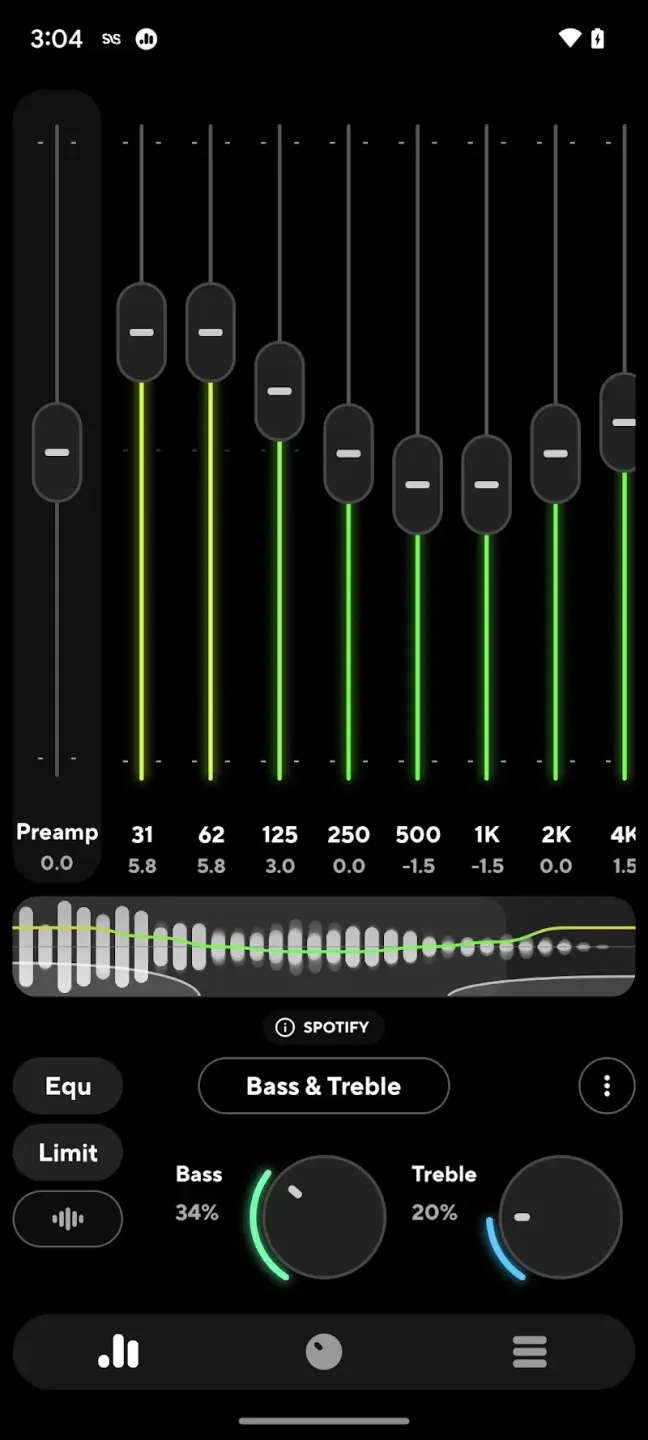
Highlights of Poweramp Equalizer:
Clearer Vocals and Midrange Definition: Vocals and midrange frequencies are often the first to get lost in crowded mixes. With this equalizer, voices become clearer and more natural. Instruments like guitars, violins, pianos, and synth pads gain better separation, helping you enjoy the finer details of each track.
Deeper, Stronger Bass Impact: Low-end frequencies get a major upgrade. Instead of booming, uncontrolled bass, you get depth and punch that feels more balanced. Whether you enjoy EDM drops, hip-hop kicks, or cinematic effects, the bass becomes more immersive without overwhelming the rest of the sound.
Sharper High Frequencies for Better Clarity: High-end frequencies carry sparkle and airiness. On many devices, these highs sound dull due to compression or weak equalizers. Poweramp Equalizer restores brightness and enhances treble details like cymbals, strings, and vocal harmonics, giving your sound a cleaner and more detailed edge.
Works With All Music Players and Streaming Apps: One of the biggest advantages is compatibility. Instead of being locked into a single music player, Poweramp Equalizer MOD APK works across platforms. You can switch between Spotify, YouTube Music, TIDAL, local players, or social platforms—and your audio enhancement remains active.
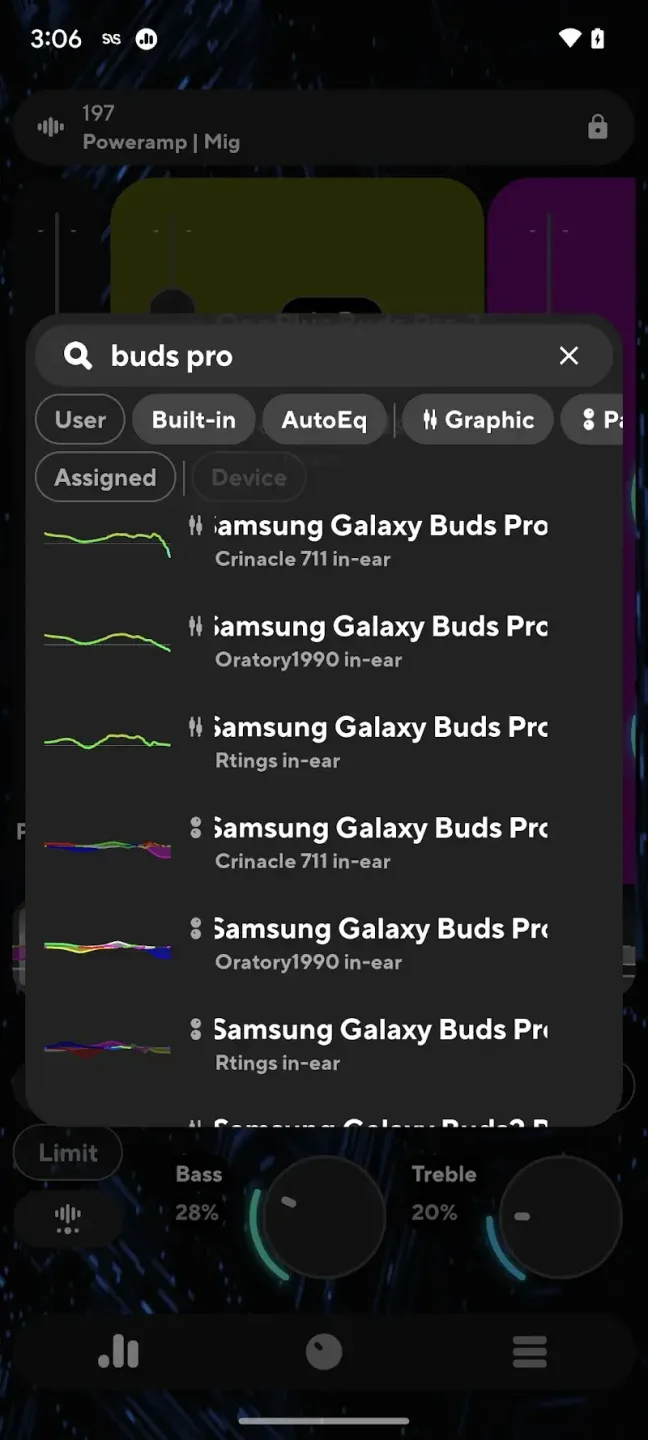
FAQs of Poweramp Equalizer:
Can't edit/delete files on external storage
For some Android versions it's not possible to edit tags or delete arbitrary files on external storage, unless additional permission is given to Poweramp.Poweramp will ask for such permission of first attempt to edit tags / delete file on the storage if the permission is required.Please note: "Documents" or/and "Files" standard apps are used for the permission dialog and if these apps are disabled / uninstalled / frozen or if ROM doesn't have these apps or if the apps are otherwise broken Poweramp will never get the permission and tag edit / file deletion will fail.Alternatively, "Files by Google" app can be installed from Play, it restores missing components.
Poweramp starts/resumes on its own or pauses in car?
Poweramp can start to play when a headset is inserted - you can disable this feature via settings => Headset / Bluetooth => Resume On Wired Headset.Also some applications and/or devices may broadcast Headset insertion event sometime (for example, FM radios or some headunits are known to do that) - disabling Resume On Wired Headset option will help in this case as well. For BT connection, there is a separate, Resume on Bluetooth option, which is disabled by default.Please note, that if both options are disabled and Poweramp still resumes on connection, this means device ROM (or most probably - some other app), sends MEDIA_PLAY command, which is the same as headset PLAY button press. This is controlled by Respond To Buttons option.Poweramp v3 shows all the recently processed commands and their sources in Settings / Headset/Bluetooth / Last Processed Commands.Also, some car head units are known to send explicit MEDIA_PLAY command when Bluetooth connection establishes, which Poweramp have to execute even if it's already playing causing playback toggle back to pause. Poweramp v3 has some logic/code to ignore that.
Is Internet connection required? What data is shared?
Internet connection is not required for normal operation.Internet connection is required for a short time after Poweramp purchase.Poweramp use Internet permission only for the limited number of the operations outlined below. Poweramp doesn't share or collect any data except the cases outlined below. Poweramp doesn't share any other user data, including user created presets, playlists, statistics, app usage data, library contents, etc. Poweramp doesn't contain any trackers, advertisement, cookies, doesn't collect or share usage telemetry, settings, device info, errors, logs, usage scenarios, or the user identification. Basically, all the data is located on the user device under user control, and can be lost if not backed up via Poweramp itself or some external tools. All Poweramp exported files, such as settings/presets/playlists are always stored locally to a file in the user specified or predefined on-device location and never shared or sent anywhere by Poweramp itself.
Conclusion:
After installing Poweramp Equalizer APK, your device will be updated with various latest audio controls. Which smart audio software excels in dynamic audio processing? Your sound can be amplified, reduced, deepened, fully processed and filtered. The program includes many brand new modes, the latest features, and the ability to apply multiple elements to one song at the same time.








