

Unlock the world of websites and get ready to enter the world of Power VPN! Here, you can unlock websites restricted or censored by location. Websites you couldn't access before are now accessible, and quickly! Power VPN connects to over 30 servers worldwide, ensuring fast response no matter where you are. Worried about security? Power VPN is completely anonymous, requires no registration, and has no usage logs! Take control of your internet usage without any restrictions!
Use
Step 1: Download and Install the Power VPN APK
First, you need to download the Power VPN APK application from the Google Play Store or a trusted source.
Once downloaded, run the APK file to install the application. The system may ask if you allow the installation of an application from an unknown source.
Step 2: Launch Power VPN
After installation, open the Power VPN app on your Android device.
Step 3: Connect to the VPN
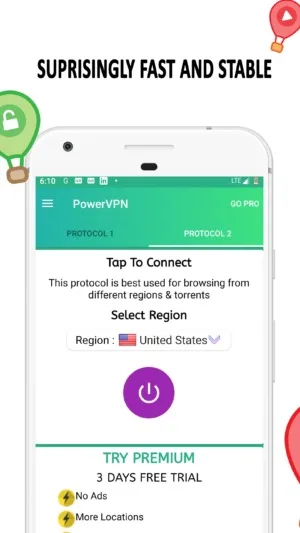
In the application interface, you will see a "Connect" button or icon in the center of the screen. Click this button to connect to the default VPN server.
Once the connection is successful, you will see the connection icon in the notification bar of your Android device.
Step 4: Select Server Location (Optional)
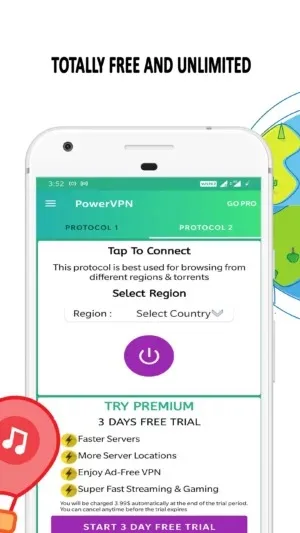
If you want to determine your country or region, you can click the "Select Location" option or map icon (if available) in the app. Then, select the location you want to connect to.
Step 5: Use VPN for Specific Applications (Optional)
If you only want to use the VPN for specific applications (such as web browsers), you can use the "Select Application to Use VPN For" option. This allows you to select the applications you want to connect to via VPN.
Features
This is the best free VPN ever. Make your online experience more secure.
Simple interface, one-click connection.
Connect to over 30 different server locations worldwide.
Unlock any blocked websites, such as: Netflix, YouTube, Twitter, Facebook, WhatsApp. Best Netflix VPN.
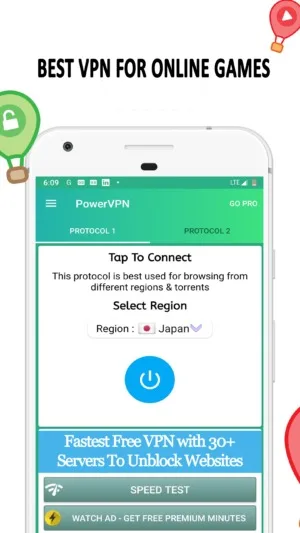
Play your favorite games worldwide.
No logs! Your anonymity and security are completely guaranteed.
All the features of premium paid VPN services, completely free!
Highlights
Multiple Locations
You can browse the list of available servers in the menu bar above the "Connect" button. You will see many free and paid servers; click on any server to change the default settings.
Stay Anonymous
You don't need to share any information on the app, or even register. Using this app is very simple; you just need to install, open, and connect.
Unblock Websites
With this app, you can browse websites that are inaccessible in your region. You can also change your location to watch international content on Netflix and other streaming websites.
Use Custom Proxy
It also allows you to enter a custom proxy and address to create a private link. You can find available proxies in the menu bar, which is the easiest way to find a stable connection.
Pros and Cons
Pros
Over 30 international servers
Includes two protocols
User-friendly interface
No bandwidth or usage limits
Cons
Connecting to servers takes some time
Excessive and annoying ads.
Summary
Power VPN is a stable, secure, convenient, and fast tool that allows you to access the internet at high speed without restrictions, putting everything under your control. Change your location in just seconds, easily enjoy uncensored content, and return to your original location with a single click.








