

Welcome to the brand new video editing platform, VITA! You'll find hundreds of free video templates, ensuring there's a perfect fit for any type of video you're making, helping you edit faster! It's powerful, featuring numerous advanced tools and unique effects and filters to easily enhance your video quality and handle almost all your video editing needs! In addition, VITA allows you to add various fonts and text formats to your videos, making them more fun, professional, and stand out!
Features
Free Templates
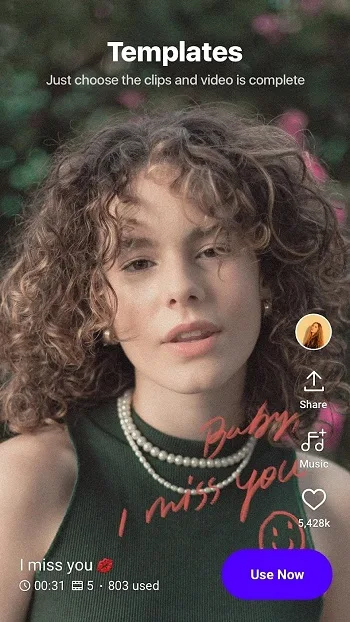
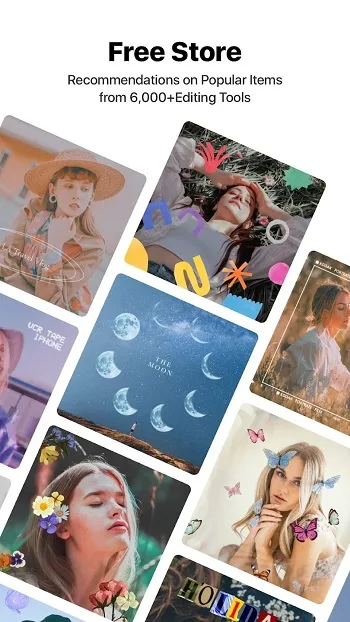
This app includes hundreds of free templates, including pre-installed color adjustments and collage frames to perfectly match your images and video frames. These templates are completely free, and you can browse the list from the app menu.
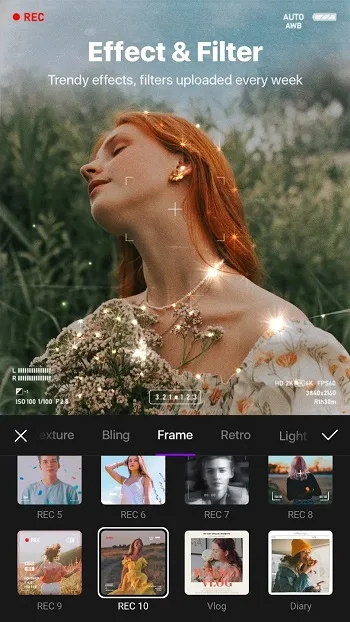
Unique Effects and Filters
It boasts a range of unique effects, filters, and overlays to enhance your video quality. These effects include beautiful masks and color combinations.
Add Text and Stickers
You'll find a wide variety of fonts and doodle-style text formats to add text to your videos. You can also add stickers to express your emotions and add feeling to your videos.
Explore the Music Library
If you want to add background music to your videos, this app boasts a massive library of popular songs. You can also browse popular song lists in various languages. These music albums are free for everyone.
Supports High-Definition Quality
It supports high-quality 4K video; furthermore, you can edit and export 4K quality videos and save your projects to your storage device with a single click.
Highlights
VITA isn't just for creators with professional studios; it's for everyone with a phone and a story to tell. You can easily and conveniently perform all operations directly on the screen, including shooting, editing, adding filters, text animations, and sound effects. And because it supports full HD export, your content looks like a professional grid screen. The app's interface is incredibly intuitive, with all major functions clearly arranged, allowing you to easily edit videos or add songs without having to navigate through menus.
Templates are one of VITA's most underrated strengths. Categorized by style—such as minimalist editing, dreamy makeup, vlog themes, TikTok formats, and more—they significantly reduce the time needed to create eye-catching videos. This is a huge advantage for users who just want to quickly create beautiful short videos. Best of all, these templates are completely free. You can unleash your creativity without enduring annoying subscription prompts.
If you prefer more detailed video editing, VITA is for you. It boasts a massive library of filters, dynamic effects, and overlays, as if you have an aesthetic director whispering guidance in your ear. Glitch art, glitter, film grain, and even visual elements like smoke or soft lighting—all effects can be perfectly overlaid. You can even overlay videos (like a clone effect), or speed up or slow down playback with a single tap.
Installation
Click the Vita Mod APK file.
A confirmation window will pop up on the screen.
Click Install.
The installation process takes only a few seconds.
Once the installation is complete, you will see a message saying "Application installed successfully."
Pros and Cons
Pros
Intuitive and easy-to-use interface
A wide variety of filters, effects, and templates
HD export up to 1080p
A rich library of music and sound effects
Free to use and supports multiple languages.
Cons
Performance issues during complex editing: Occasionally, some devices may experience lag and crashes.
Summary
VITA focuses on fast and practical video editing for mobile devices, covering all aspects including timelines, visual styles, audio, and text. It supports clear output and provides tools suitable for short videos and vlogs.








