

For better privacy protection, Fake GPS is a location spoofing system that tricks your device. It makes your phone think you're elsewhere, offering numerous conveniences whether you're testing apps or accessing restricted areas. It can simulate virtual locations, and you can also manually set your desired location, with a wide range of regions available—anywhere in the world. In addition, Fake GPS boasts a simple design, ease of use, powerful features, and most importantly, it's completely free.
Permissions
Approximate Location Information Only When Running in the Foreground
This app can obtain your approximate location from location services while in use. Location services must be enabled on your device for the app to obtain location information.
Precise Location Information Only When in the Foreground
This app can obtain your precise location from location services while in use. Location services must be enabled on your device for the app to obtain location information. This may increase battery consumption.
Full Network Access
Allows this app to create network sockets and use custom network protocols. Browsers and other apps provide methods to send data to the internet, so this permission is not required to send data to the internet.
Features
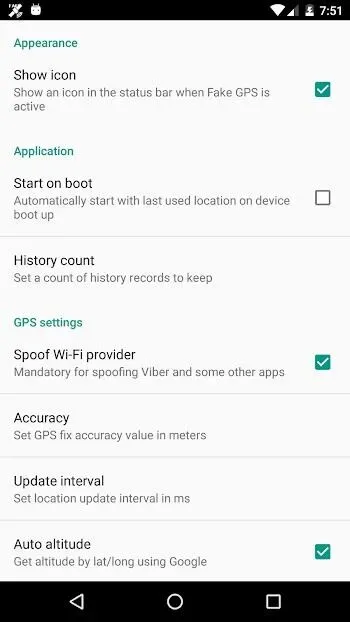
- User-friendly interface/user experience
- Fake GPS status anywhere in the world
- Fake GPS location changer for specific areas
- Create a favorite list of GPS spoofing apps
- Keep your fake GPS history
- Set GPS accuracy
- Simulate automatic location movement
- Simulate your movement by time and distance
- Android system location spoofing: Fake GPS for ML, Huawei Fake GPS
Advantages and Disadvantages
Advantages:
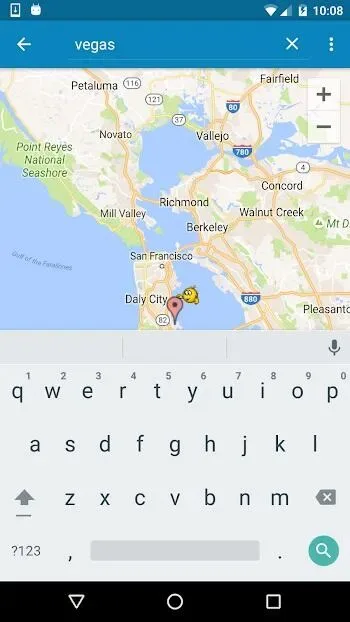
Easy to use; ISP spoofing; Automation options
Disadvantages:
Persistent vulnerabilities causing GPS functionality to fail
FAQS
What is Fake GPS?
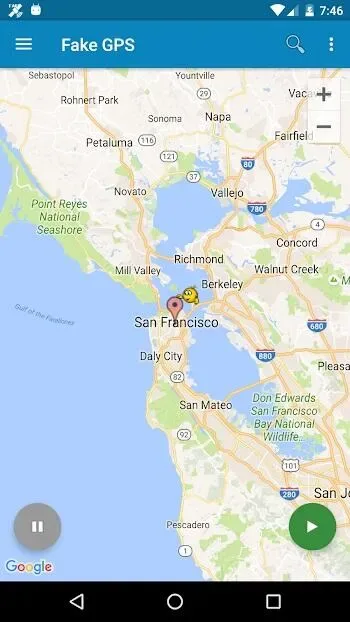
Fake GPS is an Android utility app that allows you to simulate your device's location without actually being anywhere in the world.
How does Fake GPS work?
It overwrites your phone's actual GPS location, tricking the app into reading the virtual coordinates you set, as if you were actually there.
Will uninstalling Fake GPS cause problems?
Yes, your device may "get stuck" at the last fake location, but you can fix it using a GPS status app or by resetting your real location via FakeGPS.
Does using Fake GPS require root access?
No, but rooted devices have additional options, such as bypassing location spoofing settings, which can make the spoofing more seamless.
Who typically uses fake GPS?
App developers, privacy-conscious users, gamers, and testers frequently use it to simulate location data or access region-restricted features.
Summary
This tool is suitable for all types of users. App developers, testers, and even gamers who want to fake their in-game location will find it very useful. It's also useful for users who value digital privacy and don't want their real location constantly exposed. However, it's crucial to use it responsibly, as not all apps or services are happy to accept location spoofing.








