
Prisma 3D is a mobile 3D modeling application. It allows you to create 3D models or animations directly on your phone or tablet without needing a high-performance computer. It offers a wide range of modeling tools, including applying textures, lighting, and setting up the camera. For animation creation, it allows for frame movement, rotation, and scaling, simplifying animation production. It supports importing and exporting almost all common formats, such as OBJ, FBX, and GLTF, making file transfer convenient. It's simple and easy to use, providing a completely different modeling experience!
Using
Open Prisma3D, create a new project and name it "Easy Tracking." Add base shapes or import a model, then adjust the scale, position, and rotation to set the layout. Apply materials and textures, and place lights and a camera to define the look and framing. Set keyframes on the timeline, test motion, and refine timing until the movement feels right. Render the scene, export in a preferred format, and share the result to your chosen platforms.
Tools
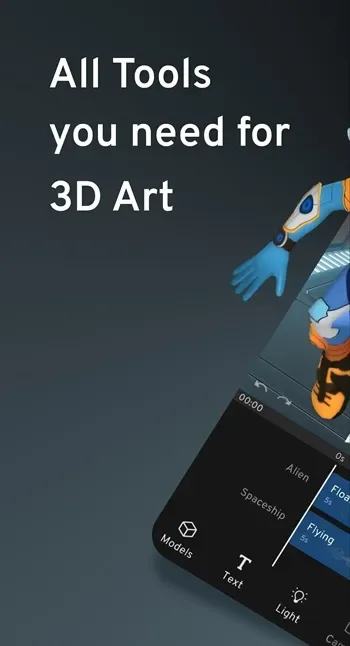
- Create and select 3D objects, 3D models, 3D lights, and 3D cameras
- Group and design multiple 3D models at once
- Digital painting, 3D sculpting
- 3D vector graphics editing
- 3D mesh creator
- Design 3D textures and colors
- Create 3D text for 3D logos and 3D titles
- Import and export different 3D formats from Maya, Blender, and Cinema4D File formats (.obj, .fbx, .gltf, .stl, .ply, etc.)
Pros & Cons
Pros
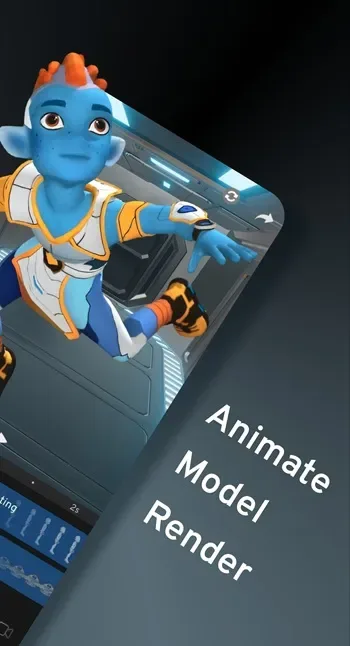
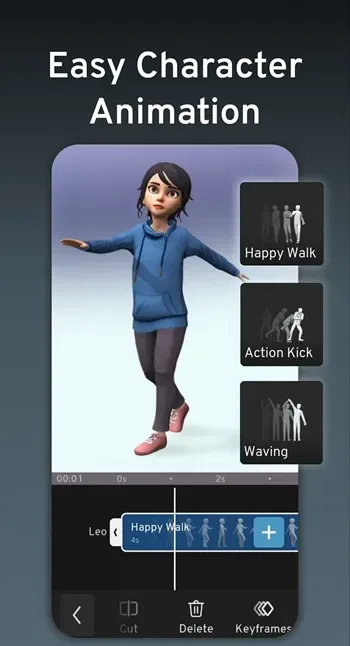
Full 3D modeling and animation tools
Supports multiple file formats
Great for content creators and modders
Large and active creative community
Cons
Performance issues on weaker devices
User interface can be overwhelming
Learning curve for complete beginners
FAQS
What is Prisma 3D?
Prisma 3D is an Android app for creating 3D models, animations, and short videos directly on a mobile device.
Is Prisma 3D good for beginners?
Yes. The tools are designed for touch screens and guided workflows, making it easier for newcomers to learn basic 3D modeling and animation.
Can Prisma 3D be used for game mods?
Prisma 3D is often used to create characters and assets for games like Minecraft,FNAF, and other mod-supported Titles.
Does Prisma 3D support file export?
The app allows importing and exporting formats such as OBJ, FBX, GLTF, STL, and PLY for use in other 3D software.
Is Prisma 3D available on iPhone?
No. Prisma 3D is currently available only on Android devices.
Summary
Prisma 3D is suitable for beginners, hobbyists, students, and content creators who need a portable 3D tool. It is especially useful when inspiration strikes outside the computer or when learning 3D concepts, as it does not hinder complex software operations.








