

Adobe Acrobat Reader is a practical PDF processing tool. It helps you better process related documents and convert them to any file format you want, providing a seamless document editing experience anytime. It boasts numerous practical functions; whether you need to correct typos, adjust pages, add images, or perform text recognition, it can help you. Adobe Acrobat Reader can almost meet all your PDF operation needs! In addition, Adobe Acrobat Reader offers an AI assistant function, allowing you to extract summaries and get answers with a single click, freeing your hands and easily obtaining the content you want.
Features
Multi-functional reading capabilities!
From the start, you'll immediately see Adobe Acrobat Reader's three main functions: creating, editing, and reading PDF files. These functions are meticulously crafted and deeply developed, enabling users to edit and enhance PDF files in multiple ways.
To read any PDF document, users simply launch the application or click a link to begin displaying the text. Furthermore, you can grant the application administrator memory access, and Adobe Acrobat Reader will automatically scan the entire list and automatically display the PDF folder on your smartphone, eliminating the need for manual operation as before.
Furthermore, the reading function's control interface is designed to be both simple and elegant, making it very user-friendly for all users. The search function, font display, and full folder display layout are all well-organized, offering both convenience and professionalism.
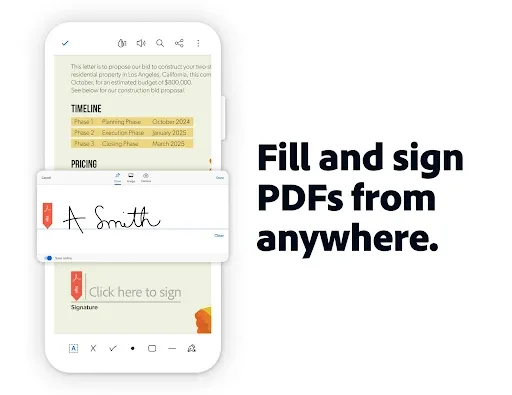
In addition, this mobile version integrates highly modern features such as on-screen text filling, adding annotations, marking, and signing. It must be noted that, with these powerful improvements, Adobe Reader surpasses other well-known readers like Foxit Reader or WPS Office in terms of quality.
Creating and editing PDF files has never been easier!
Secondly, the PDF text generation function not only allows the creation of blank text but also provides the freedom to customize it as if editing a complete design document. Users can add image files, GIFs, and doc files and easily and quickly create PDFs from them.
Moreover, the operation is extremely simple. Just select the PDF output and input files to convert, and Adobe Acrobat Reader will automatically handle everything else. More importantly, this application also allows users to change text size, font size, color, and layout, making its functionality comparable to any popular office software.
Quickly export and import files from various sources!
In today's rapidly evolving digital age, cloud storage technology has become an indispensable part of people's lives. It helps us share and store data in various formats without the need for bulky hard drives.
Adobe Acrobat Reader also integrates this advanced feature, allowing you to quickly and flexibly download and save files to cloud servers. Users can even link other cloud accounts (such as OneDrive or Google Drive) to easily connect to Adobe and share data.
Share everything with one task!
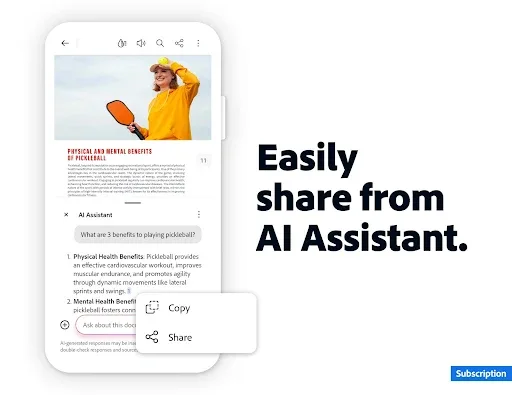
Besides creating, reading, and editing PDF data, Adobe Acrobat Reader's one-click sharing function is another major advantage. Users can quickly and easily share data with friends and family, or receive data shared by others, just like on a social network, using the share button in the upper left corner of the screen.
Available Languages
English, Simplified Chinese, Traditional Chinese, Czech, Danish, Dutch, Finnish, French, German, Italian, Japanese, Korean, Norwegian, Polish, Portuguese, Russian, Spanish, Swedish, and Turkish
Advantages and Disadvantages
Advantages
Fast and easy to use, quickly reads most documents (50MB or less) and has an intuitive user interface.
Multiple Viewing Modes Not all documents are suitable for portrait mode! You can choose from three different viewing modes to read documents in the most suitable way.
Sharing and Full Documents You can share document chapters, images, the entire document, etc. directly within the app.
Disadvantages
Mobile performance is not as powerful as the traditional version. This is largely due to resource limitations, as mobile processors have limited performance.
Cannot move the application to an SD card Adobe Acrobat must reside on your primary storage device and cannot be moved to an SD card to save space.
Strange file naming structure: Some special characters may not be accepted, which can be somewhat arbitrary and frustrating when saving important documents.
FAQs
What is Adobe Acrobat?
Adobe Acrobat is a mobile application that lets you view, edit, sign, and manage PDF files using tools like OCR, AI summarization, and cloud sync.
How does the Adobe Acrobat AI Assistant work?
It uses voice or text prompts to answer questions, summarize content, and find information across multiple PDFs, significantly speeding up document review.
Is Adobe Acrobat free to use?
Yes, basic functions like reading, signing, and annotating PDFs are free. Advanced tools like editing and the AI assistant require a subscription.
Can I edit scanned documents with Adobe Acrobat?
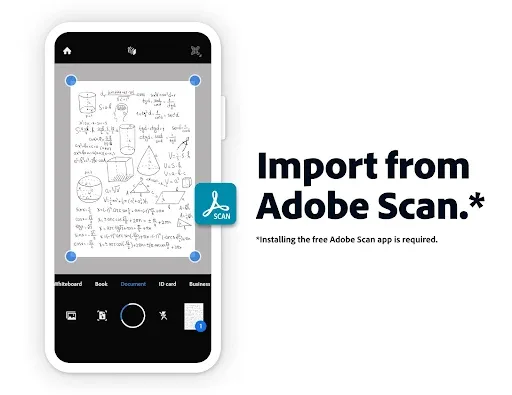
Absolutely. Its built-in OCR function can convert scanned PDFs into editable and searchable text, perfect for old forms or printed contracts.
What file types does Adobe Acrobat support for conversion?
You can convert Word, Excel, PowerPoint, images, and even web pages to PDF, and export PDFs back to these formats.
Summary
Today, Adobe Acrobat is less of a "PDF viewer" and more of your personal office assistant—and it supports mobile work too. If you handle any type of electronic document daily, it's definitely the best choice for you.








