
Google Lens is a smart search tool. Here, you can use your smartphone's camera to search for everything in the real world, including text, product prices, plant and animal species, landmarks, business information, and more, covering all aspects of life and bringing you a better life experience. It's simple to use: just open the app's camera icon, select a search mode, and then take a picture of the item you want to search for. Your search results will appear quickly.
Usage
Open the Google app and tap the camera icon in the search bar to launch Lens.
Point your camera at an object, or tap the gallery icon to select a photo from your device.
Choose a mode at the bottom, depending on your task, such as Search, Translate, Text, Shopping, or Assignment.
View the results, then tap to open links, product pages, map details, or copy and share text.
If needed, adjust the focus, move closer to the subject, or switch to Google Photos or the camera app on your device to try different shooting angles.
Features
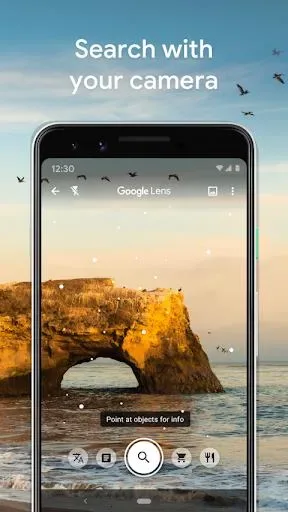
Search what you see: Google Lens allows you to search for information about objects or places using only your camera or photos.
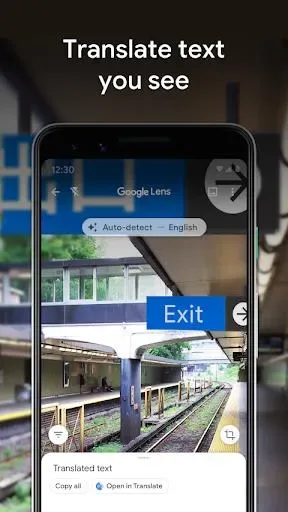
Get things done faster: You can translate text you see, add events to your calendar, save business contacts, and even copy and paste code or paragraphs using just your phone's camera.
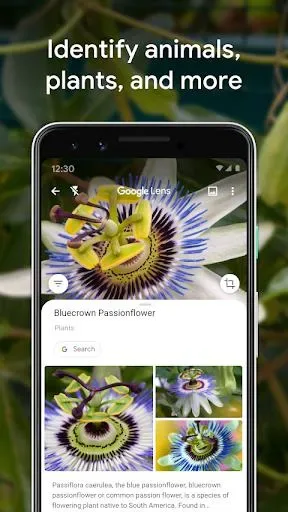
Learn about the world around you: With Google Lens, you can identify plants and animals, find the names of plants in your friend's apartment, or identify the breed of a dog you see in the park.
Explore the places around you: Google Lens provides information about landmarks, restaurants, and shops. You can view ratings, opening hours, history, and more.
Find your style: If you find a piece of clothing or furniture that catches your eye, Google Lens can help you find similar clothes, furniture, and home décor.
Know what to order: Google Lens uses ratings on Google Maps to show you popular dishes on restaurant menus. This can help you make informed ordering decisions.
Download
First, open Android Settings -> Security Settings.
Now scroll down to "Device Management".
Enable the "Unknown sources" option.
Install apps from unknown sources
Click the link above to download the Google Lens APK.
Save the file to your device's "Downloads" folder.
Locate the file and tap it.
Now tap "Install" and wait for the installation to complete.
Once installed, open the application and start using it immediately.
FAQS
Why doesn't my device support the Google Lens app?
This could be due to an outdated Android version or incompatible technology requirements. For example, if you're using an ARM7 device but trying to install an ARM8 or x86 architecture app.
Why does the Google Lens app crash or become unresponsive?
This could be due to an outdated Google Lens app version, a full cache, insufficient memory, or system conflicts. Try updating the app, clearing the cache, or restarting your device.
How much space does the Google Lens app use?
Google Lens uses approximately 3.32 MB (3,480,741 bytes) of memory.
Summary
Download Google Lens for free and turn your camera into an advanced visual search tool. Google Lens can identify objects, translate text, provide local information, and assist with everyday tasks, bringing you innovative ways to interact with the world.








