
ARC Launcher® Pro Themes DIY is an innovative theme application. It offers a wealth of customization options, allowing users to easily create unique themes and wallpapers for a personalized experience. With ARC Launcher® Pro Themes DIY, you can enhance the aesthetics and functionality of your smartphone's home screen, featuring futuristic sound effects and an immersive interface. Furthermore, you can enjoy a rich selection of wallpapers, custom theme options, and dynamic home screen transitions, simplifying your interaction with digital content.
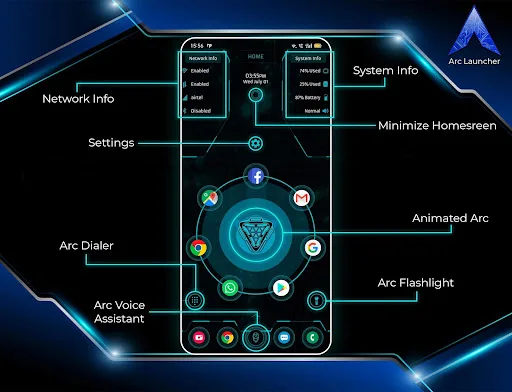
Highlights:
The app incorporates live themes and pre-made themes that provide users with an engaging visual experience. With a selection of wallpapers and the option for DIY themes, users can create a home screen that reflects their personal style. The incorporation of futuristic and gaming themes, along with superhero and sci-fi elements, adds a creative touch to the overall user interface.
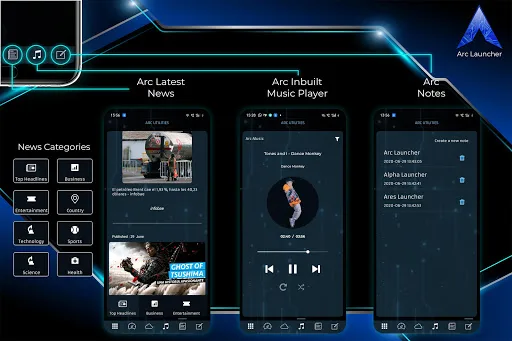
In addition to its aesthetic features, Arc Launcher includes an inbuilt music player that enables users to control any music application directly within the launcher. This feature streamlines the process of managing music playback without needing to switch between different apps. Weather and news updates are also integrated, providing users with real-time information in over 23 languages and countries.
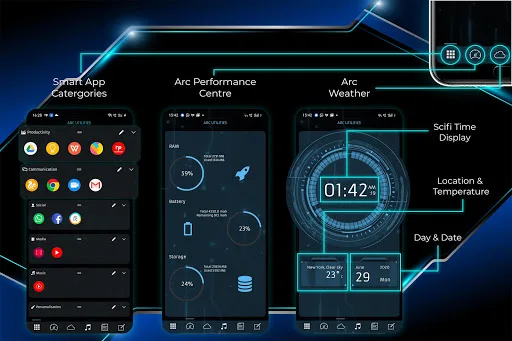
Arc Launcher supports icon packs that are compatible with those available on the Play Store. Users can customize their app icons to match their chosen theme or personal preferences. The performance center feature allows users to monitor their phone's statistics, offering insights into performance and resource usage.
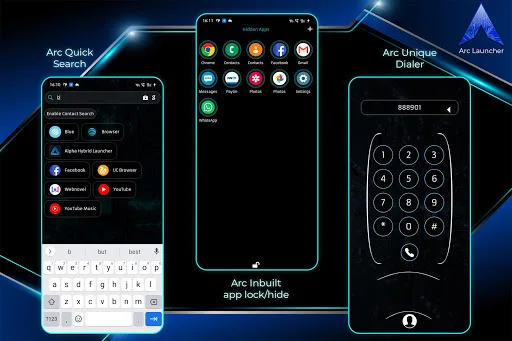
For organizational purposes, Arc Launcher includes a to-do notes feature, which allows users to keep track of tasks and notes directly from their home screen. An inbuilt app locker ensures that users can secure their apps with either a fingerprint or a PIN, enhancing privacy and security. Additionally, there is a hide apps feature that enables users to conceal specific applications from view.
Features:
Integrated music player, news updates, and weather functionalities enable a comprehensive and engaging user experience.
The Arc AI Voice Assistant enhances usability with voice command capabilities for changing wallpapers, launching applications, and creating shortcuts.
Security features such as app lockers and the ability to hide apps provide additional privacy for users.
Flexible app drawer options, including vertical, horizontal, and paged views, cater to varied preferences.
Unread notification badges keep users informed of pending alerts right from the home screen.
Arc Exclusive features including a color effect flashlight and futuristic sound effects further enrich the user's interaction with their device.
Multi-language support caters to a diverse user base.
Tips for Users:
Experiment with various themes to find the style that suits your preference in ARC Launcher.
Add widgets and shortcuts to enhance productivity and accessibility.
Use smooth transitions to make your home screen more visually appealing.
Regularly update the app to access new themes, widgets, and features.
Organize app icons and folders for a cleaner, more efficient home screen layout.
Conclusion:
Overall, if you are looking for an Android launcher that offers plenty of customization options along with excellent performance, then ARC Launcher® Pro Themes DIY is definitely worth checking out. Its packageId ‘apptech.arc.pro’ ensures that you get access to all the premium features offered by the app without any restrictions or limitations.








