

WhatTheFont is a font recognition app. It's very simple to use; just point your device's camera at the font you want to recognize, adjust the selection area, and you'll quickly get the results. If multiple fonts appear, simply select the one you want to recognize. User-centric, its clean interface makes it easy for users of any skill level to use. Furthermore, it cleverly utilizes artificial intelligence technology, allowing you to quickly obtain font recognition results while continuously learning and improving its algorithm for greater accuracy!
Use
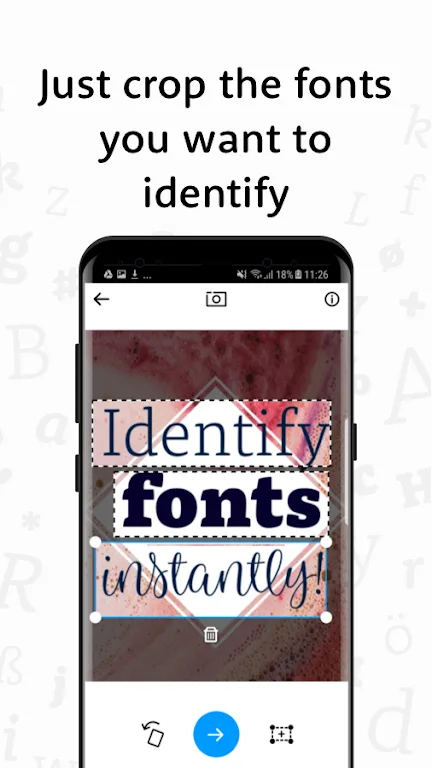
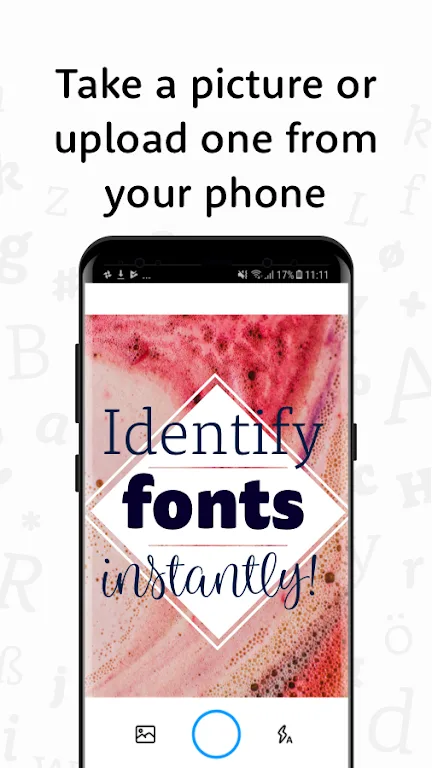
Simply point your smartphone's camera at the font you want to recognize, adjust the selection area, and wait a few seconds to see the recognition results.
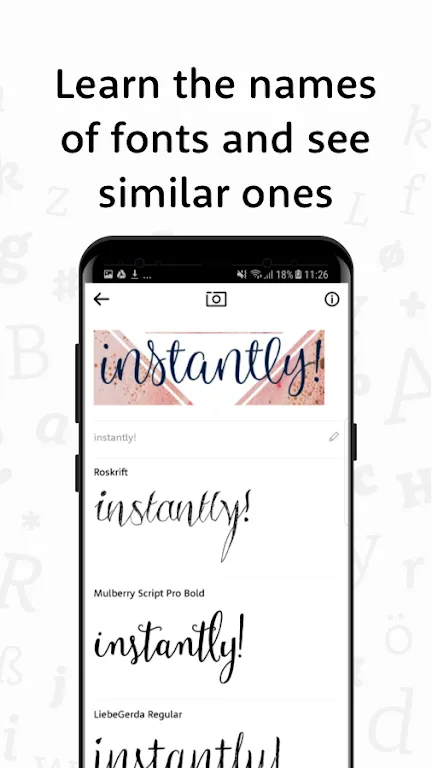
If multiple fonts appear in a photo, simply manually select the one you want to recognize. This method works even if the app cannot detect text by default. The app displays all possible results, making it a great way to learn the names of your favorite fonts.
Features
- Enter words in the fonts you find.
- Enter your own text and try it out instantly.
- Get ideas and inspiration for font options for your own projects.
- Learn the names of cool fonts.
- Browse fonts similar to those in images.
Highlights
This app is designed with user-friendliness at its core, making it easy for users of all design levels to get started. Whether you're an experienced graphic designer or an amateur, the clean and intuitive interface and efficient functionality will meet the needs of a wide range of users. Users don't need extensive technical knowledge to quickly navigate the app and fully utilize its features.
Beyond font recognition and exploration, WhatTheFont inspires. Users can browse font sets recognized by other users and draw design inspiration from them. This feature encourages innovation and helps users stay informed about the latest font trends, thereby improving their overall design skills.
To optimize the user experience, WhatTheFont utilizes artificial intelligence technology to ensure that font recognition is both fast and reliable. The app continuously learns and improves its algorithms, thereby increasing its recognition accuracy over time. This technology-driven approach distinguishes WhatTheFont from traditional font recognition methods, which often rely on manual searching and guessing.
Download
Save the downloaded APK file to any location on your device.
Now open the Android Settings app and go to Security Settings.
Find the option called "Unknown sources" and enable it.
Install the game using the downloaded APK file.
It only takes a few seconds to complete
Conclusion
In summary, WhatTheFont offers a wide range of features to meet the diverse needs of font enthusiasts and professionals. From font recognition to options for users to test fonts with their own text, the app provides a comprehensive suite of tools for exploring and utilizing fonts. The ability to browse similar fonts further enriches the user experience, inspiring creative exploration and inspiration. With its user-friendly design and efficient performance, WhatTheFont has become an essential tool for anyone looking to improve their font skills and project quality.








