

MACRO MSI - SENSIBILIDAD PRO is an excellent third-party tool. This application boasts powerful and advanced features, capable of overriding any existing settings in your game, whether before launching the game or during gameplay. With MACRO MSI - SENSIBILIDAD PRO, you can perform faster and more precise actions in games through sensitivity customization and macro configuration, gaining a competitive edge. Furthermore, the application is compatible with numerous Android games, allowing you to enjoy its convenience in your favorite games without worrying about compatibility issues.
Highlights:
- Change DPI
- Increase sensitivity
- Adjust pixels
- Booster
- Macro
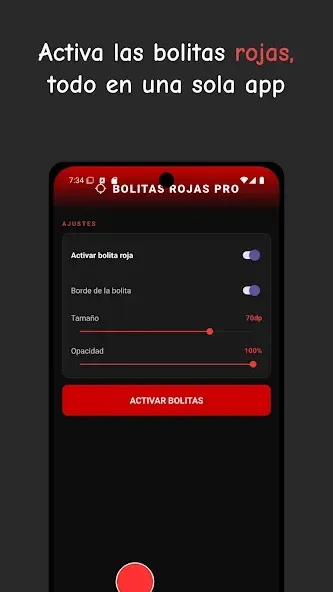
- Red dots: Customizable and adjustable for the fire button.
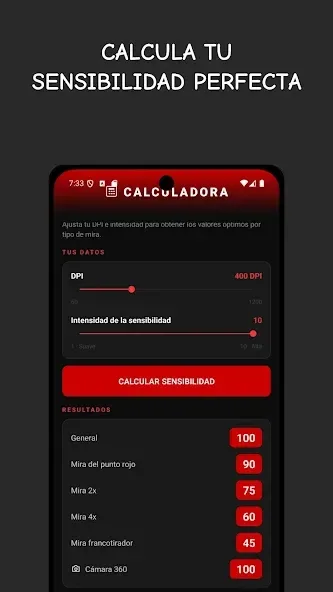
- Sensitivity calculator (DPI, scope, 2x/4x scope, sniper rifle, 360 camera)
- FPS, battery, and ping optimizer
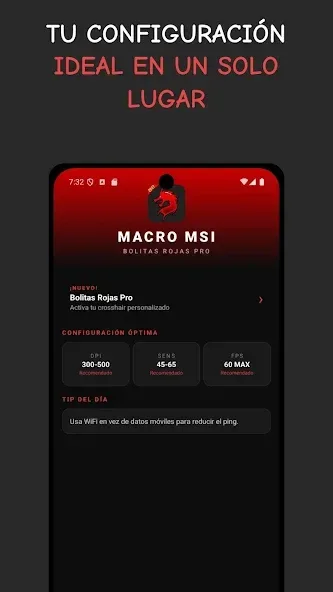
- Recommended optimal settings and daily tips
Features:
Change DPI
MACRO MSI - SENSIBILIDAD PRO lets you change DPI to raise or lower sensitivity across the device. When you adjust dots per inch, swipe movement becomes faster or slower in a controlled way. Start with small increments to keep aiming steady, then confirm response in your usual apps or games.
Speed sensitivity
You can fine-tune swipe and gesture speed to match your play style. This helps swipes register sooner or reduces overshoot on longer drags. After each change, test quick flicks and slower movements to see how the screen tracks your finger in different scenarios.
Pixel calibration
MACRO MSI - SENSIBILIDAD PRO provides pixel behavior controls to refine touch input accuracy. With calibrated pixels, taps land closer to the intended point and multi-touch feels more stable. Apply consistent settings and retest to avoid sudden jumps when switching between screens.
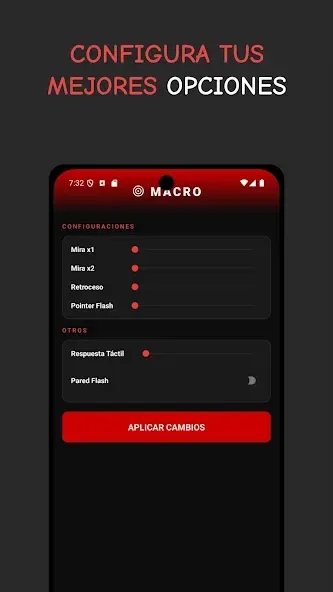
Macro option
The macro option applies the same touch and gesture adjustments every time, so controls remain steady. This is useful when switching between games or apps because sensitivity stays consistent. If you change presets, confirm they take effect before competitive play.
Booster
A Booster tool can optimize device performance to reduce input delay during gaming or multitasking. It clears minor bottlenecks so gestures feel more responsive. Run it before heavy sessions and check overall smoothness afterward.
Pros & Cons:
Pros
Flexible sensitivity adjustment features
FPS capping option
Lets you modify RAM allocation
Cons
Only comes in Spanish
Limited RAM capping feature
Final Words:
Overall, MACRO MSI - SENSIBILIDAD PRO mostly works as advertised. You can use it to drive your device to its optimum performance or to minimize quality interruptions as you play your favorite mobile games. Beyond sensitivity settings, it also comes with a lot of other settings to help you make the most out of your gameplay experience. Despite its minor language restrictions, it’s still easy to use.








