

TubeMate is a multimedia application designed specifically for Android devices. It boasts a wealth of features, including a powerful built-in search engine that allows users to download simultaneously on their devices and enjoy a smooth gaming experience. With TubeMate, you can quickly find the video content you need online or within apps, and convert downloaded files to different audio and video file types according to your needs. Whether the video resolution is 1080P or 4K, you can easily download supported videos. Furthermore, you won't see any subscription options or annoying ads while using this application.
Playing tips:
Utilize the automatic scanning feature to find the best video resolution for your device
Take advantage of the separate audio download function to save storage space on your device
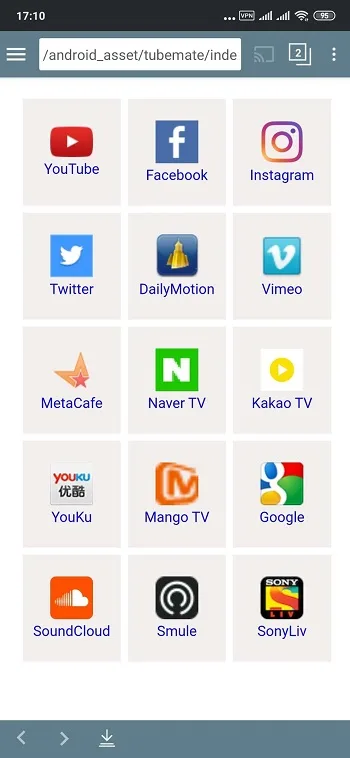
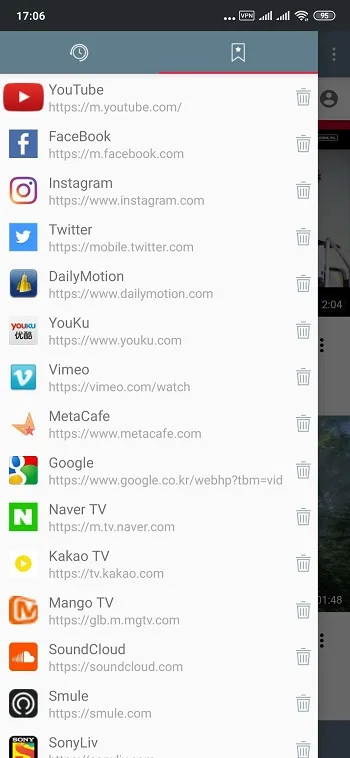
Customize your channel list to easily access your favorite video platforms
Enjoy a clutter-free interface with easy-to-navigate icons
Highlights:
Speed mode with multiple connections
After you download TubeMate, the app can use several connections for a single file to improve transfer speed. This is helpful for large videos on stable networks. You can turn to this mode when finishing a download sooner matters.
Resolution selection before saving
TubeMate lets you choose from available resolutions for each video. You can pick a smaller size to save storage or match the option to your screen. The app displays the choices that the source provides so you know what to expect.
Convert video to MP3
TubeMate can convert a downloaded video to an MP3 audio file through MP3 Media Converter. This is useful when you only need the sound from a clip. Conversion happens after the video is saved to your device.
Features:
Direct Video Download Functionality
The core feature of TubeMate allows you to save videos directly to your device’s storage. You can choose from multiple resolutions and formats to suit your quality preferences and storage capacity. This ensures your favorite content is always accessible, even when you are offline or in an area with poor network connectivity.
Built-in Video and Music Player
Once your media is downloaded, you can play it immediately within the app using its integrated media player. This creates a seamless experience from discovery to playback without needing to switch between different applications. The player supports background audio playback, letting you listen to music from videos while using other apps on your phone.
Advanced Download Management System
TubeMate provides a robust manager to handle all your download tasks efficiently. You can pause, resume, or cancel downloads as needed, giving you full control over your device’s bandwidth. The manager also organizes your completed downloads, making it simple to locate and manage your saved video files.
In-App Browser for Easy Discovery
The application includes a dedicated web browser designed for video sites. This integrated tool lets you search for and navigate to your desired content without leaving the TubeMate environment. It streamlines the process, making it quick and easy to find the specific video you wish to download.
How to Uses:
Streaming YouTube videos can use up valuable mobile hotspot data. If you’re using a Wi-Fi connection, then this isn’t such an issue. However, if you don’t have access to Wi-Fi, have a limited data plan, or plan to turn on airplane mode, then downloading videos to your phone lets you bypass all of these issues.
This is especially crucial if you enjoy streaming videos in high quality, like 1280p or above. These types of videos require even more mobile data to stream. With this app, you can pick your preferred video quality and download the clip to your device locally.
Using TubeMate is easy and the intuitive user interface stays away from unnecessary clutter. To download a video, you’ll have to tap on it as if you are about to watch it. In the lower right-hand corner, you’ll see a red download button. You just need to tap it to open the download menu and choose the video quality and format, such as MP4 or WEBM.
You also have the option to download the audio file only, in the following formats: M4A/AAC, OGG, and MP3. However, you need a separate converter app to download MP3 files. Furthermore, the app also includes its own media player, so you can play back videos and audio files. It’s not the slickest media player, but it gets the job done, letting you quickly change the volume, stop and start the file, turn on shuffle and repeat, and jump forward and backward.

Conclusion:
Download TubeMate if you're looking for an easy-to-use and effective video download tool. Thanks to this app, you can save all the videos and songs you want to your Android device's memory, after which you can play them whenever you want, even if you don't have an Internet connection. There is no safer place to store all your favorite content than on your own device.








