

Mi Calculator is a multi-functional calculator tool. It includes calculators for various fields, enabling fast calculations and easy unit conversion. It encompasses the functions of almost all calculators on the market, with a simple and user-friendly interface that allows for quick learning. It supports conversion of over 60 currencies and loan payment management. It can excel in the business field and many other areas. If you frequently use calculators, give it a try!
Function
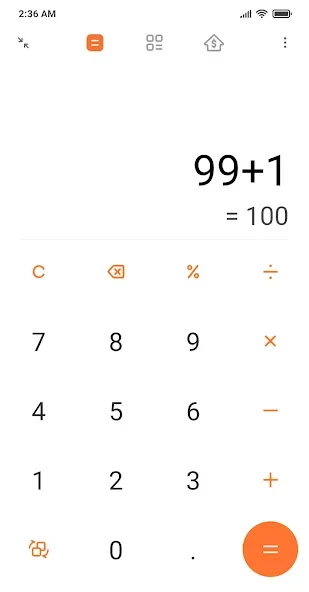
- Basic calculator: Edit history and view previous results in the regular calculator.
- Scientific calculator: Find trigonometric functions, logarithms, and more additional features in the scientific calculator.
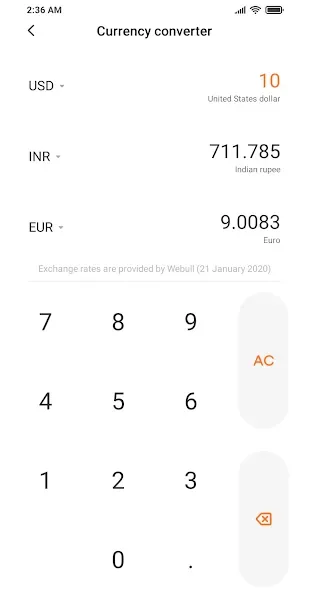
- Currency converter: Daily updated exchange rates in the universal currency converter.
- Loan/Mortgage calculator: Know the exact amount of the next instalment with the loan/mortgage calculator.
- Converters: Freely convert units of length, area, volume, speed, time, and mass in the unit converter
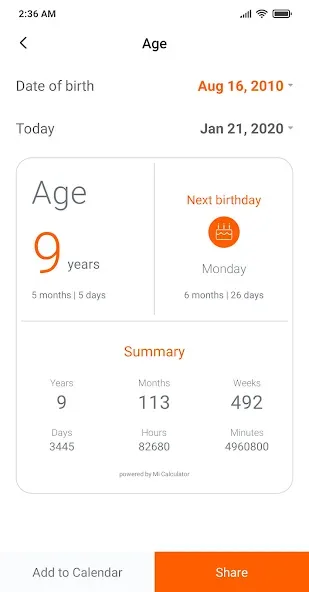
- Age calculator: Calculate your age accurately and know more details about the birth date
- GST calculator: Get the GST you are paying for your goods (For India)
- BMI calculator: Stay fit by knowing your BMI
- Discount Calculator: Know the exact discount amount you are going to get
- Date Calculator: Find the difference between two dates
Advantages
Beyond Basic Arithmetic Functions
Mi Calculator extends far beyond simple addition, subtraction, multiplication, and division. It offers a robust set of scientific functions, including trigonometric operations, logarithms, and exponents. This makes it a valuable asset for students, engineers, and anyone who needs to perform more complex calculations quickly and accurately.
Unit Conversions Made Effortless
The built-in unit converter supports a wide range of measurements, including length, area, volume, weight, temperature, and currency. This feature eliminates the need for external conversion tools, allowing users to seamlessly switch between different units of measurement within a single app. It’s incredibly convenient for travelers, cooks, or anyone dealing with international standards.
Simplifying Mortgage Calculations
Planning to buy a house? Mi Calculator includes a mortgage calculator that allows you to estimate monthly payments, total interest paid, and other crucial financial details. Input the loan amount, interest rate, and loan term to quickly analyze different scenarios and make informed decisions about your mortgage.
User comments
I absolutely love the app. Guess the app is everything and more you could ask from a calculator. I just have 1 suggestion to make. In the earlier version I guess, when you toggle from normal to Scientific, you would get a blank calculator where we could do a different set of calculation without affecting the digits in the normal calculator. It was such a useful option. Please bring it back.
I absolutely love the app. Guess the app is everything and more you could ask from a calculator. I just have 1 Suggestion to make. In the earlier version I guess, when you toggle from normal to scientific, you would get a blank calculator where we could do a different set of calculation without affecting the digits in the normal calculator was such a useful option. please bring it back
Advantages and disadvantages
Pros
Simple and user-friendly interface
Allows all basic calculation operations such as addition, subtraction, multiplication, and division
Helps to perform scientific calculations such as trigonometric functions, logarithms, etc.
Get your accurate age with detailed information
Convert up to 60 currencies
Convert unit measurements
Manage loan payments
Cons
Requires personal information
Requires multiple permissions to operate
Summarize
This Xiaomi calculator lets you change the design according to the units of measure you need to work with. For example, if you're going to use specific units of measure, you have several sections where you can adapt the buttons for these operations. Basically, you can always adjust the layout of the keys according to your needs.








