
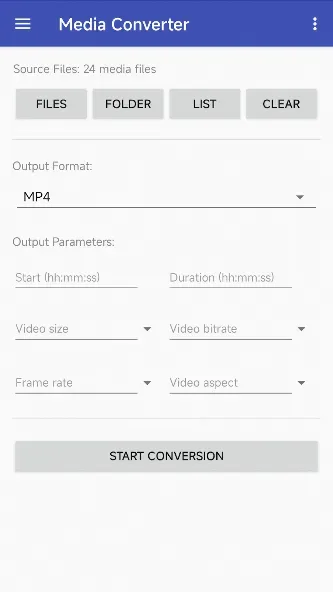
MediaConverter is a file conversion tool that can convert files of various formats to another. It also supports audio and video conversion. All conversions run in the background, tracking the conversion history. It also supports SD card import and export. It supports English and Arabic. Operation is simple: just click the file button, select the files to convert, click start, and wait. It's 100% complete. The user interface is simple and easy to use, allowing users to quickly get started. Its speed and simplicity will make users love it instantly. It also provides real-time notifications when conversion is complete.
Features
Convert file(s)
Convert from HEIF format (HEIC) to JPG, JPEG or WebP.
HEIF Encoder - Now, the JPG, JPEG can also convert to HEIF format. (Android Pie and above)
Audio converter, from MP4 to MP3 or revert back.
WEBP to JPG/ JPEG and another format.
Queue converting, all of this running in background mode.
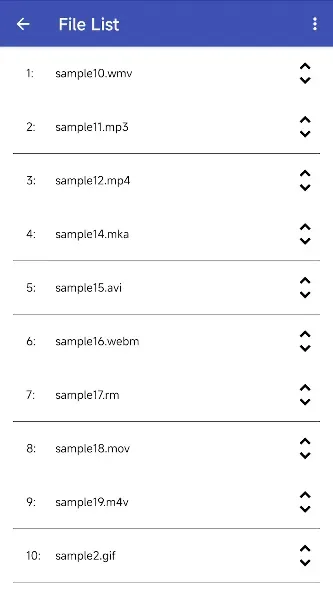
Tracking history.
With the image converting, all the Metadata/ ICC Profile (color profile) is kept.
SD+ Card is supported (for importing file, not write to)
Function
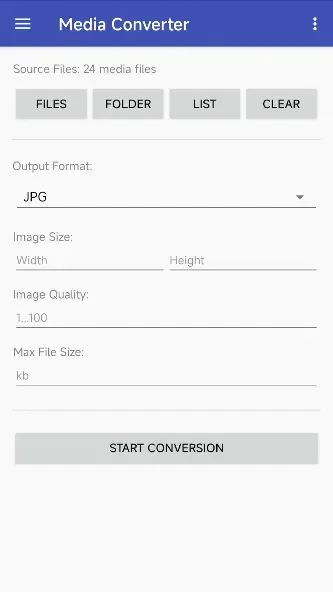
Convert All Media Formats From One To Another
Convert Complete Folder
Video To Audio Conversion
Fast Conversion
Multi-Tasking Parallel Conversion
Direct Conversion Using Open Or Share File
Customize File And Folder For Conversion Output
Conversion Notifications.
Languages Fully Supported: English, Arabic.
How to Use
Open the app.
Select From the Menu the Media File Type Which You Will Convert.
Click on the “File” Button.
Select Your Media File to Be Converted.
Click the “OK” Button and Then the “Start” Button.
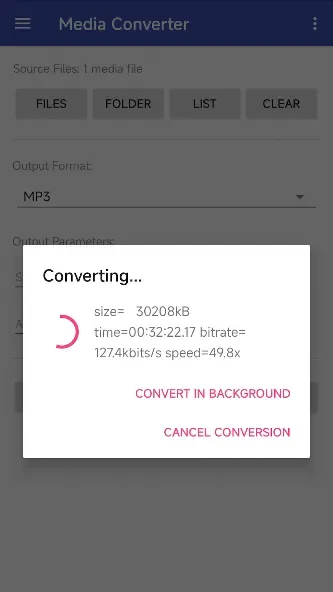
Wait the File Conversion Process to Complete 100%
User comments
it is one of the BEST converter app ever. i personally have use a few of the but none could beat this one. it is so easy to use like i could easily convert my high resolution video to avi easily and it could also convert lots of videos not just one or two, literally one of my favourite parts. i use it so that i can put videos in my mp3 . i definitely recommend everyone to use. it's fast, simple and easy. i promise, you will love itt.
very nice and helpful application.Everyone should try this app.I think this app needs more publicity.
Aside from the zooming, it works amazingly. Great app
Summarize
Media Converter is a very useful tool that lets users edit the format of practically any audio or video file. With Media Converter's surprisingly simple and intuitive interface and amazingly efficient data processing, you can edit and convert formats such as mp3, mp4 (mpeg4/h264, aac), webm, ogg (theora, flac), avi (mpeg4, mp3), mpeg (mpeg1, mp2), flv (flv, mp3), gif, opus and wav with just a few buttons.








