

Android Pay is a payment app that allows quick access to everyday necessities. It accesses your wallet through the Google system. Using this app, you have a digital wallet for your electronic vehicle. You can easily find transaction details. It also integrates Google services, allowing you to use it on maps and for shopping. You can check your points balance, making shopping smarter. You can also import your bank cards, transit cards, and other information. Stay up-to-date with the latest news and updates. It can share product information with Google. User security is guaranteed.
Features
Get what you need fast
Three quick ways for accessing your everyday essentials: use your phone’s quick settings for fast access, open the Wallet app from your homescreen or use Google Assistant when your hands are busy.
Access Google Wallet from your Wear OS watch
Get instant access to Wallet on the Wear OS main watch face with complications.
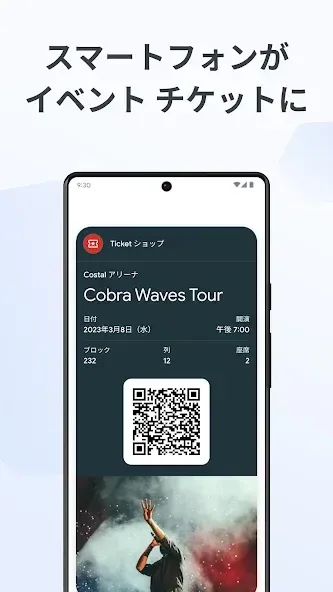
Carry cards, tickets, passes, and more
Catch a train, see a concert, or earn rewards at your favorite stores with a digital wallet that carries more
[US Only] Unlock the world around you with a digital wallet that carries your drivers license and digital car keys
What you need, right when you need it
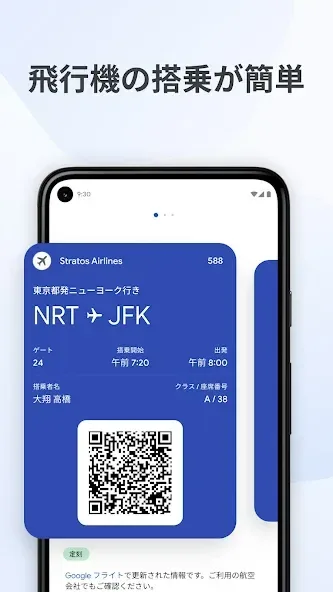
Your Wallet can suggest what you need, right when you need it. Get a notification for your boarding pass on the day of travel, so you’ll never have to fumble in your bag again.
Highlights
Keep track of receipts
Easily find transaction details in Wallet, including smart details like location pulled from Google Maps
Seamless integration across Google
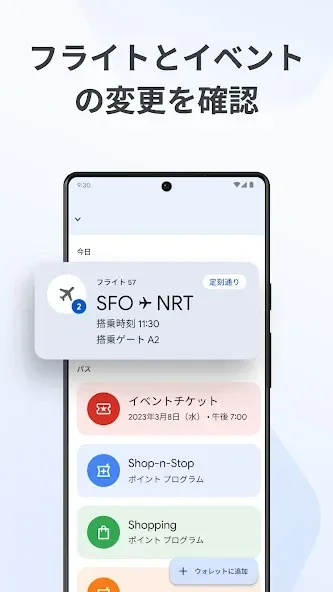
Sync your Wallet to keep your Calendar and Assistant up to date with the latest info like flight updates and event notifications
Shop smarter by seeing your point balances and loyalty benefits in Maps, Shopping, and more
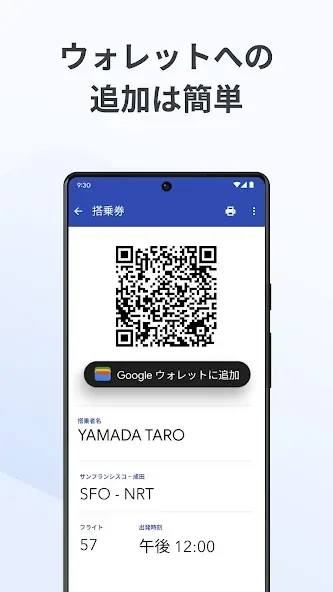
Get started in a snap
Set up is seamless with the ability to import cards, transit passes, loyalty cards and more that you’ve saved on Gmail.
Stay in the know on the go
Make boarding flights a breeze with the latest information pulled from Google Search. Google Wallet can keep you posted on gate changes or unexpected flight delays.
A secure way to carry it all
Security and privacy are built into every part of Google Wallet to keep all your essentials protected.
Android security you can count on
Keep your data and essentials secure with advanced Android security features like 2-Step Verification, Find My Phone, and remotely erasing data.
Tap to pay keeps your card secure
ALT: When you tap to pay with your Android phone, Google Pay doesn’t share your real credit card number with the business, so your payment info stays safe.
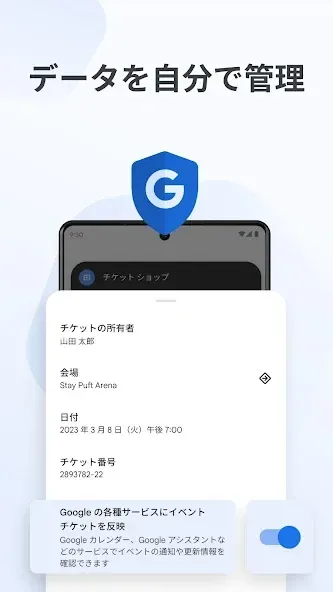
You’re in control of your data
Easy to use privacy controls allow you to opt-in to sharing information across Google products for a tailored experience.
How to Use
For your information, there are several ways to pay using this app. If you can see its logo on a store, you can surely use the app to purchase some items. First, you will have to turn on NFC to use the app. Furthermore, make sure your phone is not locked and the screen is on. Put the back of your phone near the terminal, and wait for a few seconds. If you get a green check mark, your payment should have worked just fine. Just proceed by following the instructions available on-screen. For debit cards, you will have to enter the PIN you set for the card. Meanwhile for the credit cards, you will have to sign a receipt or the signature box available in the terminal.
Advantages and disadvantages
Pros
It has guaranteed the security.
It gives updated payment details
You are able to use any cards from major banks.
Cons
It is not capable of keeping picture of the receipts.
You still need to carry real cards.
Summarize
Android Pay is the simple and safe way to pay with your Android phone at over one million store locations across the US (and soon in apps). To set it up, just add your credit and debit cards. When you're ready to pay, simply unlock your phone, hold it near a contactless terminal, and you're good to go. You don't even need to open the app.








