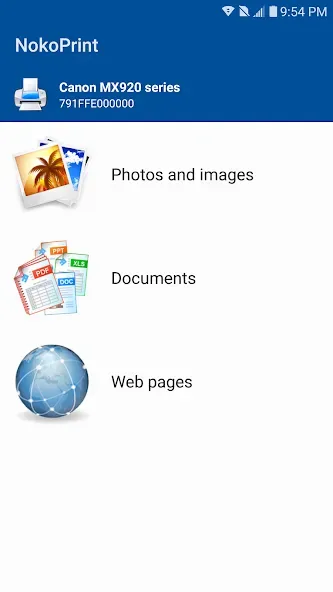
NokoPrint is a user-friendly mobile printing plugin. The app boasts convenient connection methods and customizable options, allowing users to choose the printing method according to their needs and quickly connect to the nearest printer. With NokoPrint, you can easily and conveniently print various documents, photos, and web pages directly from your Android device. At the same time, you don't need to manually select the printer every time you print, saving you time and effort. In addition, the app offers a user-friendly design and customizable printing options, allowing you to print easily and efficiently anytime, anywhere.
Highlights:
Wide printer and connection support
NokoPrint connects to many inkjet, laser, and thermal printers over WiFi, Bluetooth, or USB OTG. It also works with AirPrint and Mopria capable models and can reach shared printers via SMB, Bonjour, IPP, or LPD on your network. In the NokoPrint latest version, you can send jobs from a phone or tablet without extra drivers.
Print controls and preview
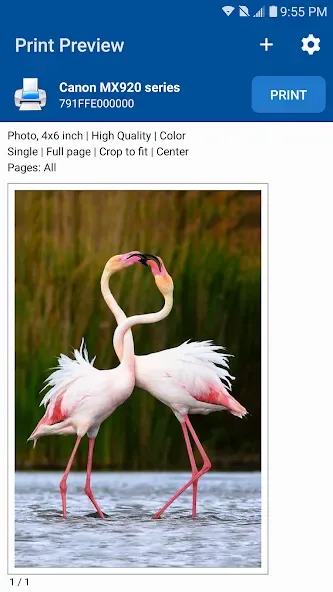
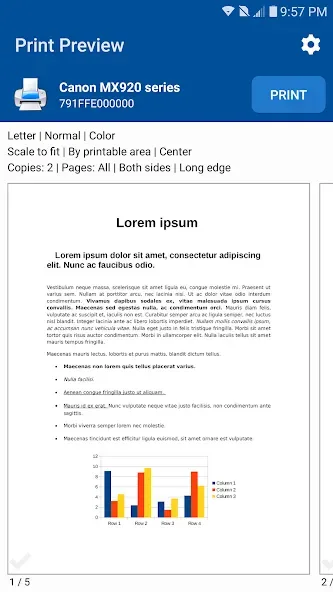
Before printing, you control copies, collation, page ranges, paper size, paper type, paper tray, and output quality. You can switch between color and monochrome, choose one sided or duplex, and arrange multiple images per sheet. A full preview shows how pages will look so you can confirm layout and save paper.
Works with other apps
You can print from other apps using their Share or Print menus. This keeps your workflow simple when email, file managers, photo galleries, or browsers hold the content you need.
Features:
Easy and Convenient Mobile Printing: NokoPrint allows you to print directly from your Android device quickly, easily, and for free. It eliminates the need for additional apps or printing tools, making mobile printing a breeze.
Automatic Connection to Nearest Printer: The app offers the option for automatic connection to the nearest printer, saving you time and energy. Once enabled, your device will always use the closest printer when sending print jobs, making the printing process more efficient.
User-Friendly Design: NokoPrint is known for its premium product quality features and user-friendly design. With its beautiful and intuitive interface, the app is easy to navigate and use, making printing from your mobile device simple and convenient.
Customizable Printing Options: The app provides customizable printing options such as print quality, paper size, and orientation. You can also customize settings like the number of copies, duplex printing, and paper type before sending the print job to the printer.
Cloud Printing Support: NokoPrint supports cloud printing, allowing you to print documents and photos directly from your mobile device without the need for specific printer connections. This feature saves time by eliminating the need to transfer files between devices.
Characteristics:
User-friendly interface: NokoPrint has a simple and intuitive interface that makes it easy for users to print from their mobile devices.
Wide range of printing options: NokoPrint supports printing from various sources, including email attachments, cloud storage services, and web browsers.
Remote printing: Users can print from anywhere, as long as they have an internet connection.
Supported file types: NokoPrint can print a wide range of file types, including PDFs, images, Word documents, and more.
Advanced features: NokoPrint also offers advanced printing features, such as duplex printing, color management, and page resizing.
FAQs:
Can I print from any printer with NokoPrint?
Yes, NokoPrint supports printing on almost any WiFi, Bluetooth, or USB printer, making it compatible with a wide range of printers.
Does NokoPrint offer print job tracking?
Yes, NokoPrint allows you to track your print jobs and view paper usage history, giving you control and visibility over your printing activities.
Can I print in color with NokoPrint?
Yes, NokoPrint gives you the option to print in both black and white and color, allowing you to choose the best option for your needs.
Conclusion:
In conclusion, NokoPrint is a versatile and efficient application that allows users to quickly print a variety of documents and photos. With easy-to-use basic operations and a full range of tools, NokoPrint helps users handle paperwork efficiently and without wasting time. Whether printing important documents or images, NokoPrint is a perfect choice for daily printing needs. Download NokoPrint now to experience fast and convenient printing capabilities.