

Google Indic Keyboard is a keyboard app designed by Google specifically for users in India. It supports a wide range of local Indian languages. In addition to four traditional keyboard input modes, the app offers a transliteration feature, making it highly convenient to use. It includes various modes that allow users to type directly in their native languages, and those who prefer "Indian English" can enable specific settings for that purpose. Overall, it is an exceptionally practical keyboard for users in India.
Click to load YouTube / 点击加载视频
YouTube ↗Features
Supports 12 languages
English, Assamese (অসমীয়া), Bengali (বাংলা), Gujarati (ગુજરાતી), Hindi (हिंदी), Kannada (ಕನ್ನಡ), Malayalam (മലയാളം), Marathi (मराठी), Odia (ଓଡ଼ିଆ), Punjabi (ਪੰਜਾਬੀ), Tamil (தமிழ்), and Telugu (తెలుగు).
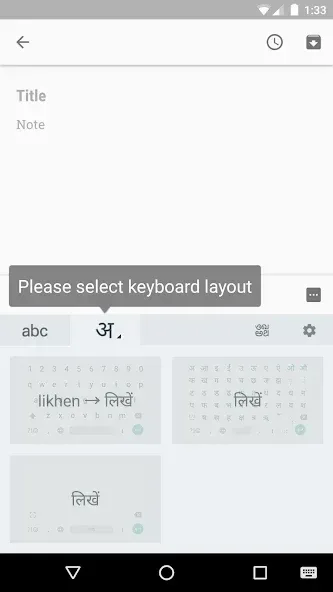
4 Input Modes
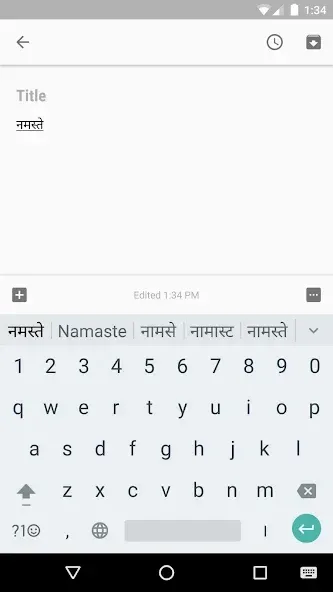
Transliteration Mode
Type out the pronunciation of words in your native language using English (Latin) characters. For example, if you type "namaste," the app will automatically suggest "नमस्ते."
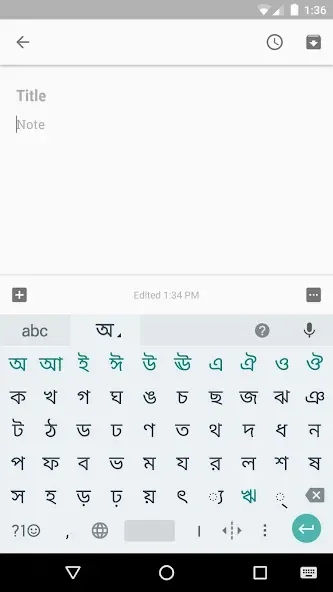
Native Keyboard Mode
Provides a layout of the native language alphabet, allowing you to type directly in your own language.
Handwriting Mode
Write text by hand directly on your phone screen (currently supported for Hindi only).
Indian English Mode
When enabled, the keyboard displays suggestions for both standard English and "Indian English" vocabulary.
Tips
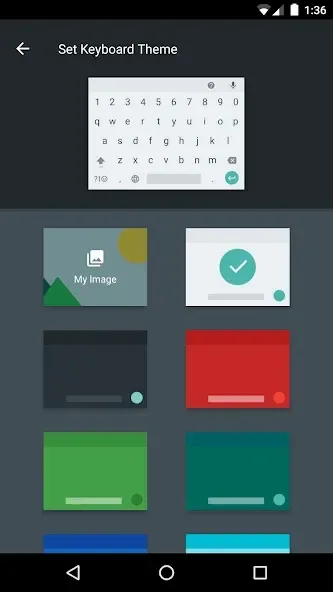
To set it up, go to "Settings," then navigate to "Language & input" and look for the "Current keyboard" option under "Keyboard & input methods."
Select "Choose keyboards" and check the box for "Google Indic Keyboard." Return to the "Current keyboard" section and select "English & Indic languages (Google Indic Keyboard)." For Android 4.x and earlier versions, check the "Google Indic Keyboard" option within the aforementioned settings, then tap "Default" and select "Google Indic Keyboard" from the "Select input method" dialog box.
This keyboard app offers four distinct input modes. The transliteration mode allows you to type using English letters, with the output appearing in your native language. Native keyboard and handwriting modes enable you to type directly in your native language or write on the screen, respectively. Finally, the "Hinglish" (Hindi-English) mode lets you select Hindi as your input language, providing word suggestions in both English and Hinglish on the keyboard.
Pros and Cons
Pros:
Access to keyboards for 11 major Indian languages
Supports handwriting and Hinglish mode for Hindi speakers
Compatible with most Android phones and tablets
Cons:
May not function on devices that cannot display certain languages
Limited support for less common languages and regional dialects
User Reviews
This keyboard has made typing incredibly easy. It’s a breeze to input Indian languages using this app—I can now type in Telugu with complete fluency.
Exactly what I needed! I can type using English (Romanized) characters, and the words appear in Nepali. I’m very satisfied.
An excellent app for learning various languages; it makes writing a truly fun experience.
Conclusion
If you need a keyboard that supports Hindi, Assamese, Bengali, Gujarati, Kannada, Malayalam, Marathi, Odia, Punjabi, Tamil, or Telugu, download this app for free to type in your native language with ease and convenience.








