

Samsung Internet Browser is a web browser designed for the Android operating system. It allows users to browse various websites and access news and other content, and it includes a built-in audio and video player. The browser offers a wide range of privacy and security features, designed to prevent website tracking and protect users from malicious content. In specific modes, the browser does not save the user's browsing history. It also includes features to block pop-ups and advertisements, ensuring a high-quality user experience. The browser’s tab management and navigation are clean and fluid, allowing for quick content identification. Users can personalize the browser by adjusting settings such as color and brightness. While developed by Samsung, the browser is compatible with all Android devices.
Click to load YouTube / 点击加载视频
YouTube ↗Features
Privacy and Security Controls
Samsung Internet Browser includes "Secret Mode," which ensures that browsing history, cookies, and autofill data are not saved during private sessions. The "Smart Anti-Tracking" feature reduces cross-site tracking, while "Protected Browsing" alerts you if you encounter suspicious, malicious, or phishing websites. These tools work together to limit unwanted tracking and warn you before you access potentially risky pages.
Content Blocker Support
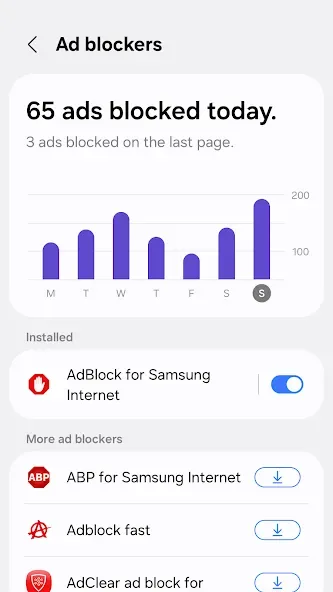
You can enable third-party content blockers to filter out advertisements and trackers. This typically results in a cleaner page layout and reduced data usage. Samsung Internet Browser allows you to select and manage these filters, giving you full control over what gets blocked and when.
Smarter Tabs and Navigation
Tabs are organized in a simple, intuitive way; a grid view displays thumbnails and titles, making it easy to identify content at a glance. You can also set rules to automatically close infrequently used tabs, preventing clutter from accumulating over time. These features help you keep your workspace organized and tidy.
Personalization and Video Tools
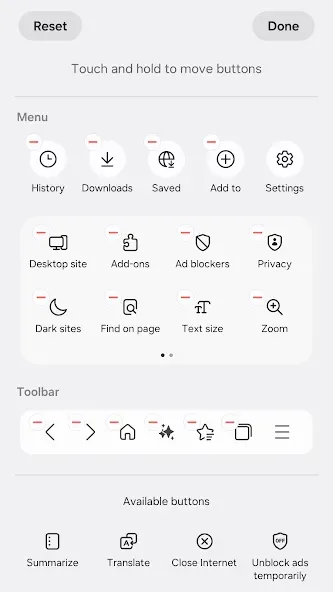
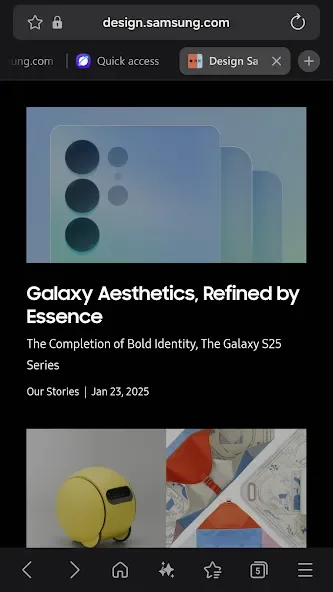
Dark Mode reduces background brightness, making it more comfortable to view content in low-light environments. A customizable menu lets you prioritize your most frequently used actions, keeping essential tasks within easy reach. The Video Assistant includes on-screen media controls, providing quick access to volume, playback, and full-screen options without the need to navigate through menus. Cross-Device Continuity and Watch Support
Through Samsung Cloud and Samsung Pass, your bookmarks, browsing history, and passwords can be synced across your phone, tablet, and PC. The "Continue on other devices" feature allows you to move an open page to another device whenever you need a larger screen or a different form factor. On compatible Galaxy Watches, you can use tiles and complications to access browser functions directly from your wrist.
Usage
Open the Samsung Internet app and sign in with your Samsung account to enable the synchronization of bookmarks, history, and passwords.
You can set Samsung Internet as your default browser and import bookmarks from your previous browser to keep all your links in one place.
Next, go to "Settings" to enable content blockers and adjust your privacy preferences. If you prefer not to have your browsing data saved, turn on "Secret mode."
Use the grid view to organize your tabs, and configure the browser to automatically close tabs that haven't been used recently. You can also pin important tabs for quick access later.
When you need a larger screen, use the "Continue on other devices" feature to send your current page to another logged-in device. If you have a compatible Galaxy Watch, you can add a Samsung Internet tile or complication to perform quick actions right from your wrist.
Pros and Cons
Pros:
Robust privacy and anti-tracking features
Secret mode with biometric locking
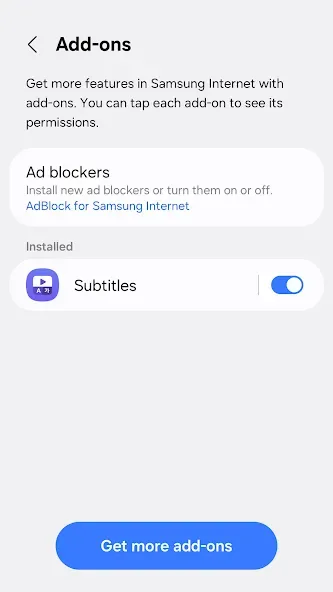
Support for add-ons, including ad blockers
VR and 360/3D streaming capabilities
Clear tab grouping and a clean user interface
Cons:
Requires additional apps for comprehensive content blocking
Occasional performance issues
FAQs
How does Samsung Internet Browser differ from other browsers?
Samsung Internet Browser offers unique features such as built-in ad blockers, privacy-focused modes, and extensive customization options, making it a strong alternative to mainstream browsers.
Does Samsung Internet Browser support extensions?
Yes, Samsung Internet Browser supports extensions, allowing users to add features like dark mode and a video assistant to enhance their browsing experience.
Can I use Samsung Internet Browser on non-Samsung devices?
Yes, the Samsung Internet Browser is available for all Android devices—not just Samsung smartphones—making it accessible to a much broader user base.
Conclusion
While many users default to Google Chrome, the Samsung Internet Browser has carved out a unique niche for itself through its excellent performance, strong privacy protections, and ease of use—offering features that rival, or even surpass, those of other similar mobile browsers.








