
Smart Connect is a device-connectivity tool designed for the Android ecosystem. It allows users to link their mobile devices with PCs and other hardware. Messages received on a mobile device can be read and managed directly from a computer, with text displayed on the mobile screen automatically enlarged for better visibility on the PC. When connected to devices like tablets, users can control them using standard PC input methods (keyboard and mouse). Furthermore, the PC screen can be mirrored or extended onto a tablet, effectively turning it into a secondary display. The tool also facilitates file transfers and text sharing (via copy-paste) across multiple devices. Additionally, if you receive a video call invitation on your mobile device, you can answer it conveniently from your computer.
Click to load YouTube / 点击加载视频
YouTube ↗Features
Run Mobile Apps and Manage Messages on Your PC
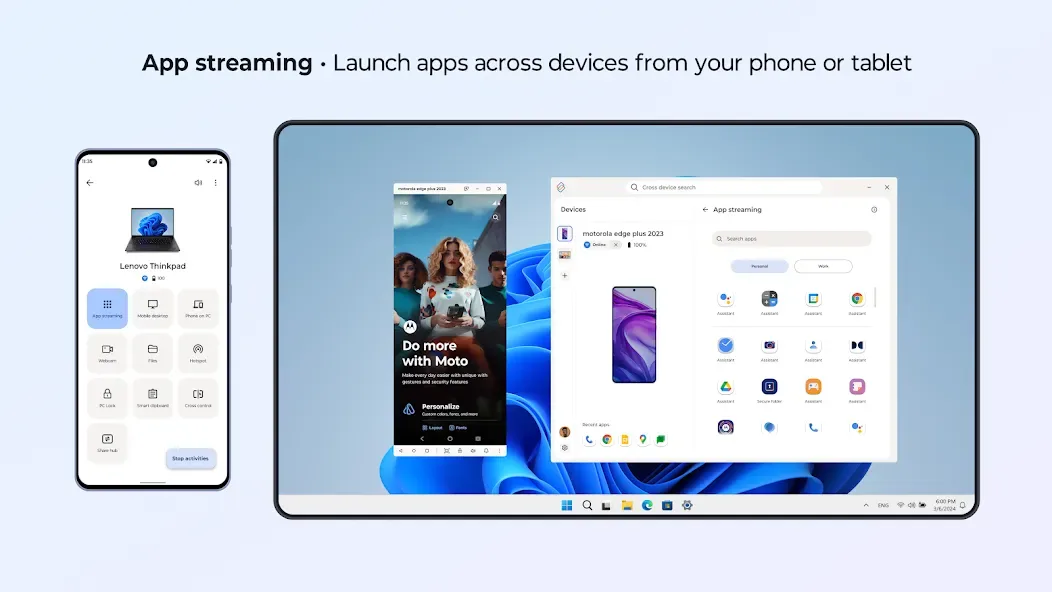
Smart Connect enables you to launch Android apps on your PC, allowing you to view content on a large screen and type using a full-sized keyboard. You can read and reply to messages directly from your computer, keeping your conversations visible while you work. The latest version also supports voice or text commands, speeding up tasks such as casting videos or opening chat windows.
Control Devices and Extend Your Screen
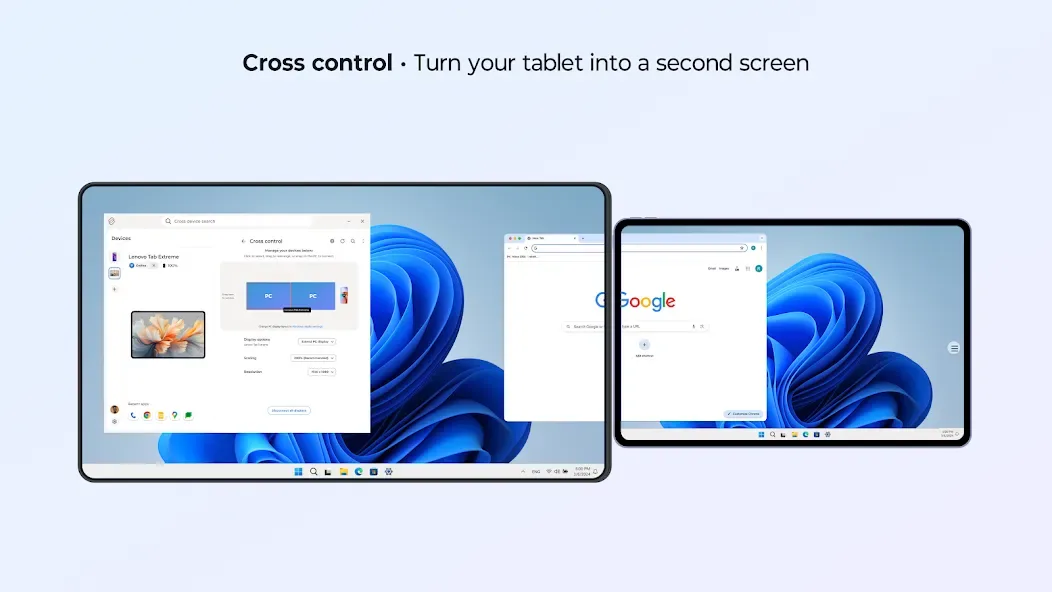
You can use your PC’s keyboard and mouse to operate your phone or tablet, enabling faster, more efficient navigation. When you need more screen real estate, you can extend or mirror your PC display onto a compatible tablet, using it as a second monitor. This setup allows for seamless transitions between devices, so you don’t have to pick up your phone every time you need to complete a simple task.
Centralized Sharing and Cross-Device Search
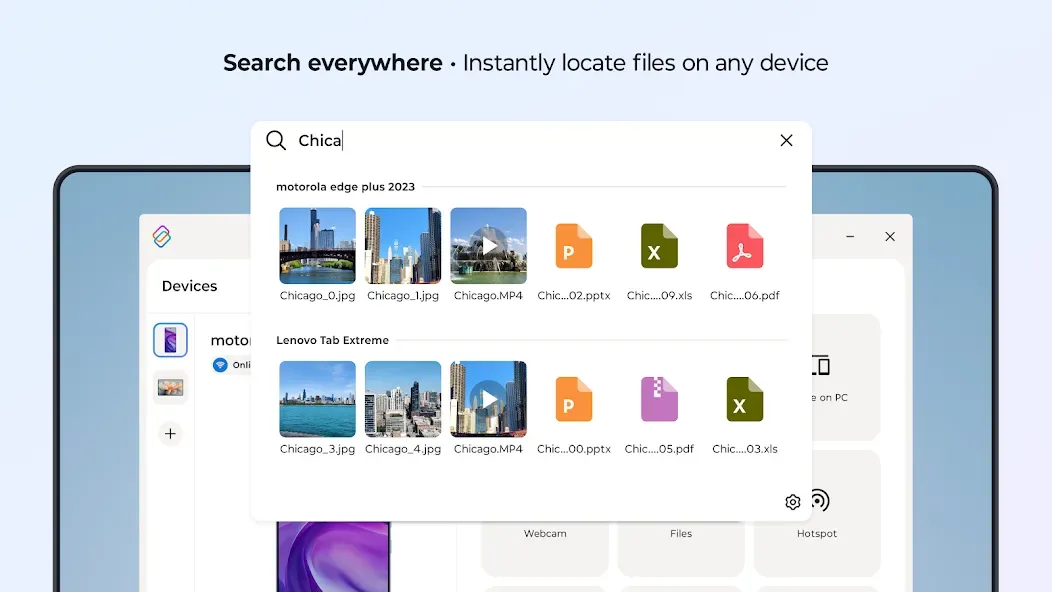
Smart Connect provides a unified hub for accessing files, photos, and media across all your connected devices. You can drag and drop items between devices to move your work or share content. The cross-device search feature helps you quickly locate apps and documents; simple commands—such as "find last month's report"—allow you to instantly retrieve what you need from your phone or tablet.
Universal Clipboard for Copy and Paste
You can copy text or screenshots on one device and paste them onto another, ensuring a smooth and uninterrupted workflow. This is highly useful for tasks such as sharing links from a mobile browser to a document on your desktop, or copying content snippets from a tablet into a chat window on your PC. The clipboard retains recently used items, helping you avoid the common mistake of accidentally sending files to yourself.
Mobile Desktop, High-Resolution Webcam, and Secure Synchronization
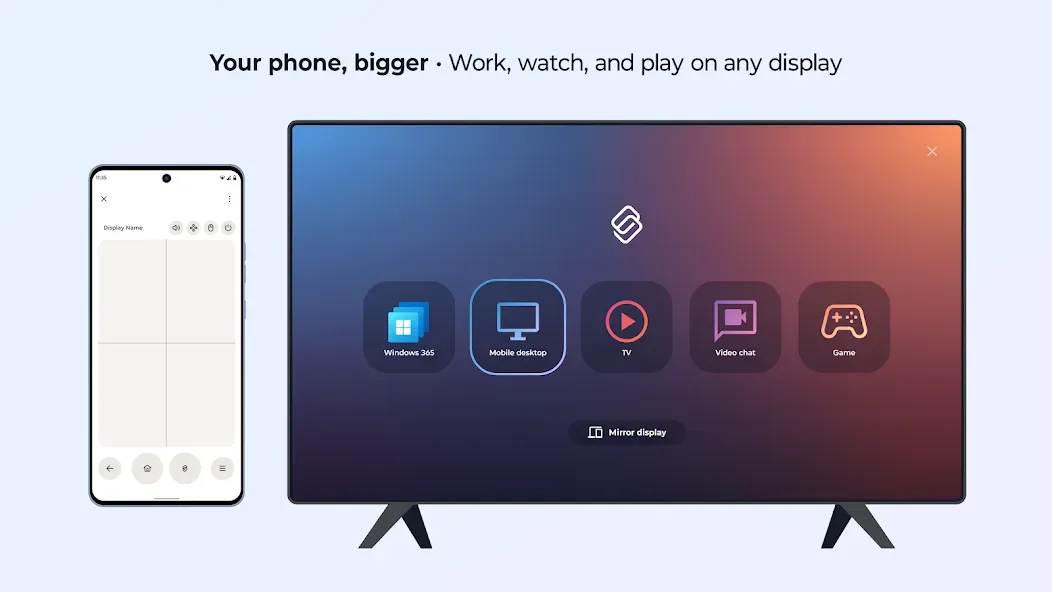
Once connected to an external display, your phone can transform into a desktop-like workspace, allowing you to run multiple applications and manage windows. You can also use your phone or tablet’s camera as a high-definition webcam for video calls on your PC. Data exchanged between devices is encrypted, and sensitive tasks are processed locally on the device. Furthermore, the system incorporates ThinkShield security technology, designed to mitigate risks in business environments.
Usage
Install Smart Connect on your phone or tablet, as well as the companion application on your Windows PC, then launch both apps.
Log in using the same account on each device and assign a name to each device for easy identification.
When prompted on your Android device, grant permissions for Bluetooth, notifications, local network access, and screen capture to enable core features.
Ensure Bluetooth is enabled and both devices are connected to the same Wi-Fi network; then, select your PC from the device list and confirm the pairing code.
Start casting or controlling: Use "Cast phone to PC" to run mobile apps, utilize the Sharing Center to drag and drop files, take advantage of the universal clipboard for copying and pasting, or extend your PC screen to your tablet.
Pros and Cons
Pros:
Stream applications and media from your phone or tablet to a PC or smart display.
Facilitate file and content sharing across devices via the search and sharing center.
Transform your phone into a desktop-like workstation.
Includes cross-device control features, such as extending your PC screen to a tablet or mirroring it onto the tablet.
Allows users to view and respond to mobile text messages directly from their PC.
No data is collected or shared with third parties; all data is encrypted during transmission.
Cons:
Requires a Windows 10 or 11 PC equipped with Bluetooth, along with a compatible phone or tablet. Feature availability varies by device, so please check for compatibility first.
FAQs
Can I use Smart Connect over a mobile data network or a different Wi-Fi network?
Yes, supported Smart Connect features can be used over mobile data or different Wi-Fi networks. This functionality was added in a recent update.
Which Android version is required for PC screen sharing?
The PC screen sharing feature requires a device running Android 15 or later.
Does Smart Connect collect or share my data?
According to the developer, Smart Connect does not collect any data, nor does it share data with any third parties. Data is encrypted during transmission, and you may request the deletion of your data at any time.
Conclusion
Smart Connect is designed for users who frequently switch between devices during their daily tasks and want their work to follow them wherever they go. It connects your Android phone or tablet to a Windows PC, allowing you to open mobile apps on a large screen, control all your devices with a single keyboard and mouse, and seamlessly sync files and content.








