

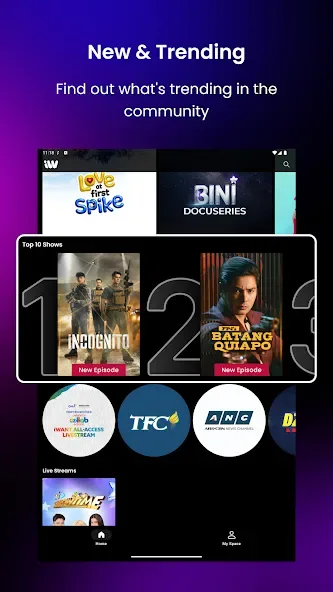
iWant TV is a video streaming application designed for the Android platform. It offers an extensive library of movies and TV series, along with a variety of live television channels from different regions. The app is compatible with multiple devices and supports casting to a television for a larger-screen viewing experience. Content is presented in high clarity, with playback becoming even smoother when connected to the internet. The interface is clean and intuitive, featuring a robust navigation system that allows users to find content quickly and easily. Additionally, the app supports offline viewing for select content, enabling users to watch their favorite shows anytime, anywhere.
Features
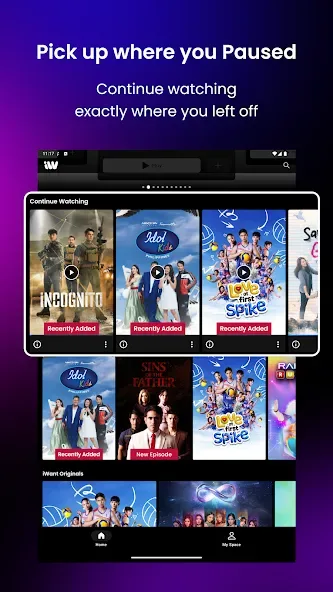
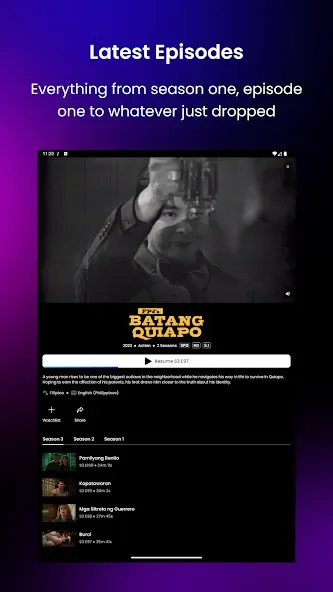
On-Demand Library: Watch thousands of movies and TV episodes whenever you want—no need to worry about broadcast schedules.
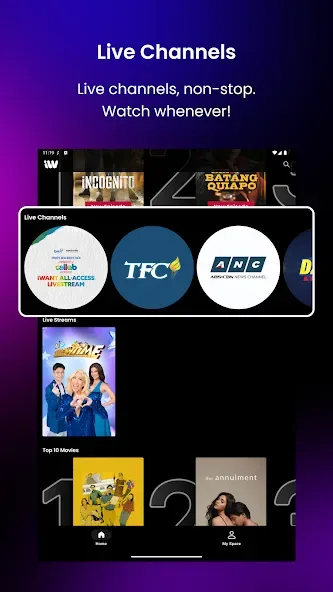
Live TV Channels: Stream live programs directly through the platform, including news and entertainment.
Multi-Device Support: Accessible via smartphones, tablets, smart TVs, and web browsers.
User-Friendly Interface: A clean, straightforward design makes finding content fast and effortless.
HD Streaming Quality: Enjoy crisp, high-definition video (subject to your internet connection).
Offline Viewing: Save select content to watch later—perfect for travel or situations with poor internet connectivity.
Free and Premium Versions: Access basic content for free, or unlock a wider selection with a premium subscription.
Pros and Cons
Pros:
Free access to a basic content library.
Live TV functionality—a feature not commonly found on all streaming platforms.
Compatible with a wide range of devices.
Affordable premium subscription plans.
Strong selection of regional and local content.
Cons:
The content library may be smaller than that of global giants like Netflix.
Some features require a paid subscription.
Tips
Use a stable internet connection: For smooth HD streaming, a minimum speed of 10 Mbps is recommended. For 4K content, a speed of 25 Mbps or higher is advised.
Keep the app updated: Always use the latest official version of the app. Updates often include bug fixes, performance improvements, and new features. Use Wi-Fi instead of mobile data: Streaming over Wi-Fi saves your mobile data and typically provides a more stable connection, ensuring uninterrupted viewing.
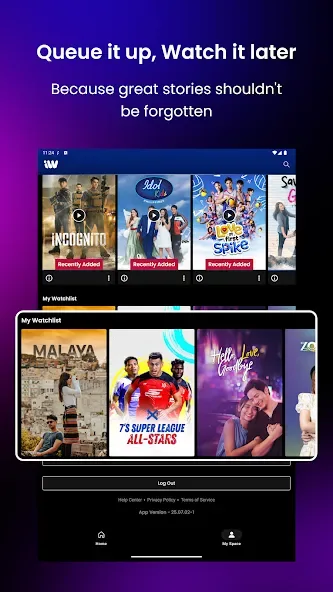
Create a watchlist: Use the platform’s watchlist or bookmark feature to save shows you plan to watch. This saves time and helps keep your entertainment organized.
Explore free content first: Before upgrading to a premium plan, check out the free content available. You might find plenty to watch without spending a cent.
Adjust video streaming quality: If your internet speed is slow, manually lower the video quality settings. This helps prevent frequent buffering and provides a smoother viewing experience.
FAQs
Which devices support iWant TV?
iWant TV is available on smartphones (Android and iOS), web browsers, smart TVs, and major streaming devices, supporting a wide range of screen sizes.
Can I watch live TV on iWant TV?
Yes. A key feature of iWant TV is its live TV section, which includes real-time broadcasts of entertainment and news channels.
Is iWant TV available globally?
iWant TV is accessible in many regions; however, due to copyright agreements, some content may be restricted based on your location.
Conclusion
With multi-device support, a user-friendly interface, and both free and paid options, the platform caters to a wide variety of viewers. Whether you are a casual viewer or a dedicated binge-watcher, you are sure to find something that suits your tastes on iWant TV.








