
Floating Apps is a multitasking tool for Android that allows you to run various applications in floating windows. Each app operates independently, enabling you to stay productive while enjoying entertainment simultaneously. Beyond standard applications, you can also create floating windows for specific websites, effectively turning them into convenient, accessible shortcuts. These floating windows can be moved and resized to suit your personal preferences and needs. The software supports multiple languages, making it accessible to all users.
Features
Floating Mini-Apps
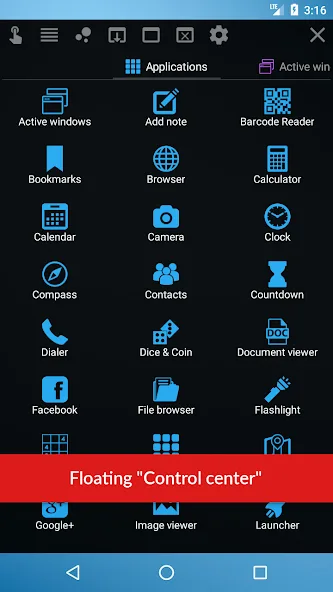
Access over 40 mini-apps that float above your other applications—ranging from browsers and notepads to calculators, file managers, and media viewers. They appear with just a single tap!
Seamless Multitasking
Chat while watching a video, or take notes while reading important emails—all without ever leaving your primary application. Simply open the desired app in floating mode.
Create Your Own Windows
Go beyond built-in apps by creating floating windows for widgets or your favorite websites. It’s like having a super-shortcut available anytime, anywhere.
Easy Navigation
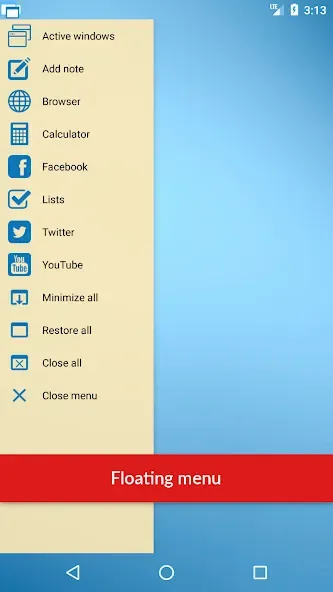
The floating menu is always within reach, providing one-tap access to your mini-apps and shortcuts. Windows can be moved, enlarged, or shrunk as needed.
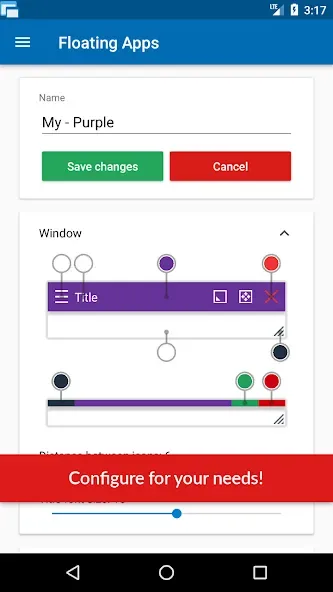
Flexible and Customizable
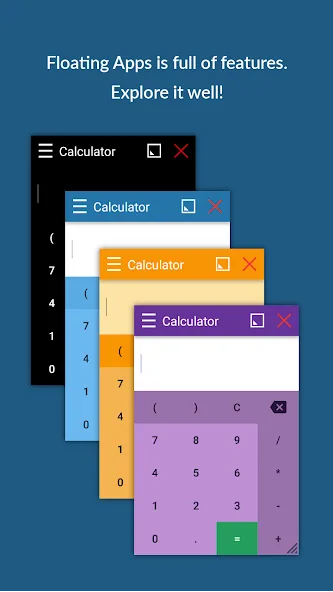
Whether you want full-screen, minimized, or custom-sized windows, everything is adjustable. You can even fine-tune the transparency and positioning.
Support for Various Formats
Read documents, play music, view images, or even access Google Maps—all from within a floating window. It’s a great way to boost your daily productivity.
Multilingual Support
Floating Apps (Multitasking) supports multiple languages, ensuring it is easy for anyone to use.
Usage
Launch Floating Apps and enable the floating menu so that its handle or icon appears on your screen.
Tap the menu or the floating icon, then select a mini-app—such as a browser, notepad, or calculator—to open it in a new window.
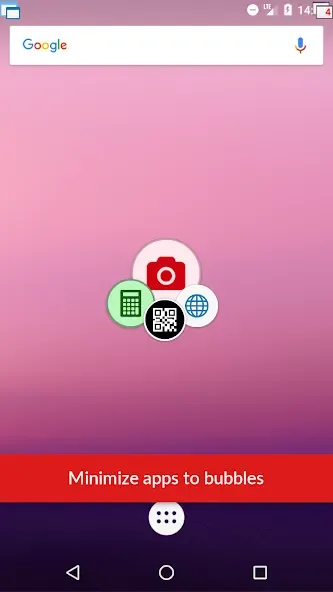
Drag the title bar to move a window, and use the edges or on-screen controls to resize it as desired. When you don’t want a window in your way, you can minimize it into a small bubble; simply tap the bubble to restore the window to its original state.
While working in other applications, you can use the "Share" or "Open with" functions to send links, images, or videos to the corresponding floating tool. You can also create custom floating apps from widgets or URLs for faster access in the future.
Pros and Cons
Pros:
Run multiple movable and resizable windows simultaneously.
Convert URLs and home-screen widgets into floating windows.
Supports maximizing, minimizing, and transparency adjustments.
Cons:
Window controls located at the top can be difficult to reach when using the device one-handed.
User Reviews
This software brings multi-window, desktop-like functionality—similar to Windows—to the Android operating system! Windows can be minimized or moved around freely. I love that I can minimize a YouTube video window and keep listening to the content even with the screen turned off—that feature is a huge plus for me! I’m a big fan of this app; a huge thank you to the developers!
These independent, small windows can be resized freely using two-finger gestures. As a professional split-screen tool, it strips away unnecessary, unrelated features, focusing entirely on its core purpose: providing a dedicated, professional split-screen experience.
I am very satisfied with this service! I really like features like this—thank you for creating it; I’m very happy with it.
Conclusion
Floating Apps is designed for situations where you need to view two things on your screen at once without having to constantly switch back and forth. It displays small tool windows over your current application, making it easy to read, compare, or copy content while staying focused on your primary task.








