
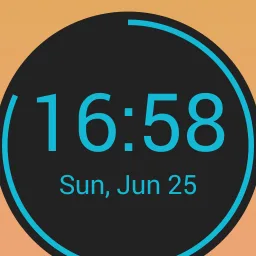
Circle Clock is a customizable clock widget application available for the Android platform. This app allows users to personalize their clock display with various aesthetic options and functional features. Designed to enhance the user experience, Circle Clock provides a range of settings that enable individuals to tailor their clock to fit their preferences. One of the primary attributes of Circle Clock is its extensive customization capabilities. Users can modify text colors and background colors, which allows for a personalized look that matches their device's theme or individual style. The widget also offers various font styles, providing additional options for users to express their uniqueness. Furthermore, the app allows users to change the style of the second hand, contributing to the overall aesthetic appeal. Circle Clock supports both 12-hour and 24-hour time formats, giving users the flexibility to choose their preferred method of timekeeping. Additionally, the app includes an animated second hand, which adds a dynamic element to the clock display, enhancing visual engagement. For users who prefer auditory notifications, the hourly beep feature can be enabled, providing a subtle reminder of the time at regular intervals.
About:
Circle Clock is a free Android clock widget developed by Zopsoft Technology. It offers a variety of beautiful designs to enhance the user's experience. The app allows the user to customize the text and background colors, font styles, second styles, and set thehr clock. Additionally, it has a second hand animation and an hourly beep/sound feature.
The app also provides the ability to customize the font, time color, stroke color, and background size. Furthermore, it has a new feature of Sticker/Bitmoji support and the option to open a custom app on click. The new update also includes the option to show/hide AM/PM separately and display thehr format separately. It requires storage permission for sound selection in the Hourly Beep feature and to save stickers.
It is important to note that the widget may not start immediately after adding it to the home screen. The user should start the app first before adding the widget. If the widget still does not start, they should follow the steps provided by the developer.
Overall, Circle Clock is an excellent clock widget that offers a wide range of customization options. It is easy to use, and the handpicked designs make it visually appealing.
Features:
Fitness Competitions with a Tech Twist: It is the ultimate app for fitness enthusiasts who love a good competition. We combine the excitement of fitness challenges with cutting-edge technology to enhance your experience and make it even more enjoyable.
User-Friendly Interface: We understand that simplicity is key when it comes to an app. That's why we've designed it to be user-friendly and intuitive. From uploading your scores to checking the leaderboard, everything can be done effortlessly with just a few taps.
Helpful Leaderboard Analytics: Wondering how you stack up against other participants? Our app provides detailed leaderboard analytics to give you an in-depth understanding of your performance. Track your progress, identify areas for improvement, and celebrate your victories along the way.
Important Updates at Your Fingertips: Stay in the loop with important updates and announcements directly in the app. Whether it's a new challenge, rule change, or event information, you'll always be the first to know. Say goodbye to missed opportunities and hello to maximum engagement.
Conclusion:
Circle Clock is a versatile clock widget that stands out due to its extensive customization options and user-friendly interface. With features such as multiple font styles, background adjustments, and various time formats, users can create a clock display that is both functional and visually appealing. The addition of sticker support and custom app launching further enhances the app's utility, making it more than just a timekeeping tool. This app is suitable for users who appreciate a personalized experience on their mobile devices. The ability to modify colors, sizes, and styles allows individuals to create a clock that reflects their taste and preferences. Furthermore, the inclusion of features like hourly beeps and second-hand animations contributes to a more interactive experience. Overall, Circle Clock offers a comprehensive set of features that cater to users looking for both functionality and personalization in their clock widget. The app's design encourages creativity and allows individuals to tailor the widget to their liking, making it a valuable addition to any Android device.








